Page 66 / 86 Technical Notice CSO/CPO V1.1 / 10.14
9 Options
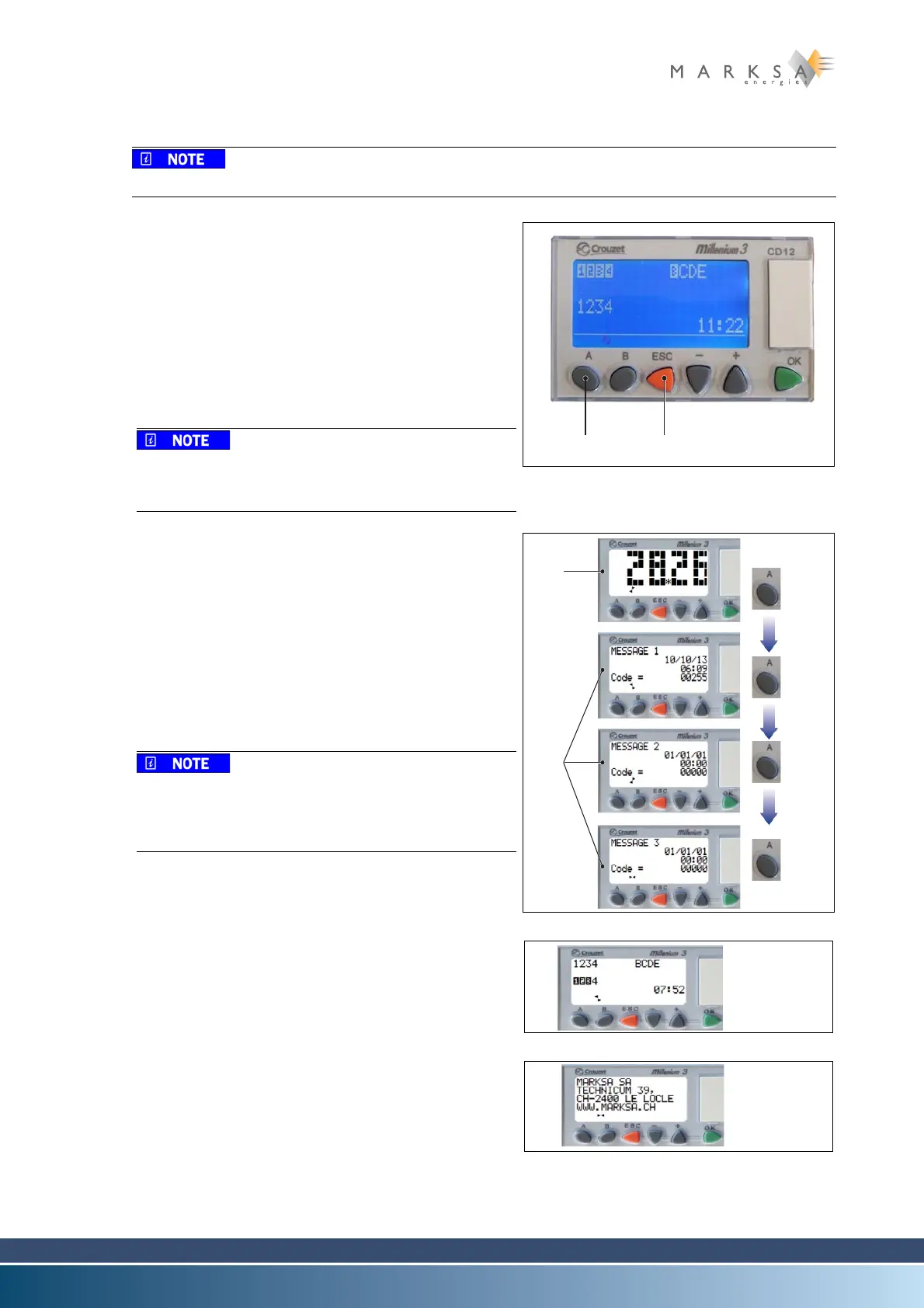
9.1.14.2 'A' key functions
Availability and variable content
A. A key (1): archiving menu (optional) or unused key.
B. This option is progressively replaced by other more use-
ful options.
C. This option is used to store 3 to 5 error codes in the
memory. It is particularly useful when a breakdown oc-
curs and personnel are not present.
D. For error code interpretation information, contact
Marksa SA.
E. Press the A key on the front panel several times to show
the archives.
Press the ESC key (2) to exit this menu. The PLC ex-
its this menu automatically after a few seconds of
inactivity.
Fig. 9-12 : Display - A key
Examples of archives when the regulation function is
used:
• Main screen when the regulation function is used
(3).
• Press the A key several times in succession to scroll
through the messages on the display (4).
• Once you have scrolled through all the messages,
the display shows the regulation temperature again
(3).
The error code depends on the event that occurred
at a specific moment. It is a decimal number formed
by combining the binary value of the 8 inputs, and in
some cases the internal bits, as in this case.
Fig. 9-13 : Example error codes
When the regulation function is not used, the main
screen is followed by the inputs and outputs screen and
the Marksa SA contact details screen:
• the inputs and outputs screen “Fig. 9-14 :”
Fig. 9-14 : Displays in non-regulation mode
• or the Marksa SA contact details screen “Fig. 9-15 :”
Fig. 9-15 : Displays in non-regulation mode



 To Next Page