Technical Notice CSO/CPO V1.1 / 10.14 Page 69 / 86
Options 9
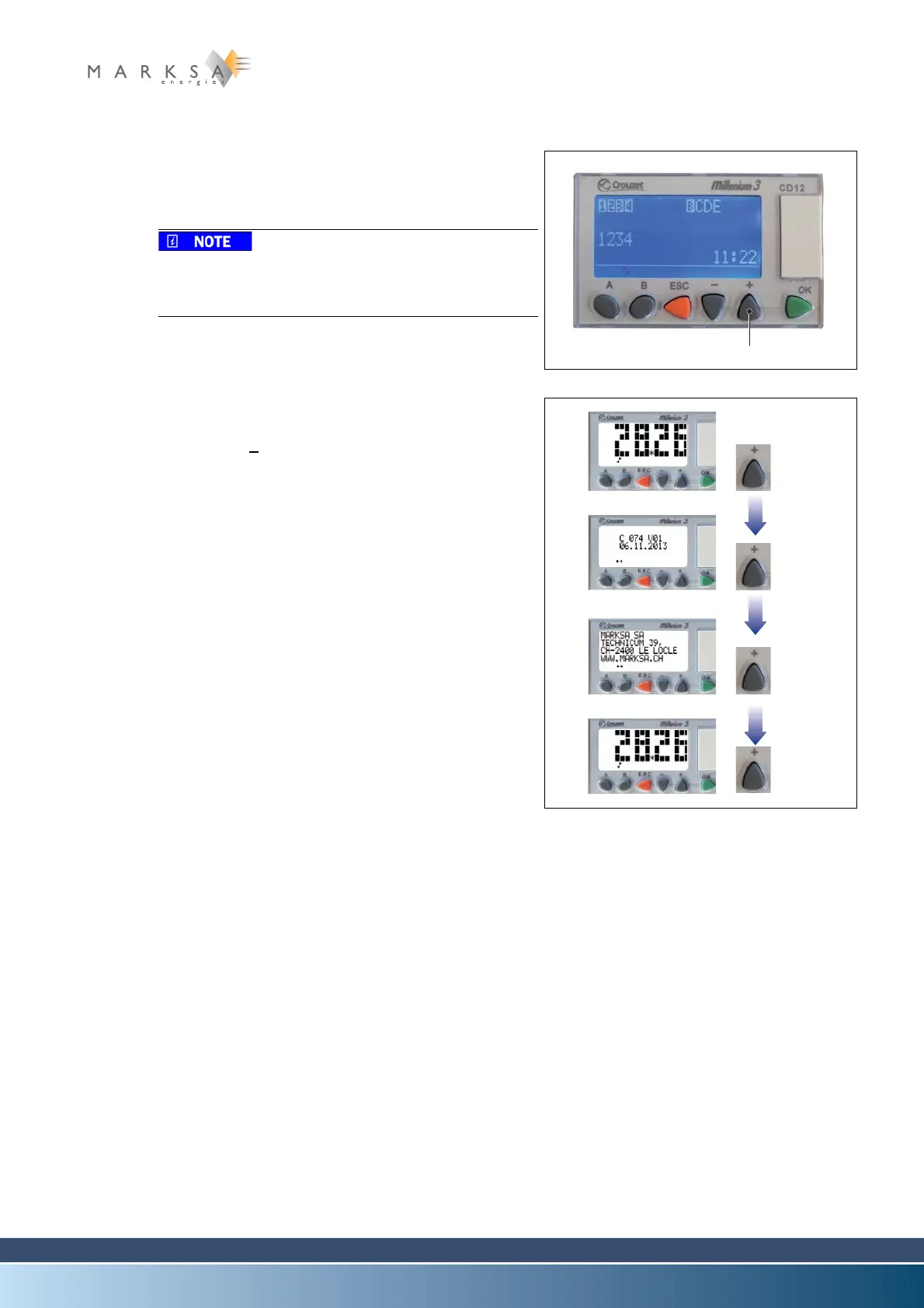
9.1.14.5 '+' key functions
A. + key (1): show useful information:
• version and creation date
• Marksa SA contact details.
Press the ESC key to exit this menu. The PLC exits
this menu automatically after a few seconds of inac-
tivity.
Fig. 9-18 : Display zoom
B. Examples of screens when the regulation function is
used:
• Press the +
key several times in succession to scroll
through the various screens on the display.
• Once you have scrolled through all the screens, the
display shows the regulation temperature again.
If the optionals flowmeters and / or pressure switches
are installed, see section “9.1.14.6” with another
example of screens.
Fig. 9-19 : Version and contact details with
regulation mode active



 To Next Page