Page 68 / 86 Technical Notice CSO/CPO V1.1 / 10.14
9 Options
9.1.14.4 '-' key functions:
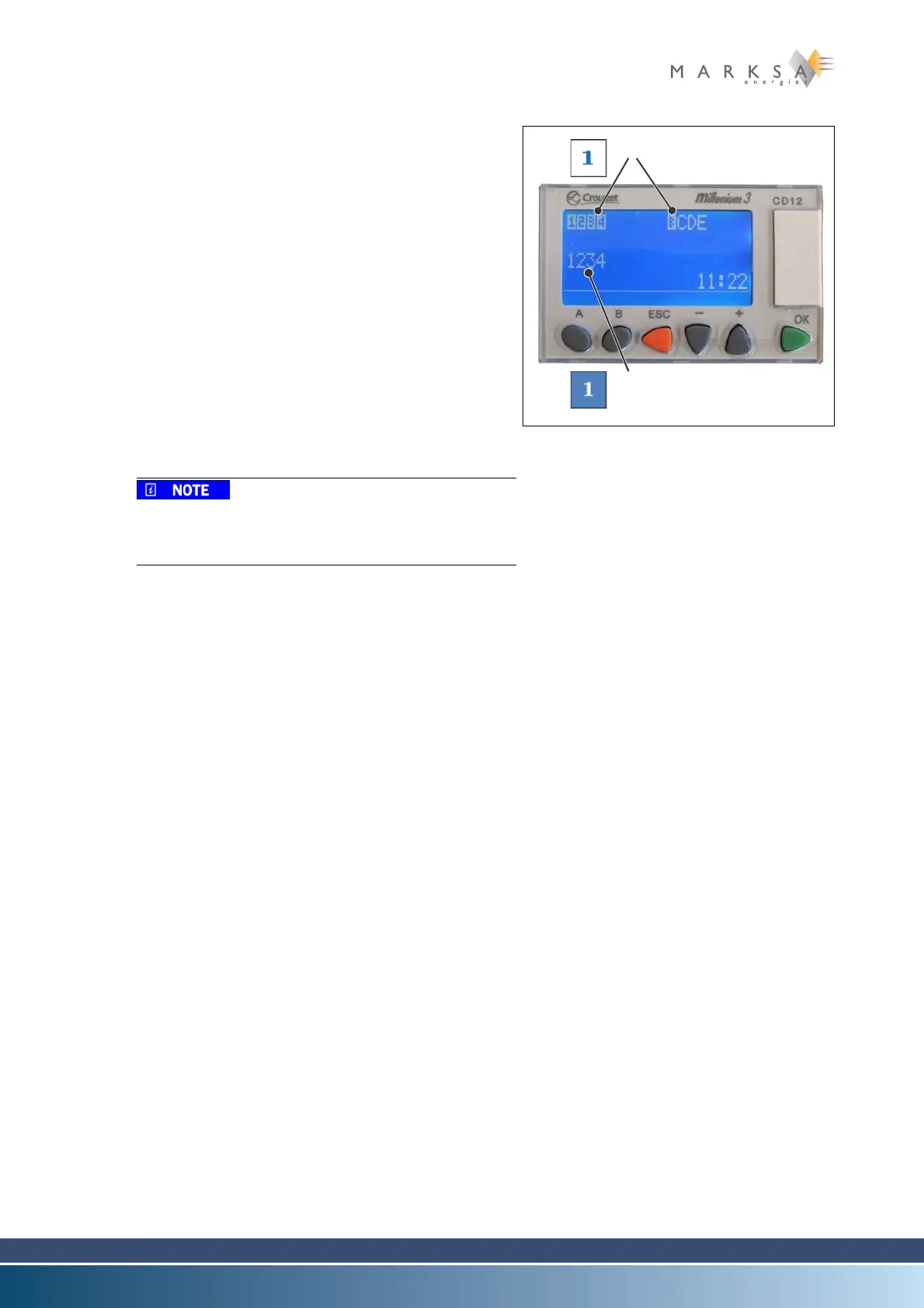
A. - key: show input and output statuses
B. To use this function, you need to press and hold the -
key. The screen appears as shown opposite. “Fig. 9-17
:”
Where the pixels around an input or output are
highlighted, the corresponding input or output is
active (1).
• Voltage present for an input
• Relay contact closed for an output
Where the pixels around an input or output are not
highlighted, the corresponding input or output is
inactive (2).
• Voltage not present for an input
• Relay contact open for an output
The content of the Settings menu may vary depend-
ing on the program installed. To find a setting, use
the settings table.
See section “9.1.14.8 Settings table (variable)” on
page 74.
Fig. 9-17 : Inputs and outputs status
(1) Inputs i1 to i4 and iB to iE
(2) Outputs O1 to O4



 To Next Page