ON
16
About Multiple Car Programming:
Multiple car (Alarm) operation will only operate correctly when all transmitters on all systems are
programmed in “B” mode (Separate Channel Mode). You can not mix “A” mode programming
and “B” mode programming. Follow the transmitter coding information in this manual Step 3, 4
and 5B Part 1. To code a second car, get into code learning (Steps 3 and 4) on the second system
and complete step 5B, Part 1 and press the transmitter's UNLOCK button. To code a third car, get
into code learning (Steps 3 and 4) on the third system and complete step 5B, Part 1 and press the
transmitter's AUX button. Alternatively, we have an optional 5-button transmitter for 2 car
operation that allows complete independent control of each function using the “Dedicated Button
Mode”.
Step 7: Multiple Car Programming
#7 - Car Jacking Feature
Step 6: Remote Feature Programming (Part 3)
OFF
ON
OFF
ON
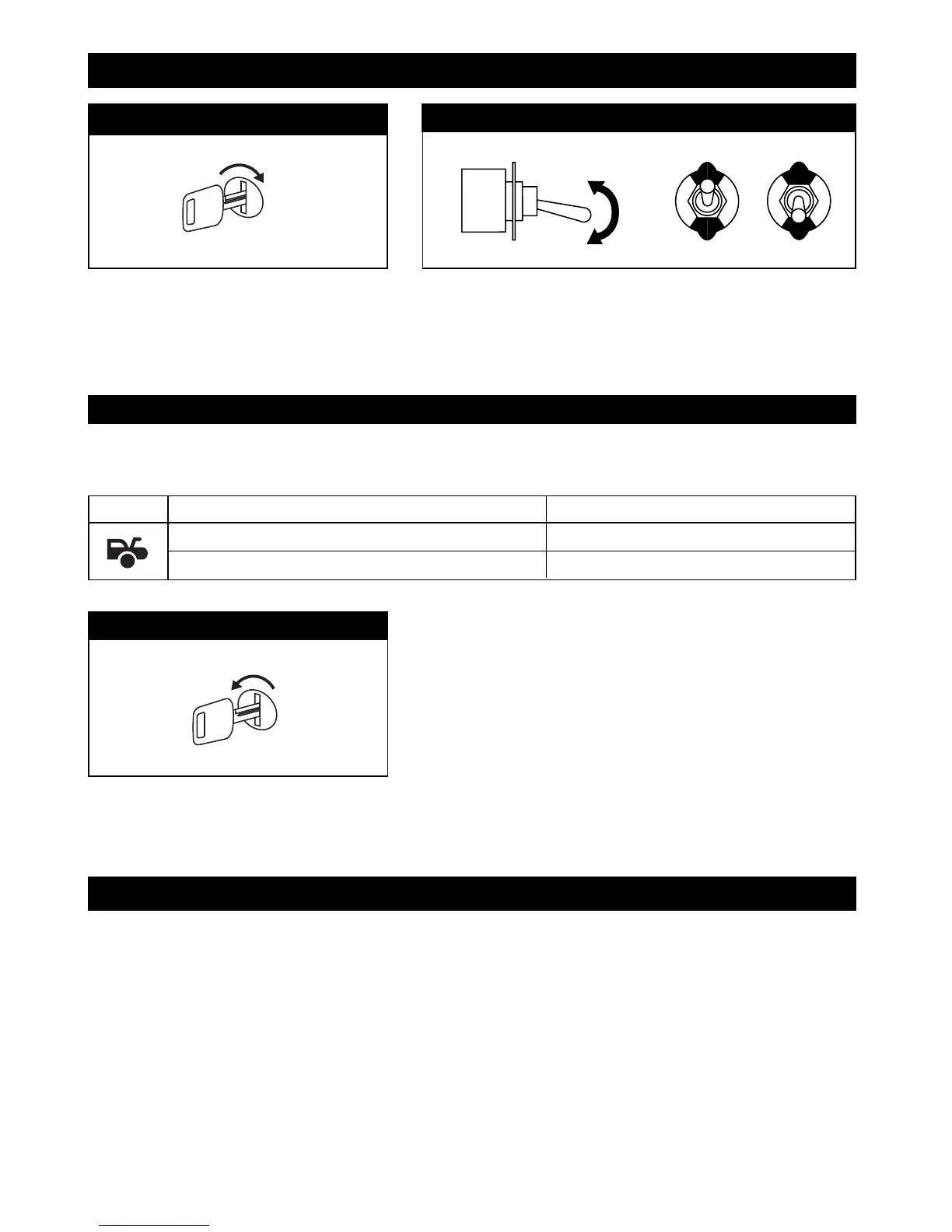
Turn On the Ignition Key
Flip the Valet Switch On/Off 10 Times
The LED will be on solid. The horn/siren will emit 10 short
chirps to indicate you are now in Part 3 “Remote Feature
Programming” mode.
Step 1
Step 2
X10
Button Changed Function Confirmation
Car Jacking Feature is "ON"
1 Chirp, LED and Parking Lights Flash
Car Jacking Feature is "OFF" (Default)
2 Chirps, LED and Parking Lights Flash
Step 3
To change a function, press and hold corresponding button (see chart below) until desired confirmation occurs.
OFF
Step 4
Turn Off the Ignition
The LED will be off and the horn/siren will
emit 1 short beep and 1 long beep. You are
now out of the feature programming mode.
M5A-IM 9/10/04 9:27 AM Page 16



 To Next Page