www.martin.com • Olof Palmes Allé 18 • DK-8200 Aarhus N • Denmark
Tel. (+45) 8740 0000 • Fax (+45) 8740 0010
Replacing Dongle (the procedure is for M2GO and M2PC)
1. Switch OFF the controller and
disconnect the power cable from
the controller.
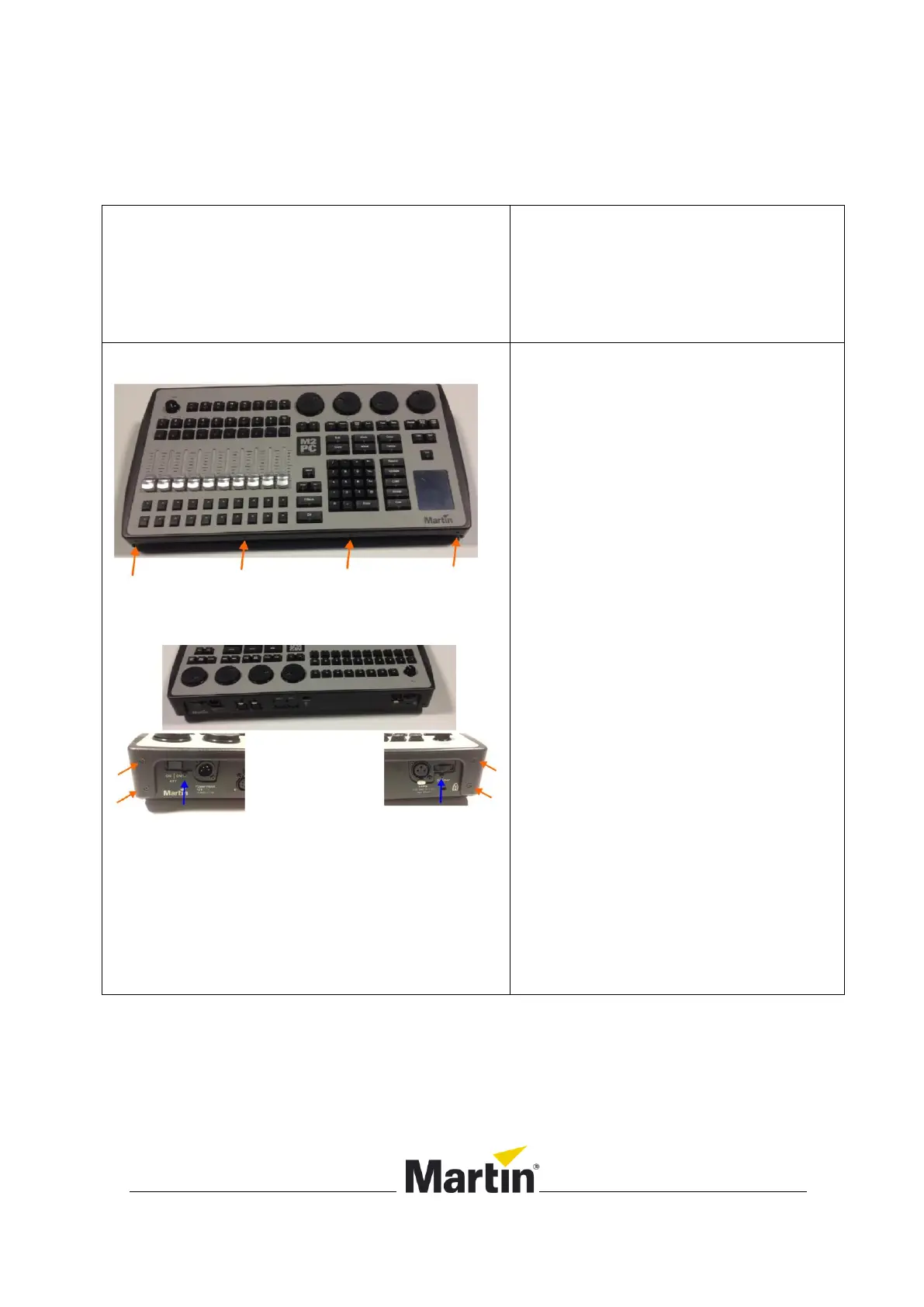
2. Remove the front panel:
Use a Torx T-10
Remove 4 screws from the
front side (orange arrows)
Remove 4 screws from the
back side (orange arrows)
Loosen the 2 scews marked
with the blue arrows.












 To Next Page