EasyManua.ls Logo

Martin MAC 250 Wash - User Manual

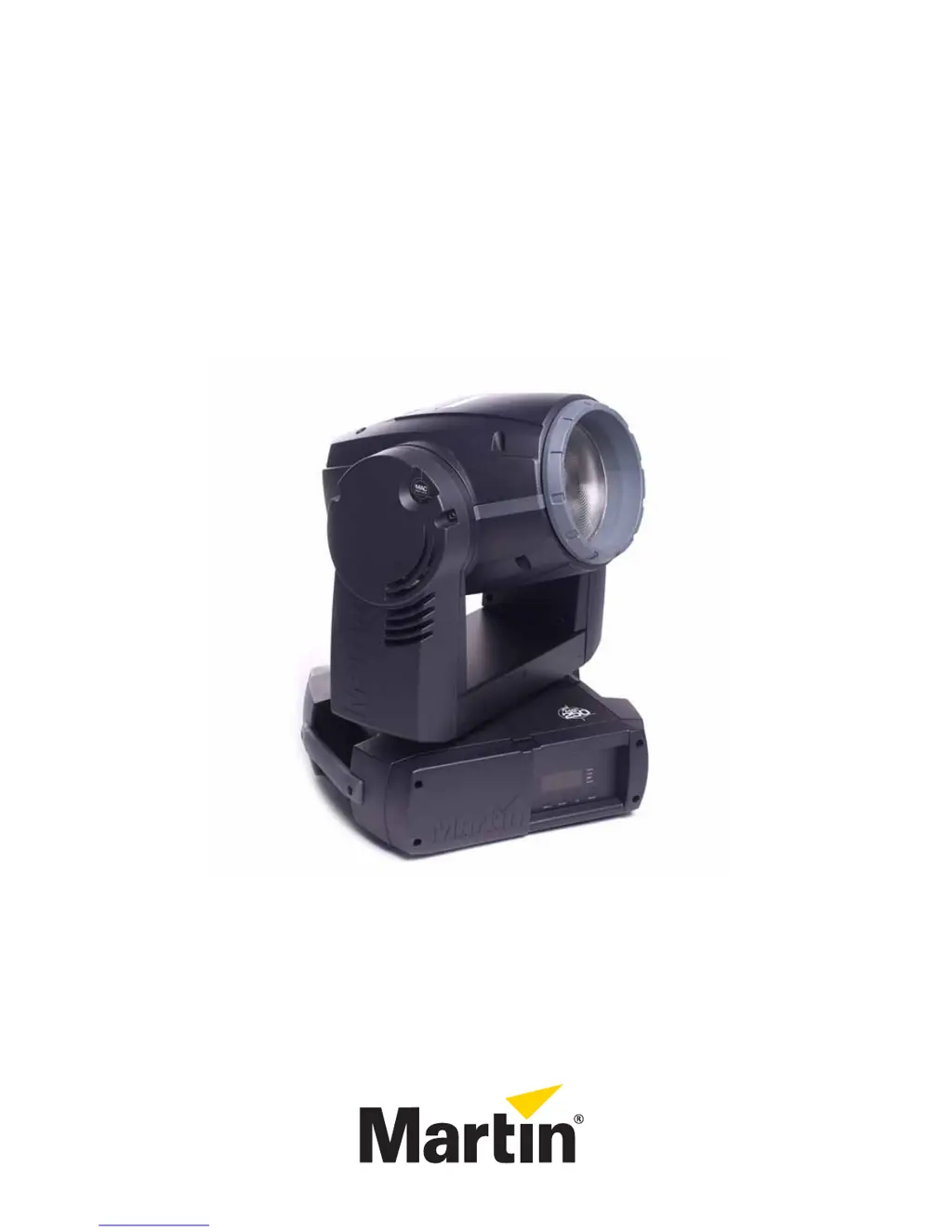
Martin MAC 250 Wash
44 pages
Print Icon
To Next Page IconTo Next Page
Loading...
MAC 250 Wash
user manual
TM

Questions and Answers

  • D
    domingueztiffanyAug 7, 2025
    What to do if Martin MAC 250 Wash Lighting Equipment shows no light and '????' error message?
    • C
      Christina HammondAug 7, 2025
      If you see a '????' error message and no light on your Martin Lighting Equipment, the power supply settings may not match your local AC voltage and frequency. Disconnect the fixture and check the settings to correct them if necessary. It's also possible that the lamp is missing or blown. Disconnect the fixture and replace the lamp.
  • S
    Sabrina DavisAug 13, 2025
    Why does the lamp cut out intermittently on my Martin MAC 250 Wash Lighting Equipment?
    • B
      Brenda RyanAug 13, 2025
      If your Martin Lighting Equipment lamp cuts out intermittently, it could be because the fixture is too hot. Allow the fixture to cool, clean the fans, air filter, and air vents, and ensure that the ambient temperature does not exceed 40° C (104° F). Alternatively, the power supply settings may not match your local AC voltage and frequency. Disconnect the fixture and check the settings to correct them if necessary.
  • J
    Jose RhodesAug 19, 2025
    How to troubleshoot a completely dead Martin MAC 250 Wash Lighting Equipment fixture?
    • N
      Nicholas WalkerAug 19, 2025
      If one or more of your Martin Lighting Equipment fixtures is completely dead, first check that the power is switched on and the cables are plugged in. If that's not the issue, the primary fuse may have blown, so replace it. Alternatively, the secondary fuses located on the PCB inside the base may have blown. Check the fuses on the PCB and replace them if necessary.
  • B
    Beth TranAug 25, 2025
    Why do all my Martin MAC 250 Wash Lighting Equipment fixtures respond erratically to the controller?
    • D
      Dr. Melanie GrantAug 26, 2025
      If your Martin Lighting Equipment fixtures reset correctly but all respond erratically or not at all to the controller, it could be that the controller is not connected. Check the connections. Another possibility is that the XLR pin-out of the controller does not match the pin-out of the first fixture on the link, meaning the signal is reversed. Install a phase-reversing cable between the controller and the first fixture on the link to resolve this.
  • S
    Steven CardenasOct 31, 2025
    What to do if Martin MAC 250 Wash fixtures respond erratically to the controller?
    • C
      Christina MorrisOct 31, 2025
      If your Martin Lighting Equipment fixtures reset correctly, but some respond erratically or not at all to the controller, it could be due to several reasons. Check the data quality, as a value much under 100 percent can indicate a bad data link connection, poor quality or broken cabling, missing termination, or a defective fixture disturbing the link. Inspect connections and cables, correcting poor connections and replacing damaged cables. Ensure the data link is terminated with a 120 ohm termination plug in the output jack of the last fixture. Verify the address settings of the fixtures. One of the fixtures may be defective and disturb data transmission on the link. Bypass one fixture at a time (unplug both connectors and connect them directly together) until normal operation is regained,...

Summary

Introduction to MAC 250 Wash

Critical Safety Precautions

Provides essential safety precautions for installing and operating the MAC 250 Wash fixture.

Setup and Initial Configuration

AC Power Connection and Voltage Settings

Guides on connecting AC power and configuring voltage/frequency settings for the fixture.

Installation and Mounting Procedures

DMX Data Link Setup

Control Panel Operation

Menu Navigation and DMX Addressing

Describes how to navigate control panel menus and set the DMX address for independent control.

Information Readouts and Diagnostics

Service Utilities and Feedback Control

DMX Control Functionality

DMX Color, Pan;Tilt, and Speed Control

Optics and Color Filter Management

Fixture Service and Cleaning

Lamp Replacement Procedure

Detailed Cleaning Procedure

Fuse Replacement and Lubrication

Software Update Procedures

DMX Protocol Specifications

DMX Channel Mapping and Functions

Detailed mapping of DMX channels to fixture functions for both 16-bit and 16-bit Extended modes.

Control Menu Configuration Options

DMX Addressing and Mode Settings

Configuration options for DMX address and operating modes within the control menu.

Manual Control and Utility Functions

Adjustment Submenu and Control Shortcuts

Error Message Interpretation

Troubleshooting Displayed Error Codes

Explains common error messages displayed by the fixture and recommended actions.

General Troubleshooting Guide

Fixture Problems and Resolution

A table listing common problems, their probable causes, and suggested remedies for the MAC 250 Wash.

MAC 250 Wash Technical Specifications

Detailed Photometrics and Power Requirements

Martin MAC 250 Wash Specifications

General IconGeneral
BrandMartin
ModelMAC 250 Wash
CategoryLighting Equipment
LanguageEnglish

Related product manuals