EasyManua.ls Logo

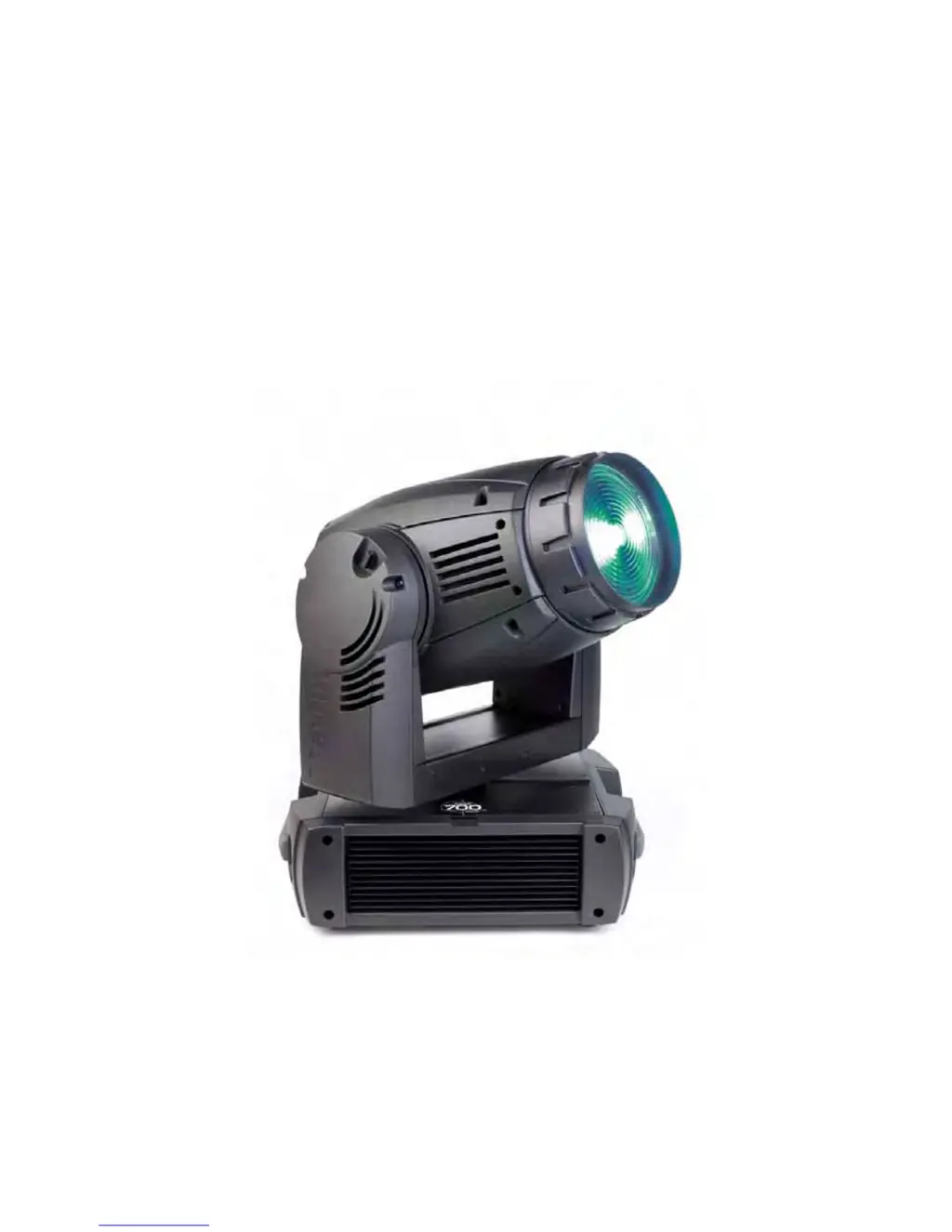
Martin MAC 700 WASH - User Manual

Martin MAC 700 WASH
36 pages
Print Icon
To Next Page IconTo Next Page
Loading...
MAC 700 Wash
user manual

Other manuals for Martin MAC 700 WASH

Questions and Answers

  • F
    frankjonesJul 31, 2025
    What to do if my Martin MAC 700 WASH shows a lamp error but there is no light?
    • K
      Katherine ConwayJul 31, 2025
      If your Martin Lighting Equipment displays a lamp error message and there's no light, several things could be the cause: * The lamp might be blown, in which case you should disconnect the fixture and replace the lamp. * The lamp may not be installed; disconnect the fixture and install the lamp. * The lamp access safety switch may be open; check that the lamp access plate is fully seated and locked in place. * The supply voltage might be too low; check the voltage.
  • K
    Kristy SimpsonAug 6, 2025
    How to troubleshoot completely dead Martin MAC 700 WASH?
    • M
      michael22Aug 6, 2025
      If one or more of your Martin Lighting Equipment fixtures is completely dead, it could be due to a few reasons: * There's no power to the fixture. Check that the power is switched on and the cables are plugged in. * The primary fuse is blown (located near the power inlet). Isolate the fixture from power and replace the fuse. * Secondary fuse(s) are blown (located on PCBs in the base). Isolate the fixture from power, check the fuses, and replace them.
  • D
    Dominique MccartyAug 18, 2025
    What causes the lamp to cut out intermittently on Martin MAC 700 WASH?
    • C
      Charles WilliamsAug 18, 2025
      If the lamp in your Martin Lighting Equipment cuts out intermittently, it may be because the fixture is too hot. Allow the fixture to cool. Clean the fixture, especially the fans, vents, and filters, and reduce the ambient temperature.
  • S
    Sierra LawsonAug 25, 2025
    What to do if the lamp fails to strike on my Martin Lighting Equipment?
    • S
      Sean KingAug 25, 2025
      If the lamp fails to strike in your Martin Lighting Equipment after turning the fixture off and on again, or after a power failure, it may be because the electronic ballast does not recognize that the lamp is off. Send a LAMP OFF command before sending another LAMP ON command. The lamp will then strike.
  • J
    joshuawalkerNov 11, 2025
    Why is my Martin MAC 700 WASH Lighting Equipment responding erratically to the controller?
    • A
      Alicia WrightNov 11, 2025
      If your Martin Lighting Equipment fixtures reset correctly but respond erratically or not at all to the controller, consider these potential causes: * A bad data link. Inspect connections and cables, correct poor connections, and repair or replace damaged cables. * The data link is not terminated. Insert a termination plug in the output jack of the last fixture on the link. * Incorrect addressing of the fixtures. Check the fixture address and DMX mode settings. * One of the fixtures is defective and is disturbing data transmission on the link. Bypass one fixture at a time by unplugging XLR in and out connectors and connecting them directly together until normal operation is regained. Have the defective fixture serviced by a qualified technician. * XLR pin-out on fixtures does no...

Summary

Safety Information

Protection From Electric Shock

Essential precautions for preventing electrical hazards.

Lamp Safety

Guidelines for safe handling and operation of lamps.

Protection From Burns and Fire

Warnings and measures to prevent burns and fire hazards.

Protection From Injury Due to Falls and While Lifting

Safety procedures for rigging, installation, and handling.

AC Power

Power Supply and Main Fuse

Details on voltage compatibility and main fuse installation.

Power Connection

Correct procedures for connecting the fixture to AC power.

Lamp

Lamp Replacement

Step-by-step guide for replacing the lamp safely.

To Align the Lamp

Procedures for correctly aligning the lamp for optimal performance.

DMX Data Link

Tips for Reliable Data Transmission

Best practices for ensuring stable DMX signal integrity.

To Connect the Data Link

Instructions for establishing DMX connections between fixtures.

Rigging

To Clamp the Fixture on a Truss

Detailed steps for securely mounting the fixture to a truss.

Control Panel

DMX Address and Protocol Settings

How to set DMX address and select control mode.

Specific Settings and Features

Configuration options for Dimmer, Display, Lamp, DMX Reset, CMY Blackout.

Advanced Configuration and Calibration

Utilizing calibration, fan settings, and software upload features.

Effects

Routine Maintenance

MAC 700 Wash Specifications

Electrical Specifications

AC power, voltage, current, and power factor details.

Martin MAC 700 WASH Specifications

General IconGeneral
BrandMartin
ModelMAC 700 WASH
CategoryLighting Equipment
LanguageEnglish

Related product manuals