EasyManua.ls Logo

Martin MAC 700 PROFILE - User Manual

Martin MAC 700 PROFILE
47 pages
Print Icon
To Next Page IconTo Next Page
Loading...
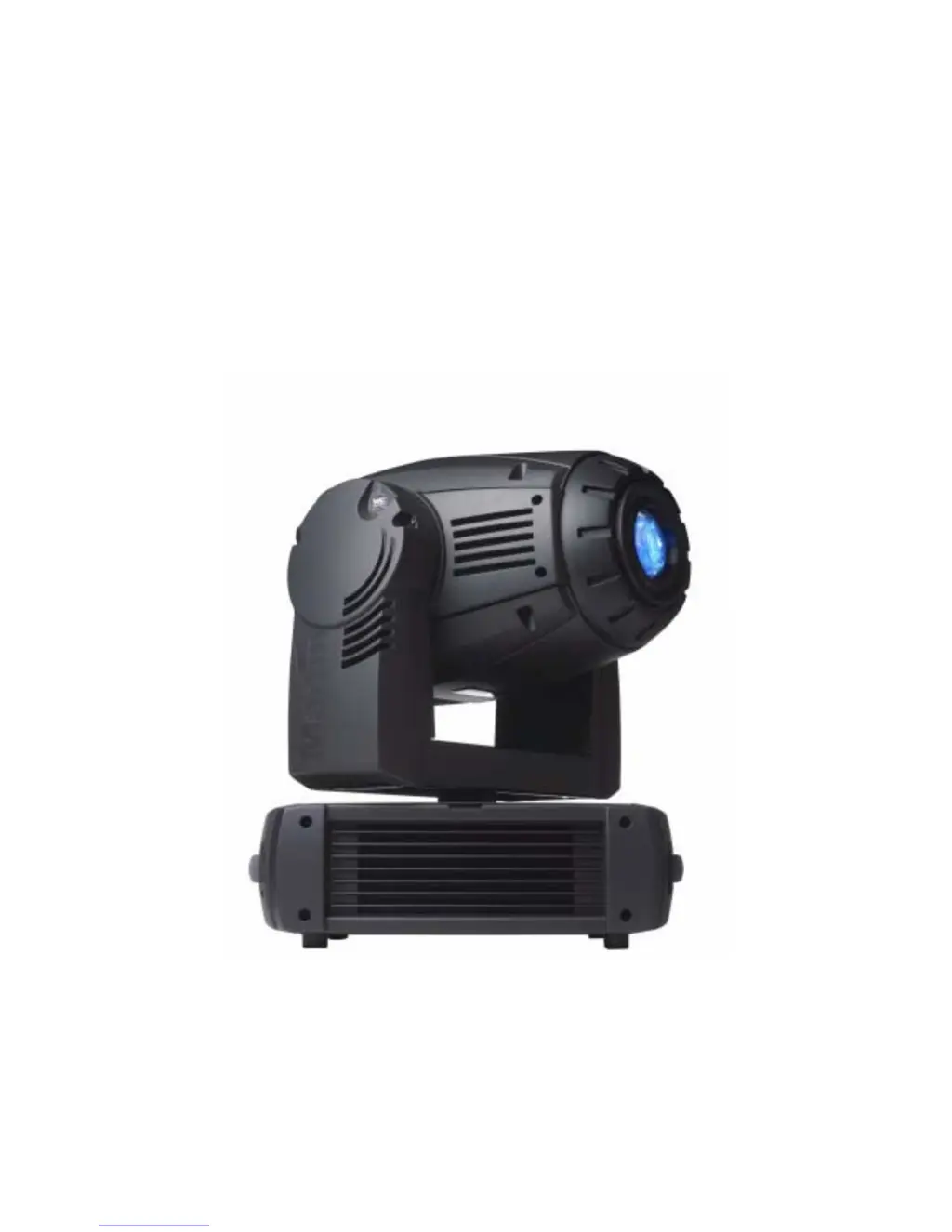
MAC 700 Profile
user manual

Questions and Answers

  • C
    Courtney OlsonJul 31, 2025
    Why Martin MAC 700 PROFILE shows no light and lamp error message?
    • R
      rbeckJul 31, 2025
      If your Martin Lighting Equipment displays a lamp error message and there is no light, it could be due to the following reasons: * **Lamp blown:** The lamp may have blown and needs replacement. Disconnect the fixture before replacing the lamp. * **Lamp not installed:** Ensure that the lamp is properly installed. Disconnect the fixture before installing the lamp. * **Lamp access safety switch open:** Check that the lamp access plate is fully seated and locked in place to ensure the safety switch is not open.
  • J
    Jennifer NelsonAug 4, 2025
    How to troubleshoot completely dead Martin Lighting Equipment?
    • N
      Nancy GuerreroAug 4, 2025
      If one or more of your Martin Lighting Equipment fixtures are completely dead, there are several potential causes to investigate: * **No power to fixture:** Ensure that the power is switched on and the power cables are securely plugged in. * **Primary fuse blown:** If the power is on, check the primary fuse located near the mains inlet. Isolate the fixture from power before replacing the fuse. * **Secondary fuse(s) blown:** Also, check the secondary fuses located on the PCBs in the base. Isolate the fixture from power before checking and replacing them.
  • L
    Lauren HuffAug 14, 2025
    How to stop Martin MAC 700 PROFILE Lighting Equipment lamp from cutting out intermittently?
    • A
      alvarezlindseyAug 14, 2025
      If the lamp in your Martin Lighting Equipment cuts out intermittently, it may be due to the fixture overheating. To resolve this: * Allow the fixture to cool down. * Clean the fixture to ensure proper ventilation. * Reduce the ambient temperature in the surrounding area.
  • T
    Tammy ParkerAug 19, 2025
    What causes Martin MAC 700 PROFILE Lighting Equipment fixture to be completely dead?
    • S
      Samuel FarmerSep 12, 2025
      If one or more of your Martin Lighting Equipment fixtures are completely dead, it could be due to: * **No power to fixture:** Check if the power is switched on and the cables are properly plugged in. * **Primary fuse blown:** The primary fuse located near the mains inlet might be blown. Isolate the fixture from power and replace the fuse. * **Secondary fuse(s) blown:** The secondary fuses on the PCBs in the base might be blown. Isolate the fixture from power, check the fuses, and replace them if necessary.
  • D
    Daniel SanchezAug 25, 2025
    What to do if Martin MAC 700 PROFILE lamp fails to strike?
    • L
      Lauren RomeroAug 25, 2025
      If the lamp in your Martin Lighting Equipment fails to strike after being turned off and on again, or after a power failure, it may be because the electronic ballast does not recognize that the lamp is off. Send a LAMP OFF command before sending another LAMP ON command. This should allow the lamp to strike.
  • R
    Randall CaldwellNov 9, 2025
    What to do if Martin MAC 700 PROFILE fixtures respond erratically to the controller?
    • T
      tonya04Nov 9, 2025
      If your Martin Lighting Equipment fixtures reset correctly but respond erratically or not at all to the controller, consider the following: * **Bad data link:** Inspect the connections and cables for any damage or poor connections. Correct any issues found, and repair or replace damaged cables. * **Data link not terminated:** Ensure that the data link is properly terminated by inserting a termination plug in the output jack of the last fixture on the link. * **Incorrect addressing:** Verify that the fixture address and protocol settings are correctly configured. * **Defective fixture:** One of the fixtures might be disturbing data transmission. Bypass each fixture one at a time by unplugging the XLR in and out connectors and connecting them directly together until normal operation...

Summary

Introduction

Safety Information and Precautions

Comprehensive safety guidelines, covering electric shock, UV radiation, burns, fire, and fall hazards.

Unpacking and First Use

AC Power and Connectivity

AC Power Supply and Fuse

Details on auto-sensing power supply, voltage adaptation, and main fuse installation.

Power Connection

Instructions for connecting the fixture to AC power, including cable and plug requirements.

DMX Data Link Setup

DMX Data Link Configuration

Information on connecting the fixture for DMX control, including cable types and termination.

Rigging and Installation

Rigging the Fixture

Instructions for securely mounting the fixture using clamps and safety cables.

Control Panel Operations

Menu Navigation and DMX Addressing

How to navigate the control panel, set DMX address and protocol.

Tailoring Performance Settings

Options for optimizing movement, dimming, display, lamp control, and other settings.

Readouts and Service Information

Adjustments and Utilities

Fixture Calibration

Procedures for fine-tuning optical alignment and calibrating effects for uniform performance.

Fan Control and Software Upload

Setting fan speed and instructions for updating fixture software via the data link.

Effects Overview

Lamp Power Modes and Fixture Reset

Managing lamp power (400W/700W) and resetting the fixture via DMX or control panel.

Dimming, Color, and Gobos

Details on dimmer/strobe, CMY mixing, color wheel, static and rotating gobos.

Animation, Prism, Focus, and Zoom

Information on gobo animation, prism, iris, focus, and zoom effects.

Optical Configuration

Color Wheel and Filter Replacement

Details on the color wheel, filter positions, and procedure to replace color filters.

Gobos and Animation Wheels

Information on gobo wheels, custom gobos, and the animation wheel system.

Gobo Orientation and Diffuser

Correct gobo orientation guidelines and diffuser removal/installation instructions.

Routine Maintenance

Tilt Lock and Module Removal

Securing the tilt lock and procedures for removing modules like gobo and CMY.

Cleaning Procedures

Guidelines for cleaning optical components, fans, air filters, and the fixture exterior.

Software Installation and Updates

Software Installation Methods

Instructions for installing and updating the fixture's firmware via the data link.

MAC 700 Profile DMX Protocol

DMX Channel Mapping

Detailed breakdown of DMX channels for basic and extended modes, mapping values to functions.

DMX Functionality Details

Mapping DMX values to specific functions like color wheel, gobos, animation, and pan/tilt.

Control Menu Reference

Menu Items and Settings

Reference for control menu items related to DMX addressing, settings, and modes.

Fixture Information and DMX Logging

Accessing fixture data like hours, temperature, firmware, and DMX data logging.

Manual Control Functions

Commands for manual control of fixture functions like lamp, shutter, and effects via the control panel.

Adjustment Submenu

Dimmer, Color, and Gobo Adjustments

Specific adjustments for dimmer, CMY, color wheel, and gobo functions via the adjustment menu.

Animation, Iris, and Test Functions

Adjustments for animation wheel, iris, and running test sequences within the adjustment menu.

Control Menu Shortcuts

Control Menu Shortcuts

Quick access functions available via button combinations on the control panel.

Display Messages

Common Display Messages

Meanings of display messages indicating fixture status or errors.

Troubleshooting Guide

Common Problems and Solutions

Identifying probable causes and remedies for fixture malfunctions.

Circuit Board Connections

Component Pin Assignments

Diagram and list of connections for various components on the circuit board.

MAC 700 Profile Specifications

Physical, Thermal, and Photometric Data

Detailed specifications including dimensions, temperatures, and light output.

Electrical, Control, and Effects Data

Electrical input, control protocols, and electromechanical effect capabilities.

Gobos and Accessories

Gobo Specifications and Animation Wheels

Details on gobo dimensions, materials, and available animation wheels.

Installation, Included Items, and Ordering

Information on mounting, included parts, accessories, and ordering details.

Martin MAC 700 PROFILE Specifications

General IconGeneral
BrandMartin
ModelMAC 700 PROFILE
CategoryLighting Equipment
LanguageEnglish

Related product manuals