OPERATING PROCEDURES
Read all of SAFETY and this section before attempting any procedure. Pay particular attention to Notices, Cautions, Warnings and Dangers.
34
Owner’s Guide
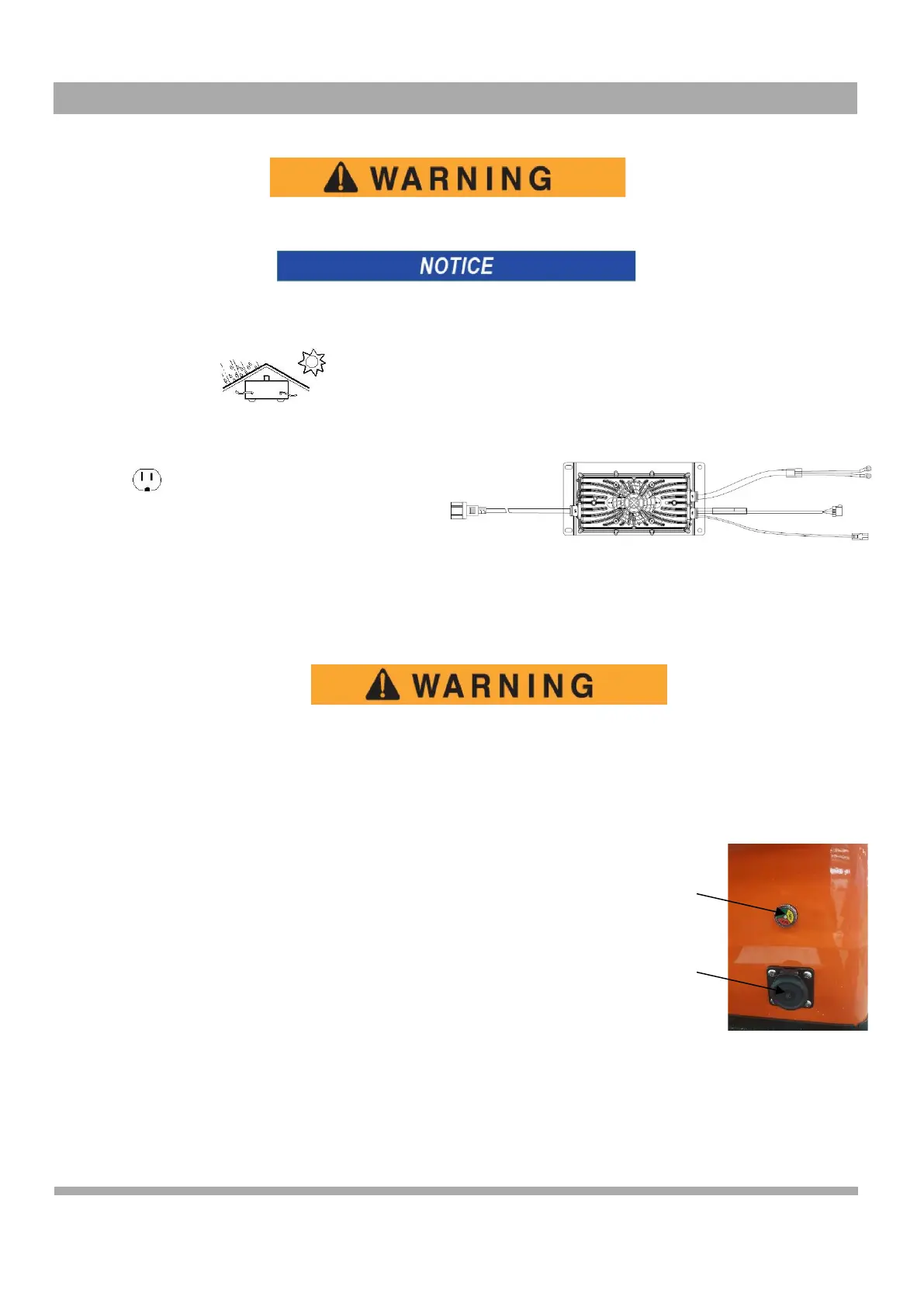
The charger DC cord has a polarized connector which fits into a receptacle on the vehicle.
If the vehicle is charged with a charger different from the one supplied with the vehicle, refer to the instructions
supplied with the charger used.
Provide Protection from Elements
Keep cooling fins clean and free of dirt and debris
NEMA 15 - 5R Grounded AC Receptacle
85 - 265VAC. Reference appropriate local
electrical code and charger manufacturer
recommendations for AC power requirements
To decrease the possibility of electrical shock or electrocution, make sure that the charger plug is
not damaged and is correctly connected to a grounded outlet.
The power AC cord has a plug with a ground post. Do not remove, cut or bend the ground post.
The charger DC cord has a polarized connector which fits into a receptacle on the vehicle. The receptacle is located on
the driver side of the vehicle below the seat.
HOW TO USE THE CHARGER
The charger can stay connected to the AC outlet after the charge cycle is complete.
To charge the vehicle, refer to the instruction labels on the charger.
Completely connect the DC plug into the vehicle receptacle. The charger will automatically
start seconds after the plug is in position. The charger will automatically stop when the
batteries are charged. Remove the DC plug before you operate the vehicle.
CHARGER MAINTENANCE
1.
Make sure the charger connections to the battery terminals are tight and clean. Check for damage or cracks in the
plastic parts.
2.
Inspect the charger harness for wear and check the areas that contact other components. Inspect all wires for wear,
loose terminals, corrosion or damage to the insulation.
3.
Clean dirt and any other particles from the cooling fins. Keep the charger away from oil, dirt and mud. Do not allow
water to spray on the charger when you clean equipment.
4.
Inspect the plug of the battery charger and the vehicle receptacle housing for dirt or dust. Clean a minimum of once
a month.
Socket
indicator



 To Next Page