ChargeMaster Plus 24/80-2, 24/110-2 – User and Installation Manual
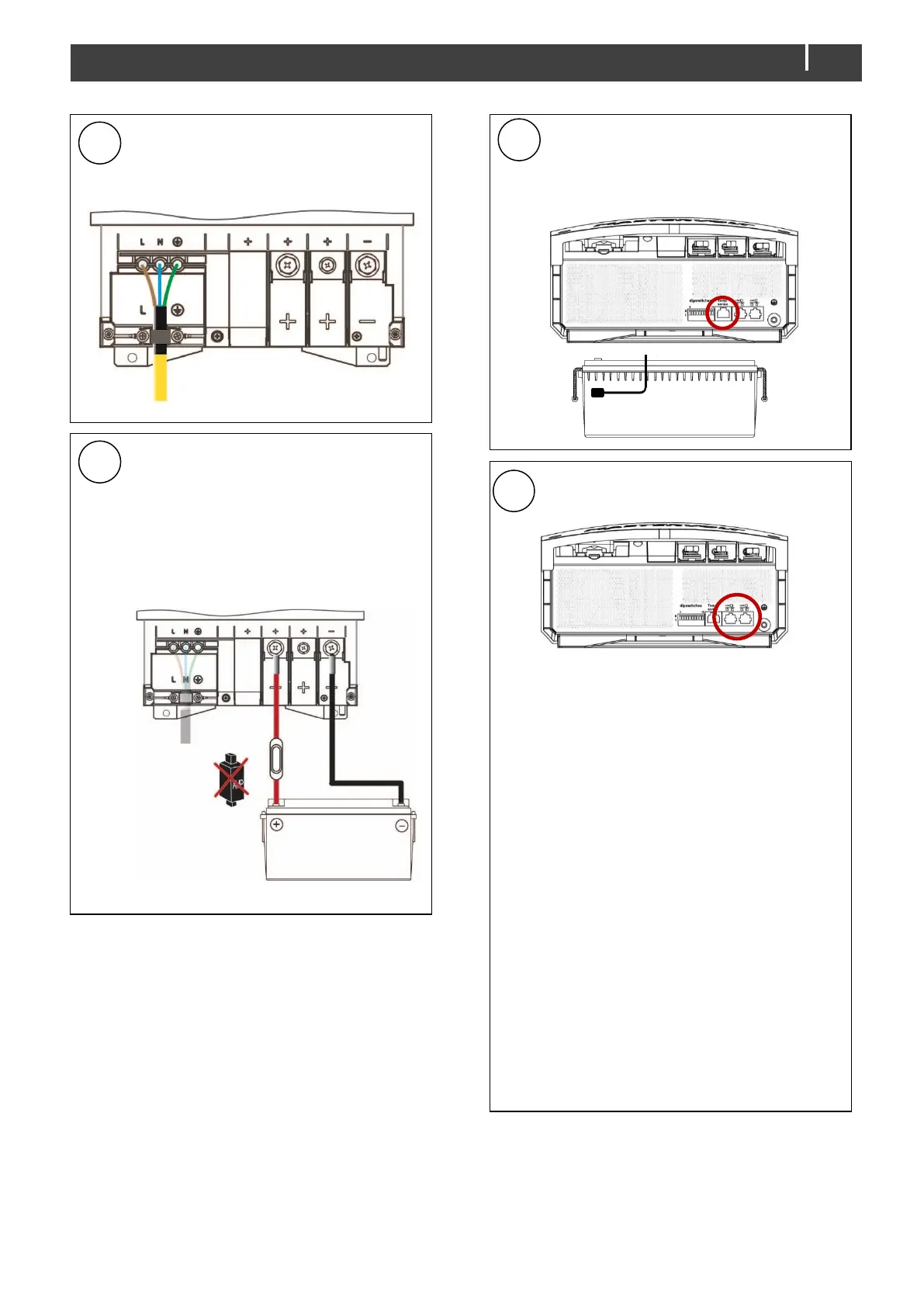
Connect the AC wiring to the screw
terminals. Fasten the cable with the
strain relief.
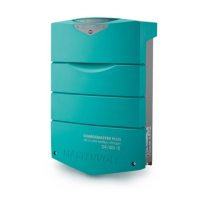
Integrate a fuse holder in the
positive battery wire but do not
place the fuse yet!
Fit crimp-on cable lugs to the DC
cables.
Connect the DC cabling of battery
bank 1, positive to +, negative to – .
Repeat steps for output 2.
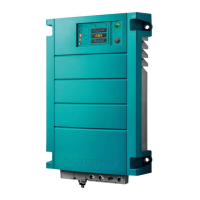
Attach the battery temperature
sensor to the casing of battery bank
1. Plug the temperature sensor
cable into the “Temp sense” jack.
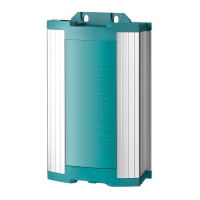
Option: Connect the ChargeMaster to
the CZone or MasterBus network.
Adding to a CZone network
1 Disconnect the backbone at the
closest backbone connection and
add in a tee connector.
2 Reconnect the backbone
connection(s) with the new tee
connector in place.
3 Connect the RJ45 CZone/MB drop
cable to the black coupler on the tee
and then connect to the
ChargeMaster Plus.
Adding to a MasterBus network
1 Disconnect a MasterBus cable or
Terminator from the closest
MasterBus device and connect it to
the ChargeMaster Plus.
2 Connect the new MasterBus cable to
the other MasterBus device and then
connect to the ChargeMaster Plus.
Ensure that the network is properly
terminated.



 To Next Page