MBT1015 rev-C
User’s Manual Version 18.08
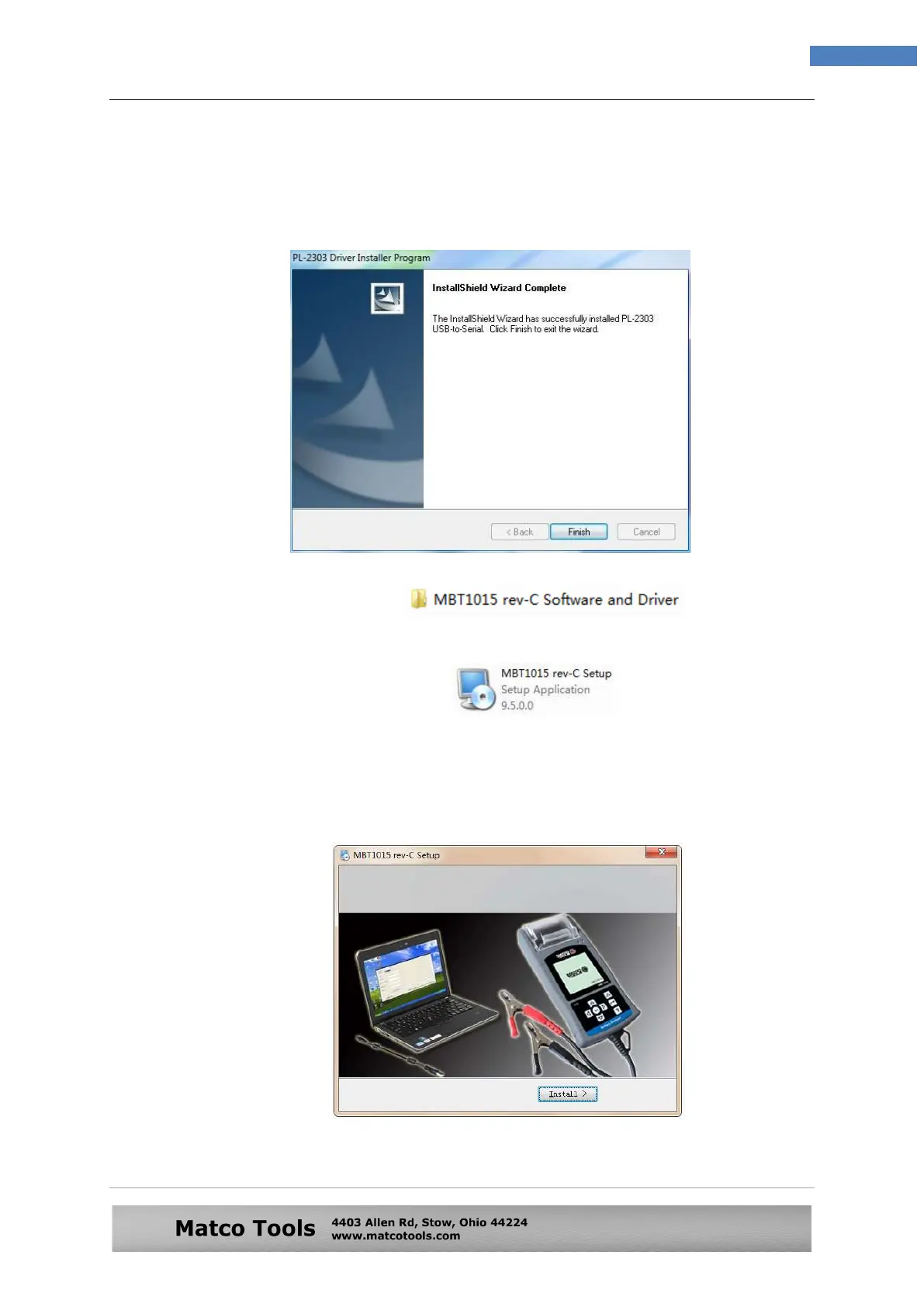
As instructed, click [Next>] tab the program will continue to install the
driver on the computer. Once it had finished, it will prompt you as shown
below. Click [Finish] tab to complete the installation.
Step 3. Next open this folder again:
Look for the program icon (see below).
Then double click it. The software will start to install and will prompt with
the display below:
Then double click it. The software will start to install and will prompt.
See example below:


 To Next Page