Additional Tests
ADJUSTMENTS AND SETTINGS
47
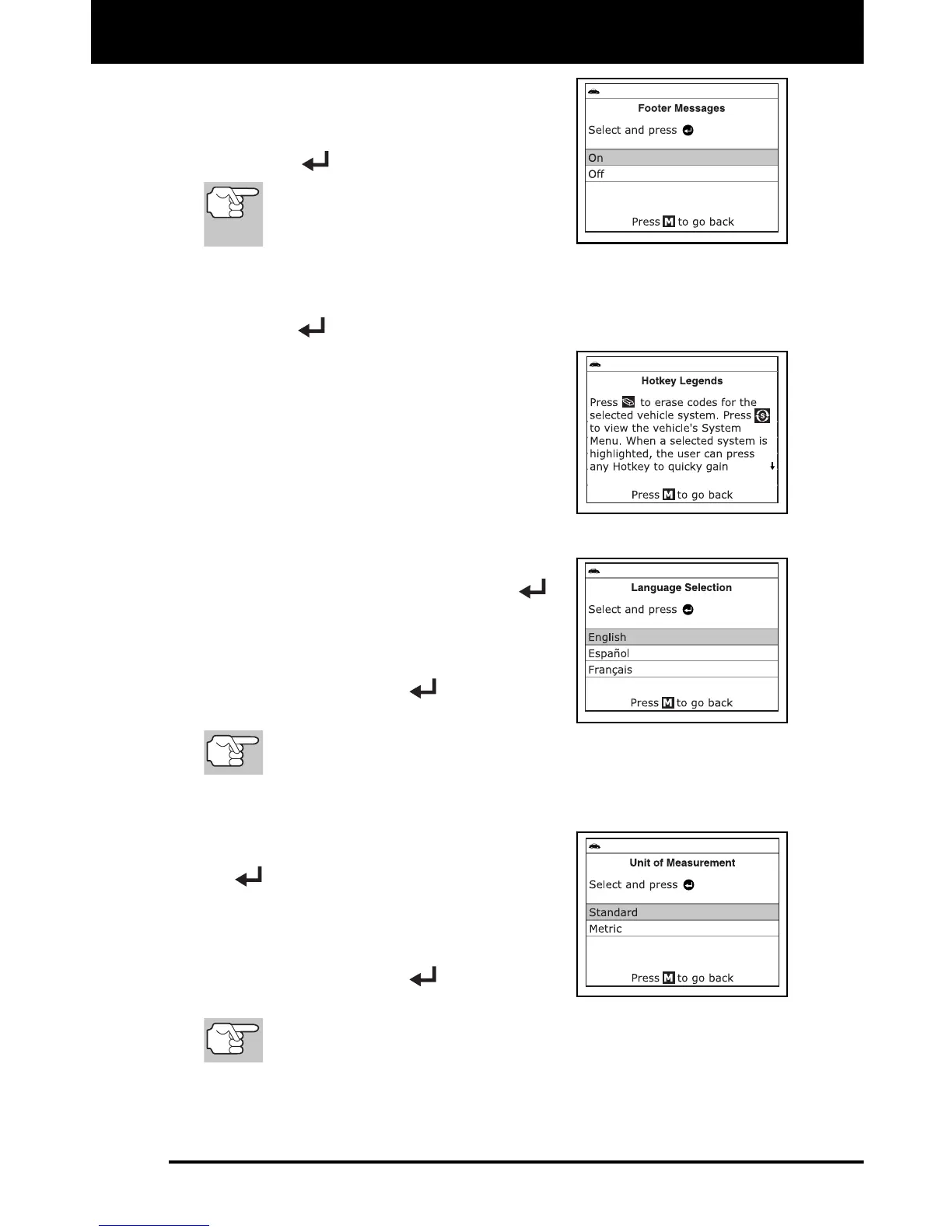
The Footer Messages screen dis-
plays.
2. Select On or Off, as desired, then press
ENTER
to save your changes.
To return to the Tool Settings
menu without making changes,
press M.
Viewing the Hotkey Legend
1. Select Hotkey Legend in the Tool Settings menu, then press
ENTER
.
The Hotkey Legend screen displays.
The screen shows a functional
description of each of the Scan
Tool’s hotkeys.
2. When you have finished viewing the
Hotkey Legend, press M to return to the
Tool Settings menu.
Selecting the Display Language
1. Select Language Selection in the Tool
Settings menu, then press ENTER
.
The Language Selection screen
displays.
2. Select the desired display language,
then press ENTER
to save your
changes.
To return to the Tool Settings menu without making changes,
press M.
Setting the Unit of Measurement
1. Select Unit of Measurement in the
Tool Settings menu, then press ENTER
.
The Unit of Measurement screen
displays.
2. Select the desired unit of measurement,
then press ENTER
to save your
changes.
To return to the Tool Settings menu without making changes,
press M.
Exiting the MENU Mode
Press M to return to the Main Menu.


 To Next Page