EasyManua.ls Logo

Matrix T3X-02 - User Manual

Matrix T3X-02
59 pages
Print Icon
To Next Page IconTo Next Page
Loading...
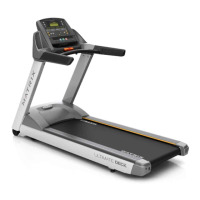
T3X-02 TREADMILL
SERVICE MANUAL

Table of Contents

Questions and Answers

  • K
    Karl SpearsAug 14, 2025
    Why is the heart rate function not working on my Matrix T3X-02?
    • M
      Melissa SmithAug 14, 2025
      If the heart rate function on your Matrix Treadmill isn't working correctly, there are several potential causes and solutions: * If the chest strap isn't making good contact, recenter it below your pectoral muscle. * If the chest strap has a low battery, replace it. * If the chest strap is damaged, replace it. * If the HR grips are damaged and there is no heart rate reading, replace the HR grips. * If the HR board is damaged and the heart rate is much higher than normal, replace the HR board. * If replacing the HR grips and board doesn't fix the issue, the console (UCB) may be damaged and require replacement.
  • C
    Carla BaileyAug 17, 2025
    What to do if the drive motor is over temperature in Matrix Treadmill?
    • B
      Brenda MorrisonAug 18, 2025
      If the drive motor of your Matrix Treadmill is overheating: * Check the amp draw of the treadmill with a load; if it's high, replace the deck or running belt. * Adjust the tension of the running belt if needed. * Ensure the base frame fan is running. * As a last resort, replace the motor.
  • P
    Pamela OrtizAug 21, 2025
    What to do if the drive motor is over current on Matrix Treadmill?
    • C
      Charles WellsAug 21, 2025
      If the drive motor in your Matrix Treadmill is experiencing over current: * Check the amp draw of the treadmill with a load. If a high amp draw is present, change the deck or running belt. * Adjust the tension of the running belt if needed. * Make sure that the base frame fan is running. * Replace the motor if necessary.
  • B
    Brandon StoneAug 25, 2025
    How to fix a disconnected or failed speed sensor on Matrix T3X-02?
    • J
      John HunterAug 25, 2025
      If the speed sensor on your Matrix Treadmill is disconnected or has failed: * Reconnect the speed sensor to the LCB. * Clean the speed sensor and optic disc. * Replace the speed sensor. * Replace the LCB.
  • V
    vtorresAug 27, 2025
    How to troubleshoot incline motor failure on Matrix T3X-02 Treadmill?
    • C
      Chad Smith IIIAug 27, 2025
      If the incline motor on your Matrix Treadmill fails, you can try the following: * Reconnect the incline motor. * Check the incline motor connection to the elevation rack. * Replace the incline motor.
  • N
    Nicholas TaylorAug 31, 2025
    What to do if the incline motor signal is not received on Matrix T3X-02 Treadmill?
    • K
      Kenneth WilliamsAug 31, 2025
      If your Matrix Treadmill isn't receiving the incline motor signal, try these steps: * Reconnect the incline motor. * Check the incline motor connection to the elevation rack. * Replace the incline motor.
  • R
    richard88Sep 3, 2025
    How to resolve LCB type setting fault on Matrix T3X-02?
    • T
      Tammy JacksonSep 3, 2025
      If your Matrix Treadmill is showing an LCB type setting fault: * Make sure that the base frame fan is running. * Replace the LCB.
  • Z
    Zachary ChambersSep 6, 2025
    What to do if the U phase current sensor fails on Matrix T3X-02 Treadmill?
    • M
      Mary GreeneSep 6, 2025
      If the U phase current sensor and circuit has failed on your Matrix Treadmill, replace the drive motor.
  • M
    Michael LeonSep 10, 2025
    What to do if the V phase current sensor fails on Matrix T3X-02?
    • G
      glennpatrickSep 10, 2025
      If the V phase current sensor and circuit has failed on your Matrix Treadmill, replace the drive motor.

Summary

CHAPTER 1: SERIAL NUMBER LOCATION

1.1 SERIAL NUMBER LOCATION

Locates the serial number on the treadmill for identification purposes.

CHAPTER 2: IMPORTANT SAFETY INSTRUCTIONS

2.1 BEFORE GETTING STARTED

Initial safety considerations and operational guidelines before using the treadmill.

2.2 READ AND SAVE THESE INSTRUCTIONS

Essential safety precautions and warnings to be followed during operation.

2.3 ELECTRICAL REQUIREMENTS

Details the specific electrical needs and grounding requirements for safe operation.

CHAPTER 3: PREVENTATIVE MAINTENANCE

3.1 RECOMMENDED CLEANING TIPS

Guidelines for daily cleaning and upkeep to maintain the treadmill's condition.

3.2 CHECK FOR DAMAGED PARTS

Procedures for inspecting components for wear or damage to ensure safety.

3.3 CARE AND MAINTENANCE INSTRUCTIONS

Comprehensive guidance on regular cleaning, lubrication, and maintenance tasks.

3.4 AUTO CALIBRATION INSTRUCTIONS

Steps to calibrate the treadmill's incline system after setup or component replacement.

3.5 ADJUSTING THE RUNNING BELT

Instructions for proper belt tensioning and centering to ensure smooth operation.

CHAPTER 4: CONSOLE OVERLAY AND WORKOUT DESCRIPTION

4.1 T3 X-02 CONSOLE DESCRIPTION

Overview of the treadmill console buttons, displays, and functions.

4.2 MANUAL WORKOUT OPERATION

How to use the manual mode for customizable speed and incline settings.

4.3 LEVEL BASED WORKOUT OPERATION

Explanation of various pre-programmed workouts and their setup.

4.4 HEART RATE CONTROL WORKOUT OPERATION

Guide to using heart rate monitoring for customized training programs.

4.5 FITNESS TEST WORKOUT OPERATION

Details on the Gerkin Firefighter Protocol fitness test and its operation.

CHAPTER 5: MANAGER MODE

5.1 USING MANAGER MODE

Steps to access and navigate the Manager Mode for settings adjustments.

5.2 MANAGER MODE OVERVIEW

Explanation of the various settings and parameters available in Manager Mode.

CHAPTER 6: ENGINEERING MODE

6.1 USING ENGINEERING MODE

Procedures for accessing and operating the Engineering Mode for advanced settings.

6.2 ENGINEERING MODE OVERVIEW

Summary of the settings and parameters configurable within Engineering Mode.

CHAPTER 7: SERVICE MODE

7.1 USING SERVICE MODE

Instructions on how to enter and use the Service Mode for diagnostics.

7.2 SERVICE MODE OVERVIEW

Overview of the diagnostic tests and functions available in Service Mode.

CHAPTER 8: TROUBLESHOOTING

8.1 ELECTRICAL DIAGRAM

Visual representation of the treadmill's electrical components and connections.

8.2 ERROR CODE LIST

List of error codes, their descriptions, and recommended solutions for common issues.

8.3 TROUBLESHOOTING - HEART RATE ISSUES

Specific steps to diagnose and resolve problems with the heart rate function.

CHAPTER 9: PART REPLACEMENT GUIDE

9.1 PLASTIC SHROUD REMOVAL

Step-by-step guide to safely remove the protective front shroud.

9.2 REAR ROLLER REPLACEMENT

Instructions for removing and replacing the rear roller assembly.

9.3 DECK REMOVAL

Procedures for safely removing the treadmill deck for maintenance or replacement.

9.8 MOTOR CONTROL BOARD (MCB) REPLACEMENT

Steps for replacing the motor control board for troubleshooting.

9.9 MOTOR REPLACEMENT

Detailed instructions for removing and installing the treadmill motor.

9.11 SPEED SENSOR REPLACEMENT

Guide to replacing the speed sensor component on the treadmill.

9.13 INCLINE MOTOR REMOVAL

Steps to safely remove and replace the treadmill's incline motor.

9.14 CONSOLE REPLACEMENT

Instructions for removing and installing the treadmill console assembly.

9.15 EMERGENCY STOP SWITCH REPLACEMENT

Steps to replace the emergency stop button and its components.

9.23 TESTING THE TREADMILL

Final procedures to test all functions after assembly or repair.

CHAPTER 10: TREADMILL SPECIFICATIONS AND ASSEMBLY GUIDE

10.1 TREADMILL SPECIFICATIONS

Detailed technical specifications and features of the treadmill model.

10.2 FASTENERS AND ASSEMBLY TOOLS

List of hardware and tools required for treadmill assembly.

10.3 ASSEMBLY INSTRUCTIONS

Step-by-step guide for assembling the treadmill from its components.

CHAPTER 11: SOFTWARE UPGRADE GUIDE

11.1 SOFTWARE UPGRADE INSTRUCTIONS

Procedure for updating the treadmill's software via a USB drive.

Matrix T3X-02 Specifications

General IconGeneral
BrandMatrix
ModelT3X-02
CategoryTreadmill
LanguageEnglish

Related product manuals