20 Matrox Maevex Series – User Guide
Connecting your Maevex 6100 encoder
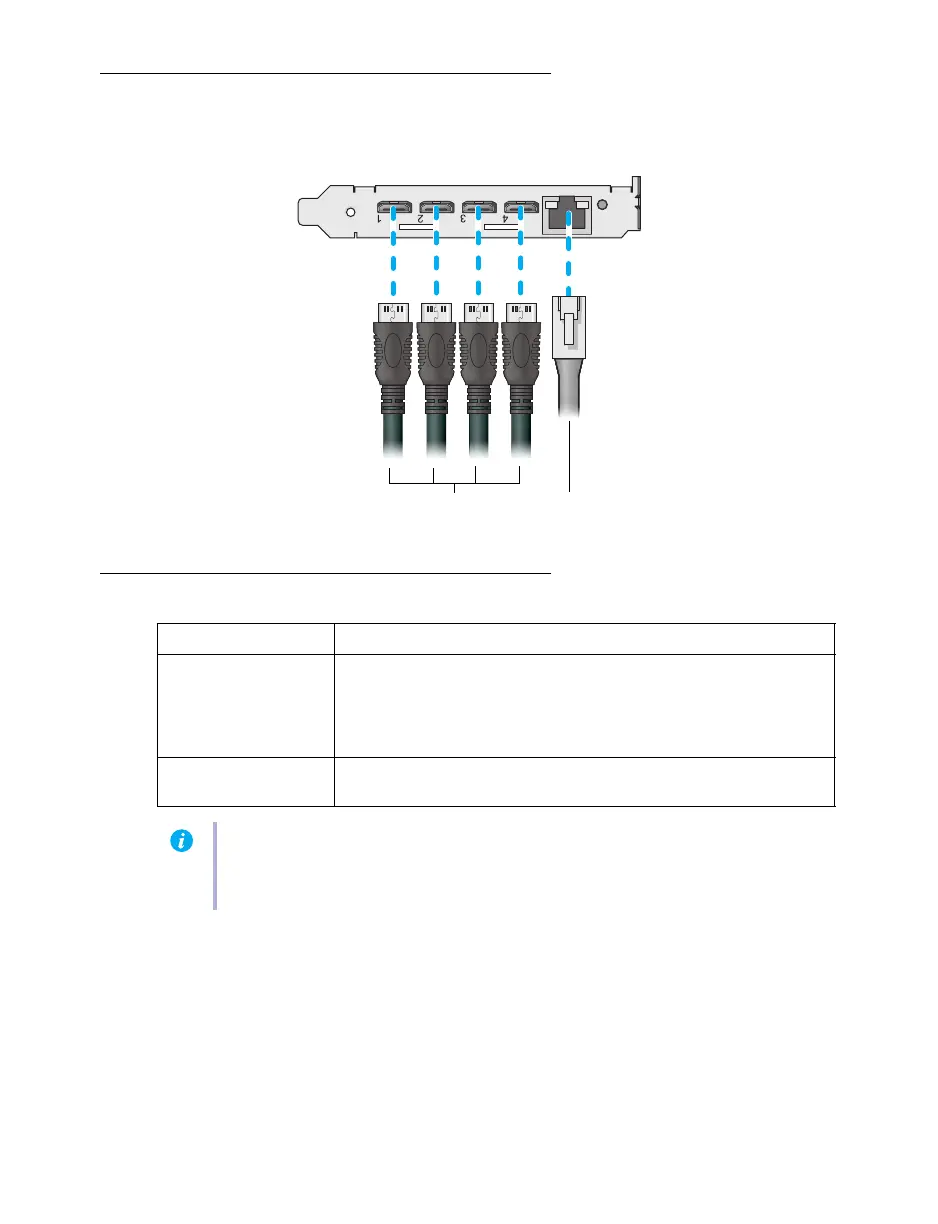
Connection overview
Description of supported connections
Your Matrox card is now installed and connected. Restart your system and install your Matrox
software (see “Installing Matrox PowerStream Plus software”, page 34).
Connector Description
HDMI Attach your mini HDMI to HDMI cable to your Matrox card. Connect
the other end of the cable to your video device.
Note: To connect to this connector, you need a shielded HDMI cable.
If your video source uses a display resolution higher than 720p60, we
recommend you use a certified high-speed HDMI cable.
Network (RJ-45) Connect your network cable to your Matrox card to stream to an IP
network.
Note:
To connect to the bracket of your Matrox product, the overmold (or boot) of the
mini HDMI connectors must respect the maximum width (0.551 inches/14 mm) and
thickness (0.331 inches/8.4 mm) stated in the HDMI specifications.
Network cable
(RJ-45)
Mini HDMI to HDMI
cables



 To Next Page