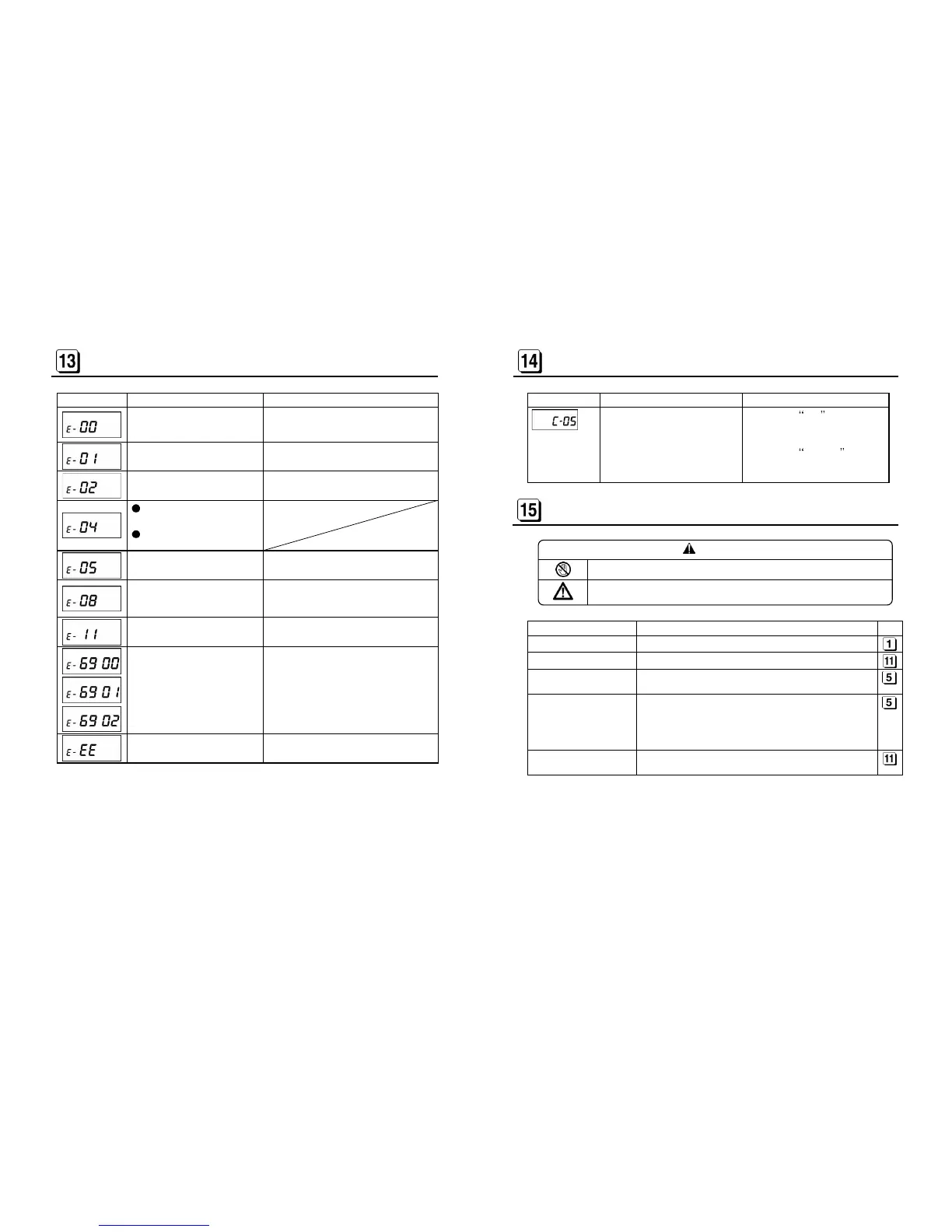
Time card is not inserted far
enough to where automatic feed
Insert time card to where automatic feed
Time card is inserted on the
wrong side.
Insert time card on the other side.
time card correctly.
Check if any holes are covered.
Check if time card is bent or damaged.
Improper print was made by
150 or 50 time cards have been
already inserted in a day/month.
00 can handle up to 150 or 50 time
inserted.
Insert a new time card.
When setting ER-1600, inva
Automatic feed does not carry
time card smoothly.
Do not hold time card during printing.
Check if time card is bent or damaged.
Try to get normal printout by disconnecting
or connecting the power cord.
- 22 -
When you try to revise Machine
Mode, Pay Closing Date, Date,
LST, 60/100 scale or Daily Total
Time, all time data is deleted.
If you press SET key
All time data is deleted and the
revised data is registered.
If you press CANCEL key
The revision is canceled without
TROUBLE SHOOTING
CAUTION
Never disassemble the instrument by yourself.
Contact your dealer or distributor if you could not solve the problem after
checking the following table.
Problem Points to Check
No display Is the power cord connected to the plug socket correctly?
Is the ink ribbon cassette inserted correctly?
Card insertion obstructed
Is the card being inserted on the correct side?
Is the card bent or damaged?
Deviation in the printing
line position
Is the card being inserted too strongly?
Do you pull out the card during the printing process?
Do you keep holding the card when it is automatically being
pulled inside?
Is the card damp?
Faint printout
Is the ink ribbon being used too long?
Is the ink ribbon cassette inserted correctly?


 To Next Page