7
English
Docking the Computer with the Docking Station
1. Remove all packing materials and place the docking station on a stable surface.
2. Securely attach any peripherals you want to use with the docking station (e.g. keyboard and mouse) to their ports.
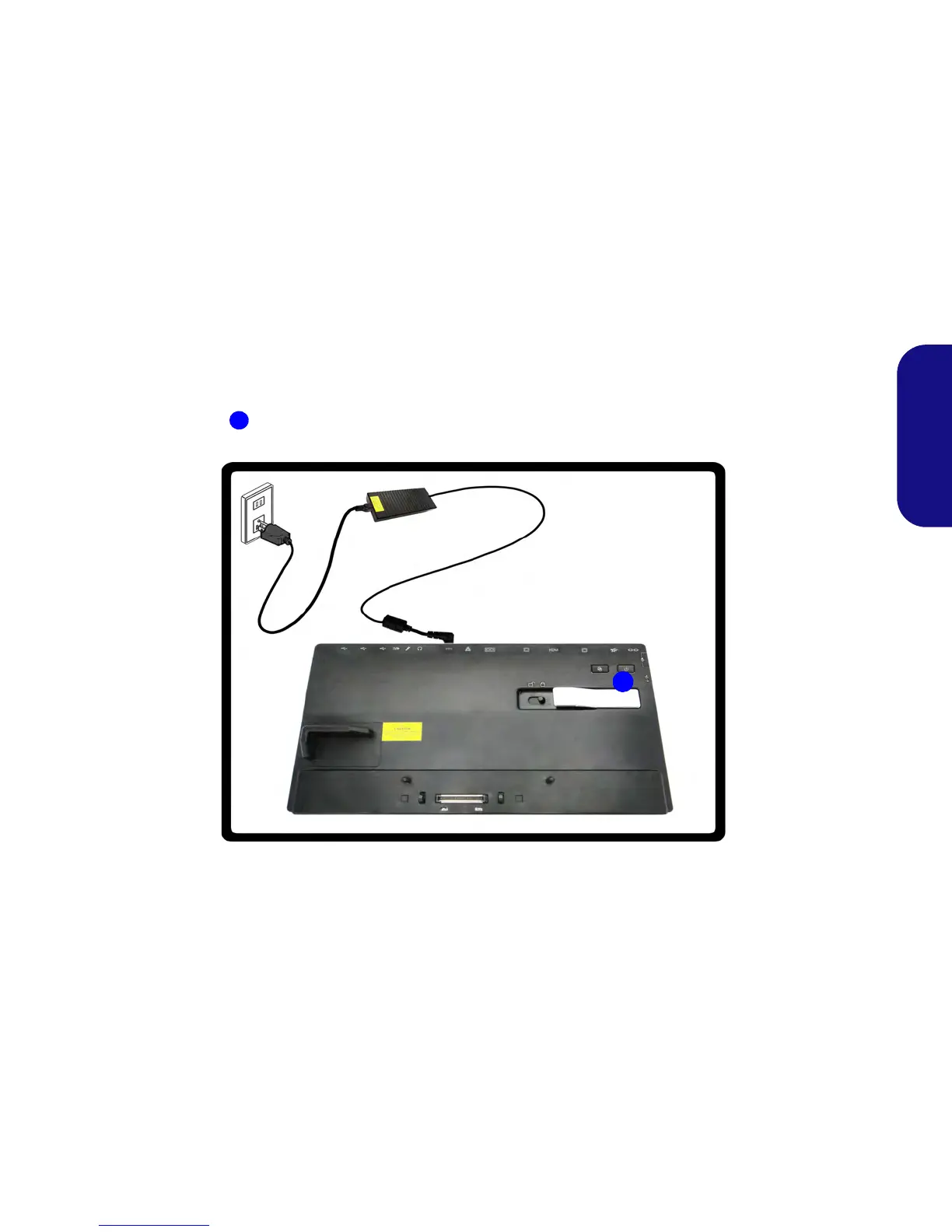
3. Attach the AC/DC adapter to the DC-In jack at the rear of the docking station, and then plug the AC power cord into an outlet, and
connect the AC power cord to the AC/DC adapter.
4. The power button LED on the docking station will be orange.
Figure 4 - Docking Station with AC/DC Adapter Plugged



 To Next Page