10
English
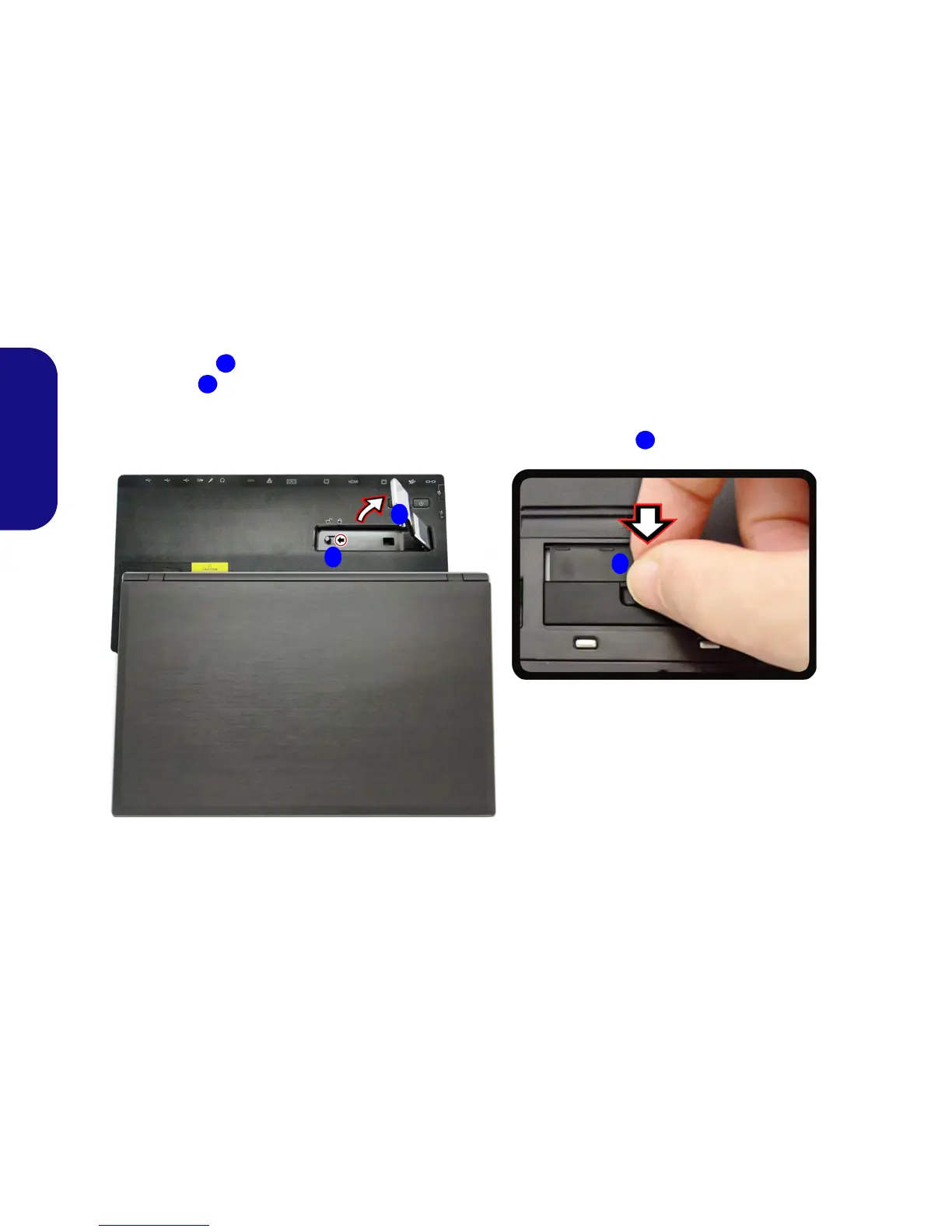
Cold Undocking the computer from the Docking Station
1. Shut the computer down as per the normal Windows shutdown procedure (select Shut Down from the Start menu in Windows 7).
2. Slide the lock switch in to the unlock position.
3. Lift the eject latch fully in the direction indicated to unlock the docking station while carefully holding the notebook computer with one
hand.
4. You can then lift the notebook computer off the docking station.
5. After disconnecting the computer from the docking station, slide the docking port cover latch in the direction of the arrow.
Figure 7 - Slide the Switch to Unlock and Lift the Eject Latch



 To Next Page