12
English
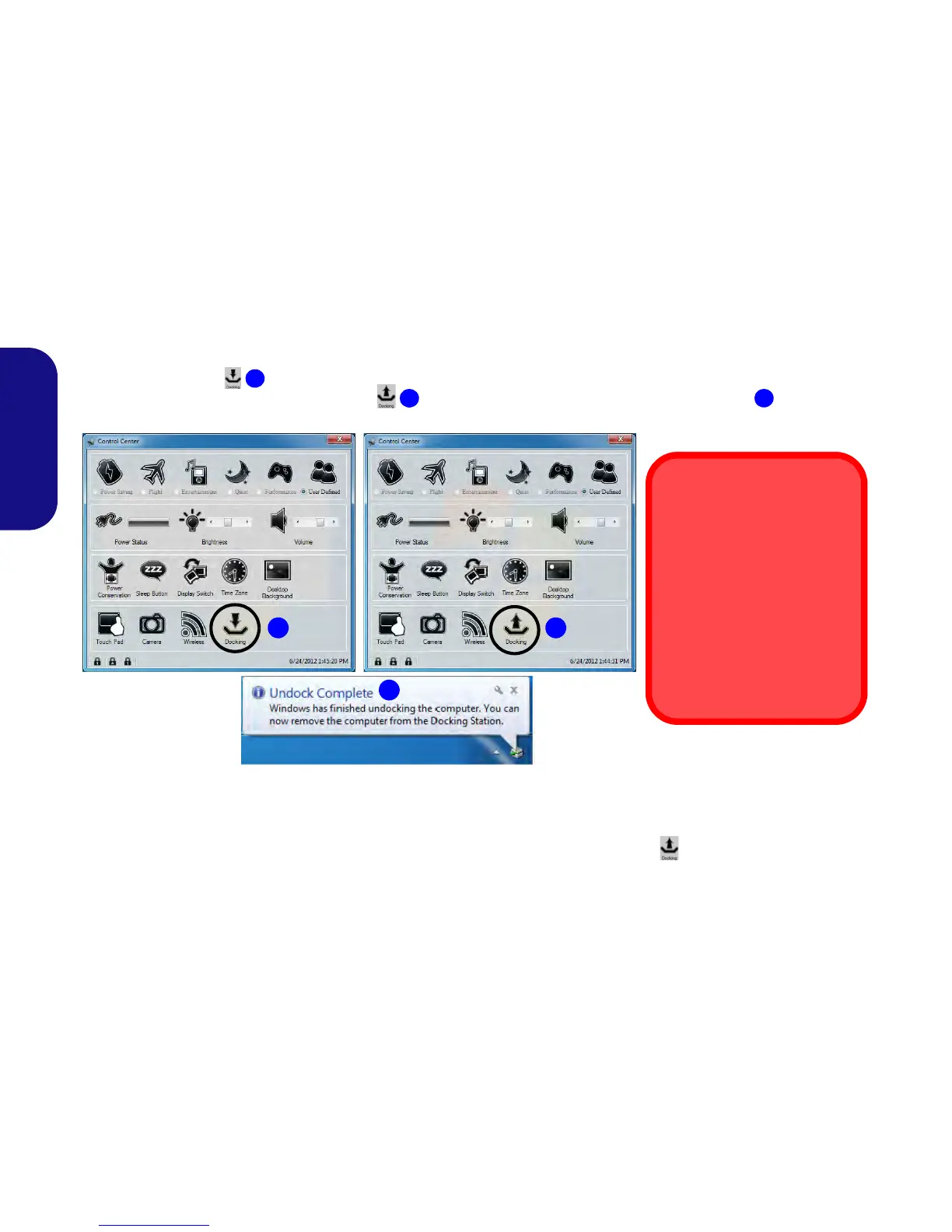
Hot undocking using the Control Center:
1. Make sure the computer’s hot key driver is installed for hot docking/undocking the system.
2. Press the Fn + Esc key combination to run the Control Center.
3. Click the docking icon in the Control Center (the icon displays the current docking status).
4. The docking icon will change to the undock icon to display the current status and the Undock Complete message will
appear in the notification area of the taskbar.
Figure 9 - Using the Control Center to Hot Undock the Computer
5. Press the Fn + Esc key combination to run the Control Center.
6. The docking power LED will be Orange at this point and the ports, buttons and attached devices on the docking station will not work.
7. If you do not wish to separate the notebook and docking station at this point you can click the icon in the Control Center to redock the
system.
8. Follow steps 2 to 5 of the cold undocking procedure on page 10 to complete the undocking process.
1
1 2
3
Battery Condition
Note that if you attempt to hot
undock the system when the
battery level is low (default be-
low 10%) you will receive an er-
ror message. In this case shut
the system down to cold undock
the notebook from the docking
station, or let the battery charge
sufficiently until it is no longer
classed at a low level.



 To Next Page