10 11MAXDATA PLATINUM 300 IR M8Board Features
Configuration Jumpers
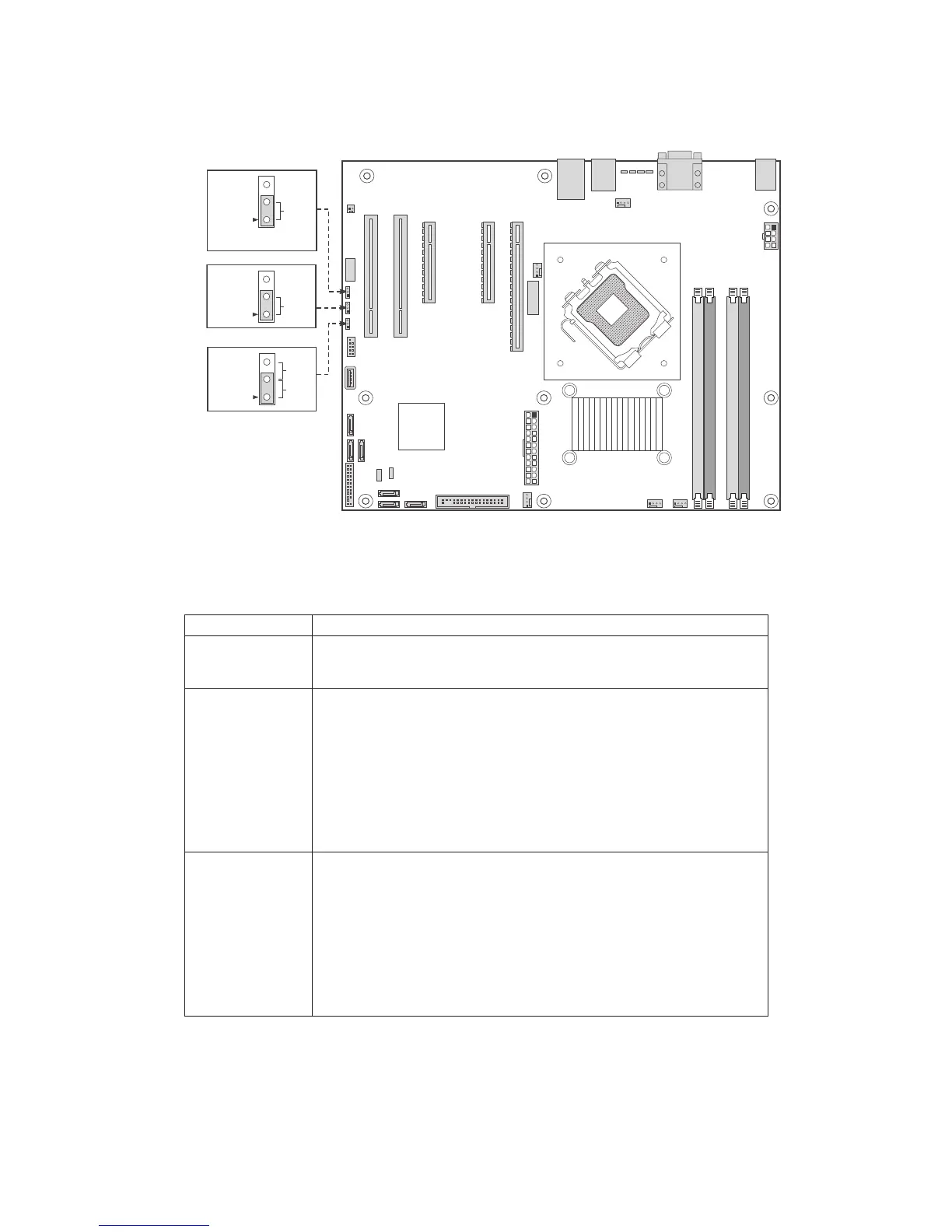
Figure 3 shows the location of the configuration jumpers.
Figure 3. Configuration Jumpers
Table 3. Configuration Jumpers
Jumper Name Function
BIOS Recovery • Pins 1-2: Normal operation
• Jumper removed: Recover from a corrupted BIOS. Bootable media
with a valid BIOS ROM is required.
Password Clear • Pins 1-2: Normal operation, protected passwords
• Pins 2-3: Erase password: If these pins are jumpered for 5 to 10
seconds, the password will be cleared on the next server reset. These
pins should not be jumpered for normal operation.
NOTE
The server does not need to be reset with the jumper on these pins for
the password to be cleared. To reset the password using this jumper:
Power down the server. Place the jumper on pins 2-3 for 5 to 10
seconds. Move the jumper back to pins 1-2. Power on the server.
CMOS Clear • Pins 1-2: Normal operation
• Pins 2-3: Erase CMOS: If these pins are jumpered for 5 to 10 seconds,
the CMOS settings will be cleared on the next server reset. These pins
should not be jumpered for normal operation.
NOTE
The server does not need to be reset with the jumper on these pins for
the CMOS to be cleared. To clear the CMOS: Power down the server.
Place the jumper on pins 2-3 for 5 to 10 seconds. Move the jumper back
to pins 1-2. Power on the server.



 To Next Page