6 7MAXDATA PLATINUM 300 IR M8Setting up the System
Powering up the System
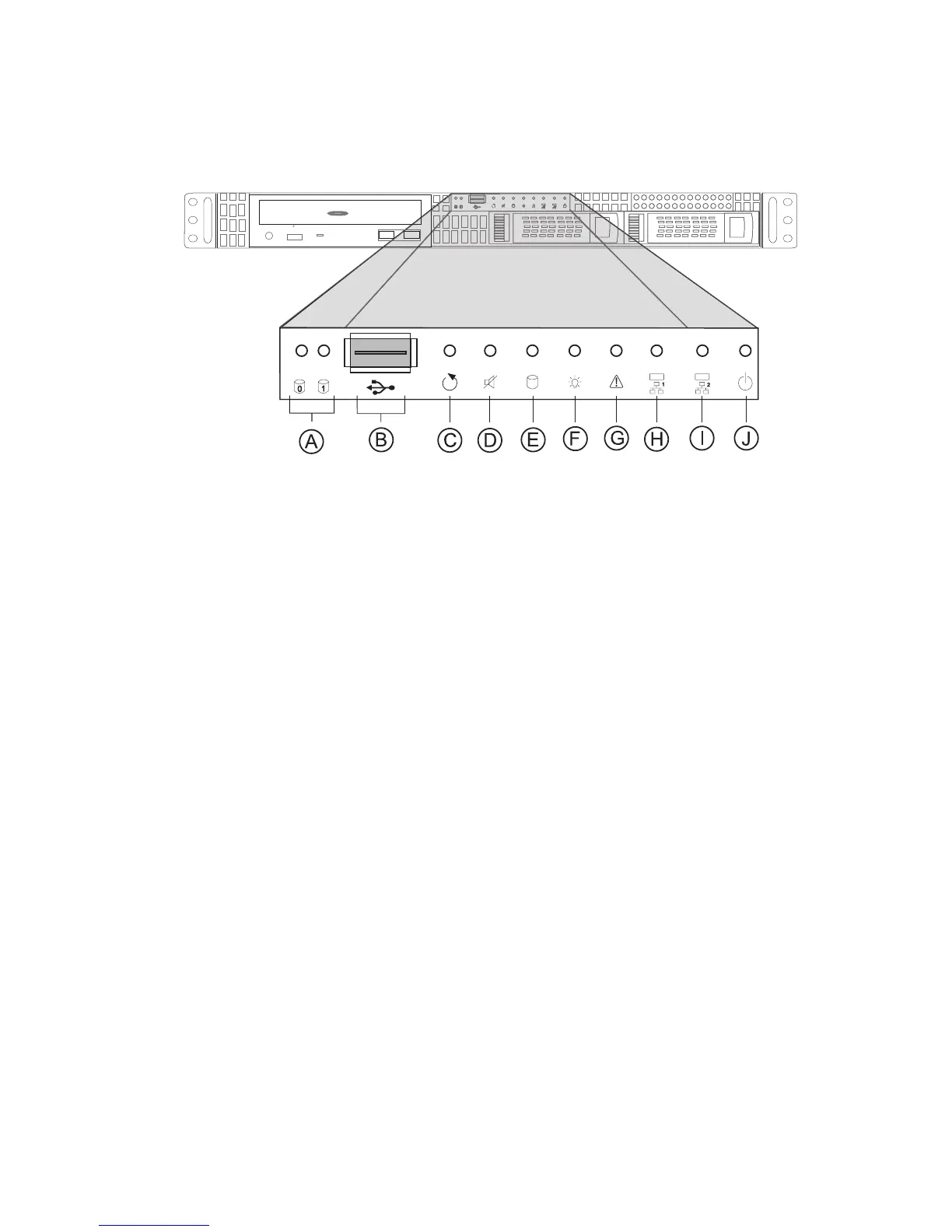
At the front of the case, you can find the neccessary controls like power button, reset button and the
HDD LEDs. Press the power button one time briefly in order to boot the server.
Figure 1. Front View
A. HDD Tray Activity LEDs F. Power LED
B. USB 2.0 Port G. Failure LED
C. Reset Button H. NIC Activity LED 1
D. Fan Alarm Mute Button I. NIC Activity LED 2
(not used in this sytem)
E. System HDD Activity LED J. Power Button



 To Next Page