Method 2:
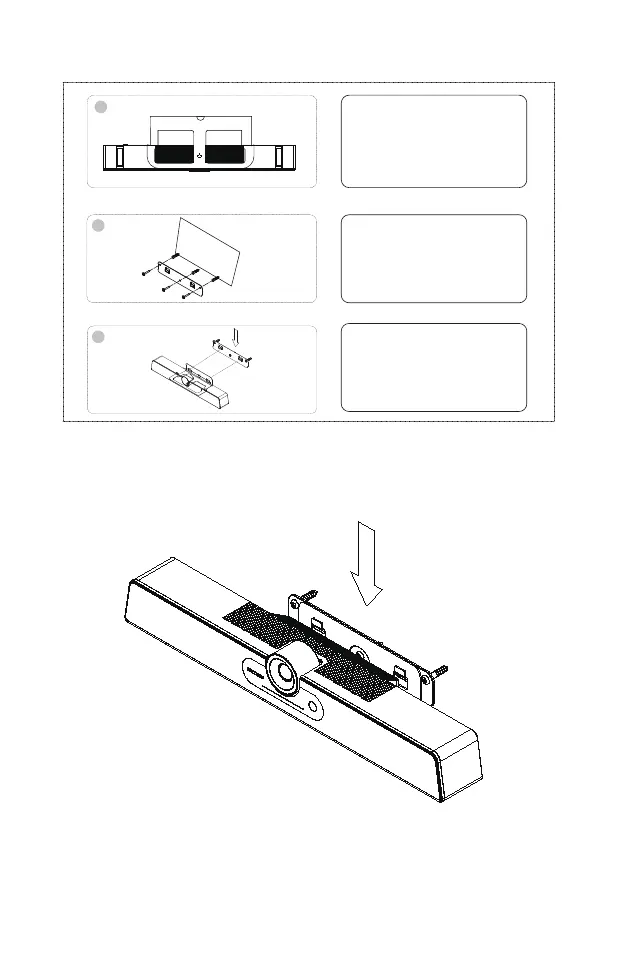
Wall-mounted: Fix the bracket onto the Wall with screws.
1
2
3
wall
Place Integrated Video
Conference Terminal on a
table and fix the bracket to it.
Attach the bracket to the wall
with the included screws, or
any appropriate type of screws
for your wall type.
Mounting Integrated Video
Conference Terminal to the
bracket fixed on the wall.
8



 To Next Page