USB Cable
9. How to Connect
9.1. Hardware connection
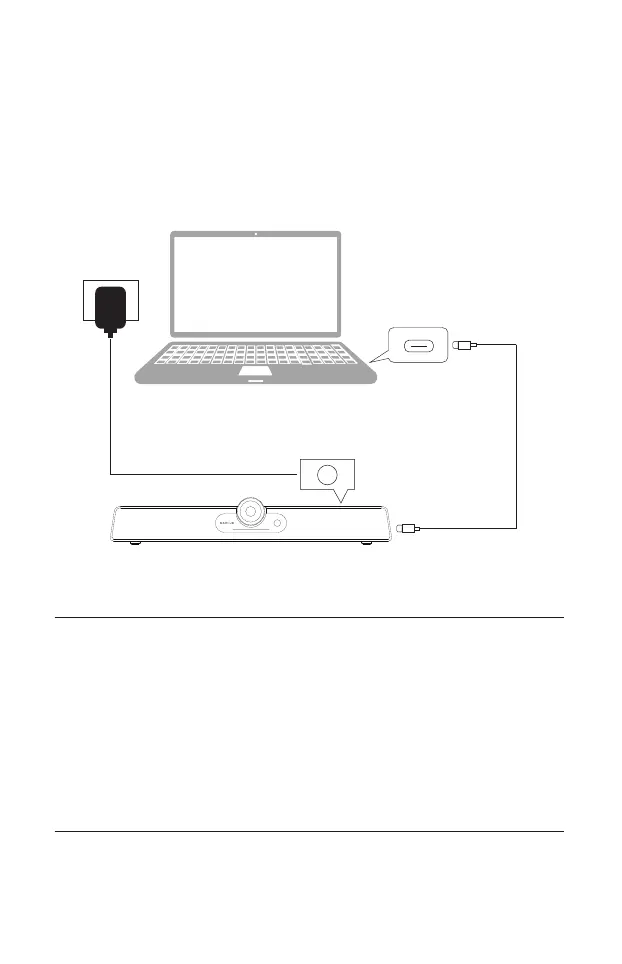
Please connect the device as shown below before use.
① Connect the power jack of the power adaptor to the product.
② Use the included USB-C cable to connect this product to the computer.
③ Connect the other end of the USB Cable to your computer's USB port.
Integrated Video Conference Terminal
Computer
Notes:
•The product will auto power up upon switching on the power outlet.
•You may manually turn on the product by pressing the Power button at
the back of the unit.
•The supplied power cord is suitable for use with 100-240V AC power
only.
•TBe aware of the power loading when you use extension cords or multiple
outlet power boards.
•The illustration is for your reference only.
9



 To Next Page