99
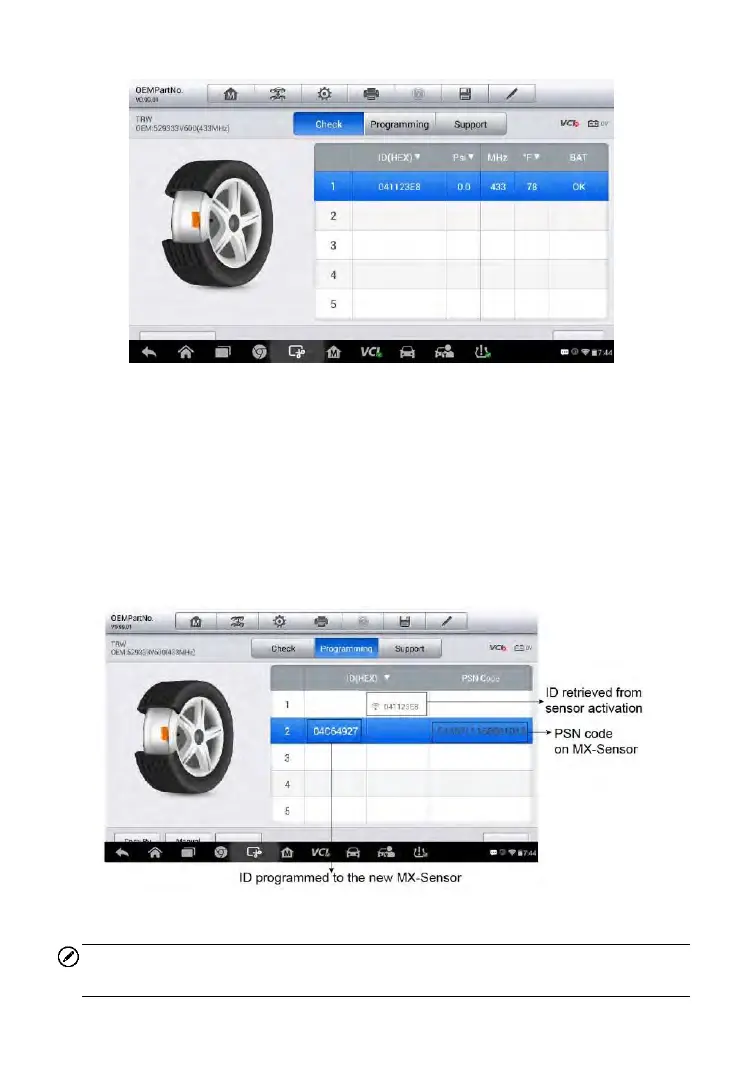
Figure 6-33 Sample Check Screen via OEM Part No.
Programming
The programming function is used to program the sensor data to the
MX-Sensor and replace the faulty senor (poor battery life or malfunction).
There are three options available when programming MX-Sensor using the
OEM Part No. function: Copy by Active, Copy by Input, and Auto Create.
Refer to Sensor Programming on page 86 for details.
Figure 6-34 Sample Programming Screen via OEM Part No.
NOTE
Auto Create in this section can program at most 20 MX-Sensors at a time.



 To Next Page