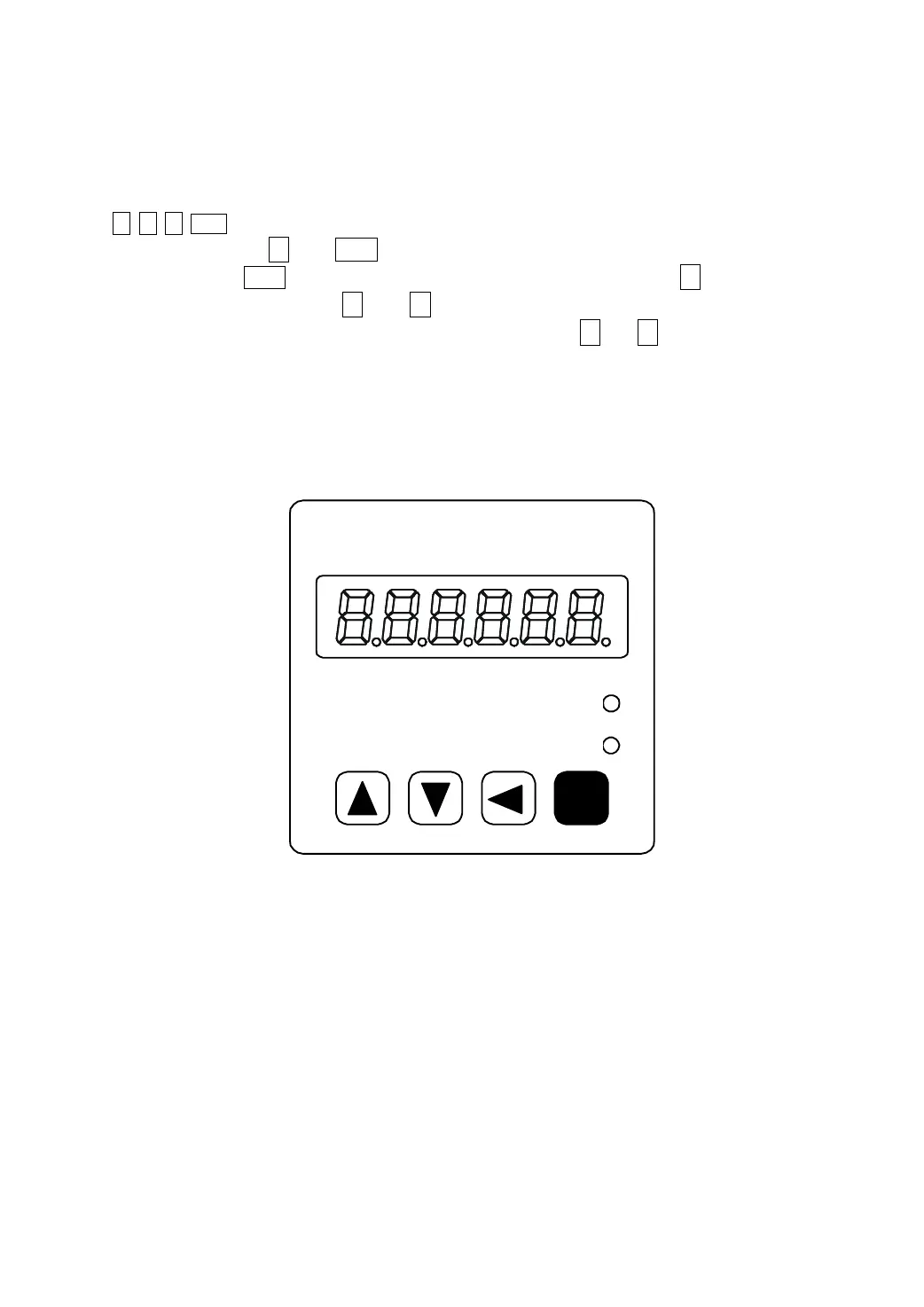
1.6 Display and button operation
The front panel consists of the display (6-digit, 7-segment LED) and four switching buttons
( ↑、↓、←、Enter ).
It is used for display the system status, parameter setting and so on. Operation
is executed in layer. ← and Enter button expresses the layer going backward and forward
respectively; The Enter button has the meaning of enter, confirm. The ← button has the
meaning of exit, cancel. The ↑ and ↓ button expresses increase and decrease of serial
number or value size respectively; if press down and hold the ↑ or ↓ button,then has the
effect of repeat for doing so; And the longer of holding the higher of repeat rate.
If 6 LED digit or decimal point of the most right side LED digit is twinkling, shows that
any alarm occurs. If the POWER lamp lit indicates that the main power supply is on. If the RUN
lamp has lit, indicates that the servomotor is in motion.
Enter
Power
Run
EP100 Series
AC Servo Amplifier
Maxsine
Picture 6.0 Front panel



 To Next Page