1.8.3 Parameter management
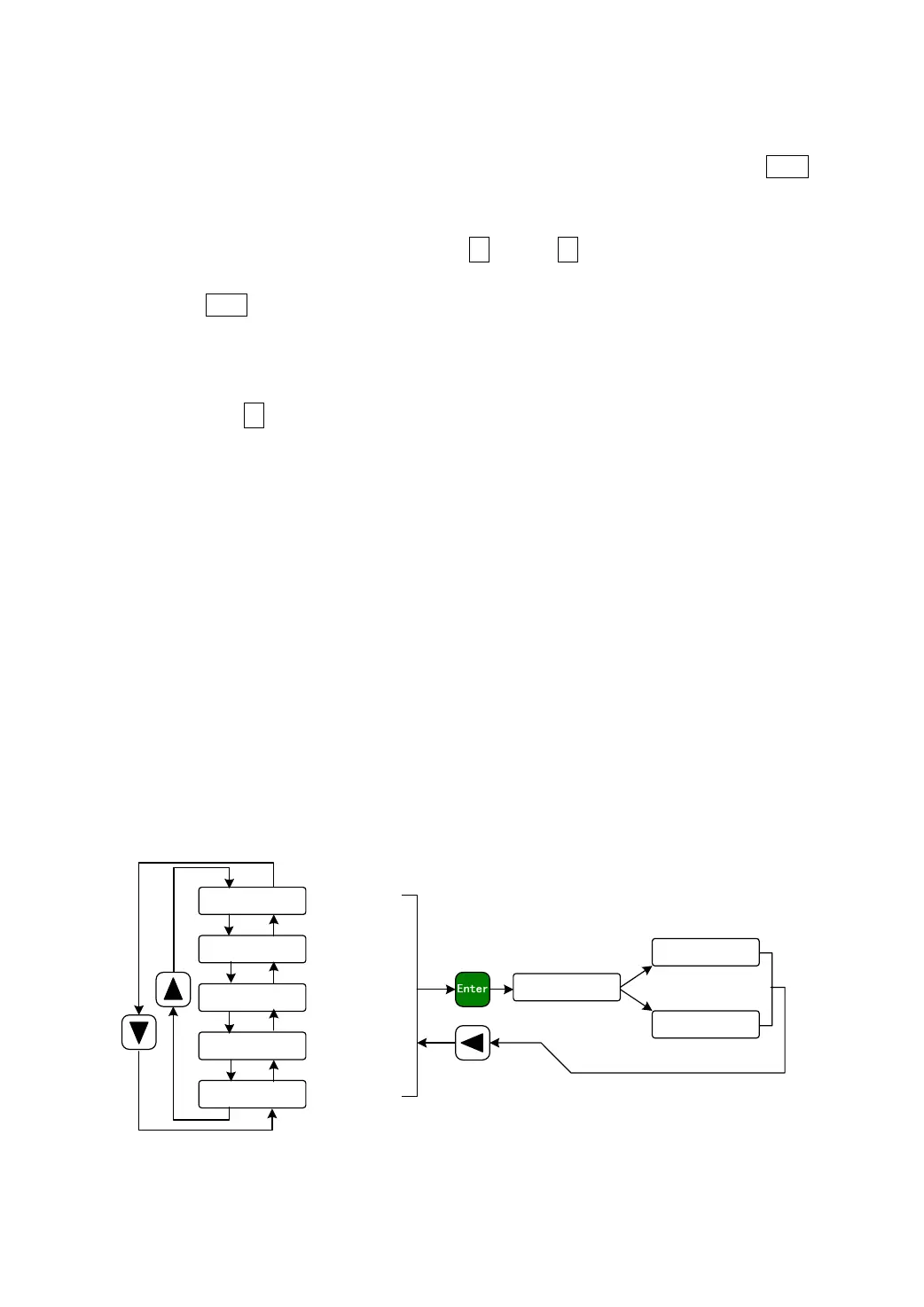
Choose the parameter management mode “EE-@@@” in the first layer. Press the Enter
button for entering the parameter management mode in which operation is performed between
the parameter list and the EEPROM.
There are five operation modes. First use ↑ and or ↓ button to select an operation
mode. Take “parameter write in” as the example, select “EE-Set” and then pressing down
and hold the Enter button at least three seconds to active the writing operation mode. The
“StArt@” is displayed in the front panel indicating that the parameter is writing into
EEPROM. Waiting for about 1 to two second, if the writing operation is successful, then the
“
FInISH” will display, if it is fail the “Error@” will display. After finished the operation
and then press the ← button for returning to the operation mode selection.
EE-SEt Parameter write
This operation indicates that the parameter in parameter list will write to EEPROM.
The user has made change to a parameter. This only change the value of the parameter in
parameter list, but in the next time when the power supply is on the parameter will restore its
original value. Making permanent change to a parameter value, it is the need to carry out the
parameter write operation and write the parameter to EEPROM, in later when the power
supply is on and will be able to use the parameter.
EE-dEF Resume default value
This operation indicates that each default value of all the parameters will read and
write to the parameter list and EEPROM. For the next time when power supply is on the
default parameters will be used by now. When many parameters become confusion and
cause abnormal operation, it is necessary to carry out this operation for resuming the
default parameters. There are different default parameters for different servo driver model
and the servomotor model. Therefore, before doing this operation the servo driver code
(Parameter P001) and the servomotor code (Parameter P002) must be selected correctly.
ee-set
ee- rd
ee- ba
ee- rs
ee-def
Parameters
wirte in
Parameters
read out
start
finisk
error
Parameters
backup
Resume
backup
Resume
default value
Press down and
hold for 3 second
Operation success
Operation fail
Picture 8.2 Diagram of parameter management operation


 To Next Page
 Loading...