Was a Software Update Required?: YES/NO
If Yes, Composer Version Number:...........................
Signed:.......................................................................
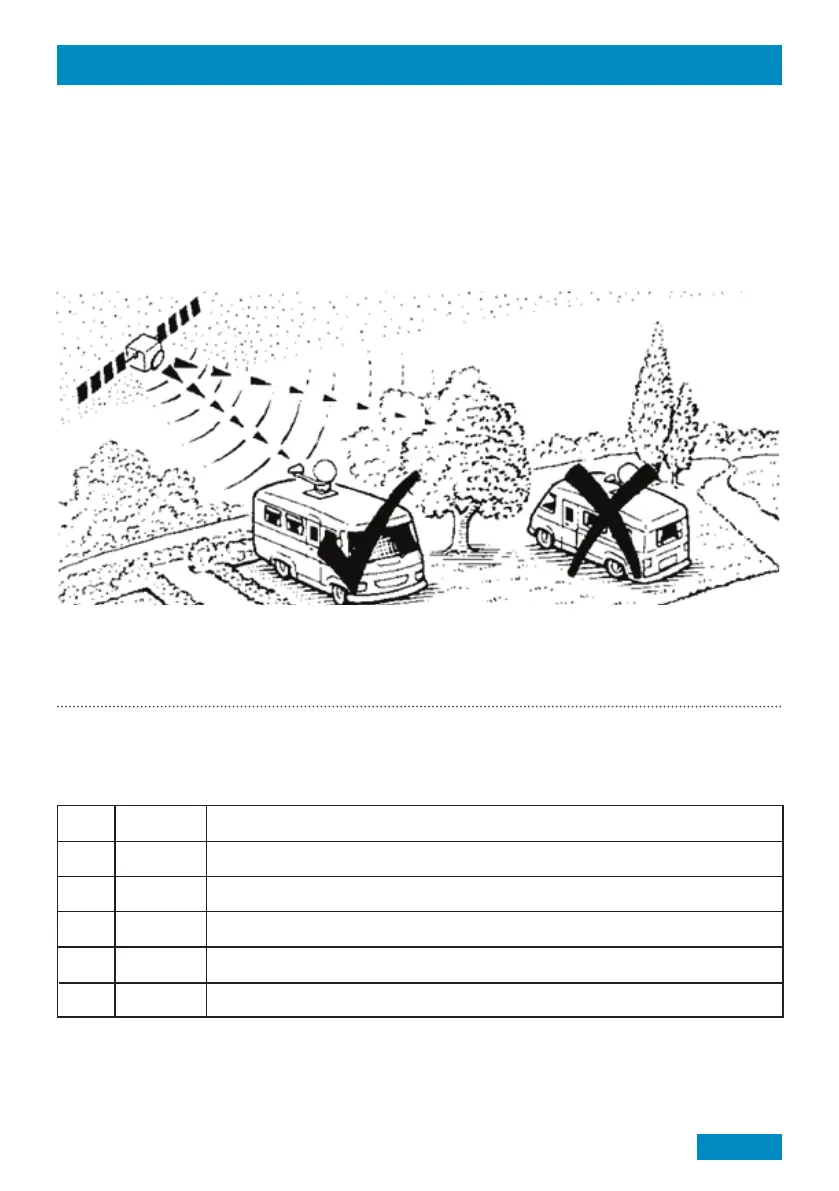
Finding a Satellite
Before starting, check there is a clear line of sight to the southern sky. All television broadcasting satellites have
a geostationary orbit which means their location is fixed above the earth’s equator.
Satellites also have a limited range of transmission so use the Zone maps included in the appendix to check
your location is suitable for reception. If your location is near the limit of reception it is recommended to adjust
the skew angle of the LNB to maximise signal quality and strength (see page 14 the for details).
Note: The Connect works independently from a Satellite Receiver. Therefore, any satellite receiver can be used.
Ensure the TV and Satellite Receiver are connected in accordance to the manufacturer’s instructions.
Reference
5 pre-programmed satellites as standard* (Astra 1 19.2°, Astra 2 28.2°, Astra 3 23.5°, Hotbird 13° & Thor 0.8°)
*Satellite downloads (other satellite packages available using the Maxview Connect App.)
Ref
1.
2.
3.
4.
5.
Satellite
ASTRA 1
ASTRA 2
ASTRA 3
HOTBIRD
THOR
Notes
For UK English channels. Eg. BBC, ITV, Channel 4 etc
SATELLITE INFORMATION
Page 17
Page 13



 To Next Page