E
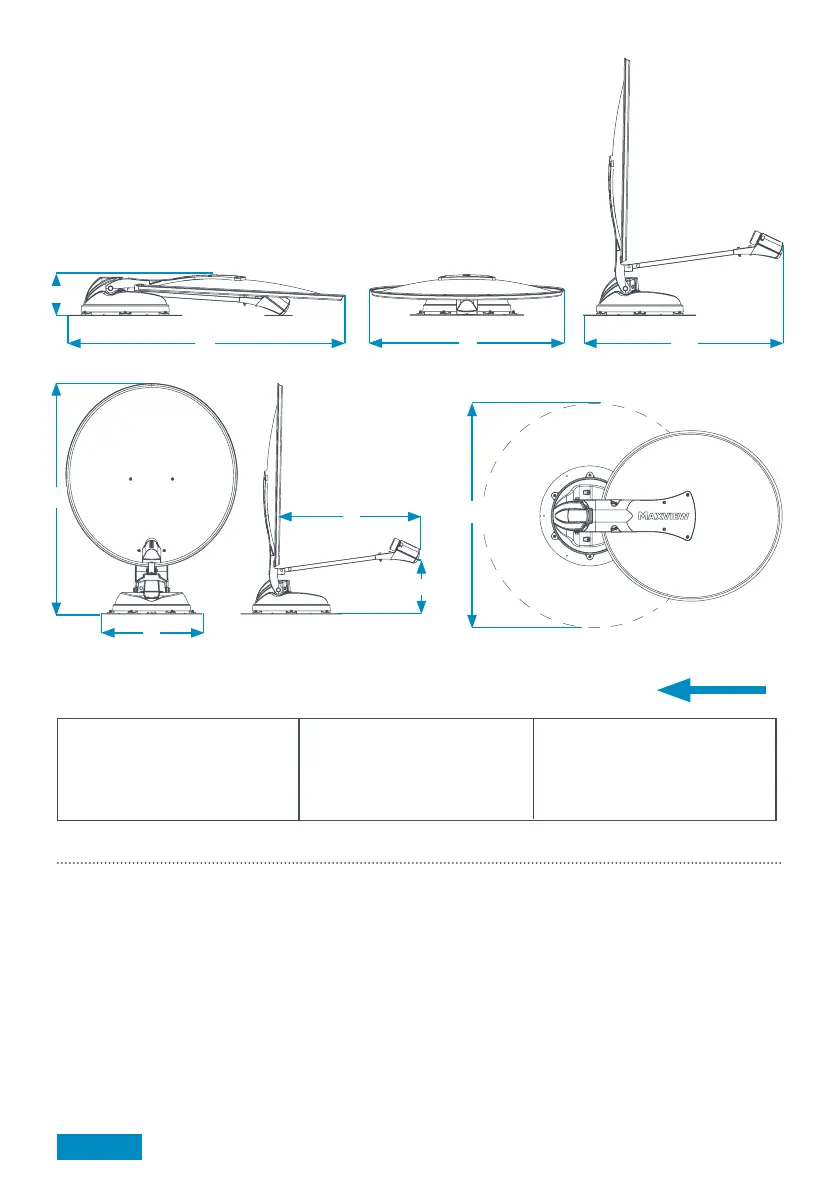
A
D
B C
H
G
F
I
Direction of travel
(front of vehicle)
Selecting an Installation Location
Positioning the Antenna Unit
> Check for obstructions such as roof lights and vents
> Check for electrical cables beneath screw fixing points
> Check Antenna Unit cables will reach Control Box
(Maxview can supply extended cables).
> Do not allow the dish to overhang the edge of the vehicle
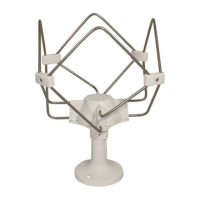
> Clearance around antenna system when in use is shown with reference I
Positioning Control Box
Site the Control Box in a convenient location where:
> User can control the unit with the control box
> Front and rear connections are accessible
> Cables can be routed and concealed neatly
> There is an electrical supply of 12V dc permanent and ignition
> There is adequate ventilation
> The Control Box is not encased with metal
> Material construction and thickness is suitable for fixings
Page 6
Key dimensions (cm) and weights Connect/Connect Skew
65cm: System weight 10kg
A: 17
B: 100
C: 67
D: 65/66
E: 96
F: ø43*
85cm: System weight 11kg
A: 17
B: 117
C: 85
D: 87/88
E: 113
F: ø43*
G: 52/53
H: 15
I: 110
G: 64/65
H: 14
I: 125
*Mounting plate
50cm: System weight 9kg
A: 17
B: 80
C: 50
D: 60
E: 79
F: ø43*
G: 45
H: 14
I: 102



 To Next Page