38
color.
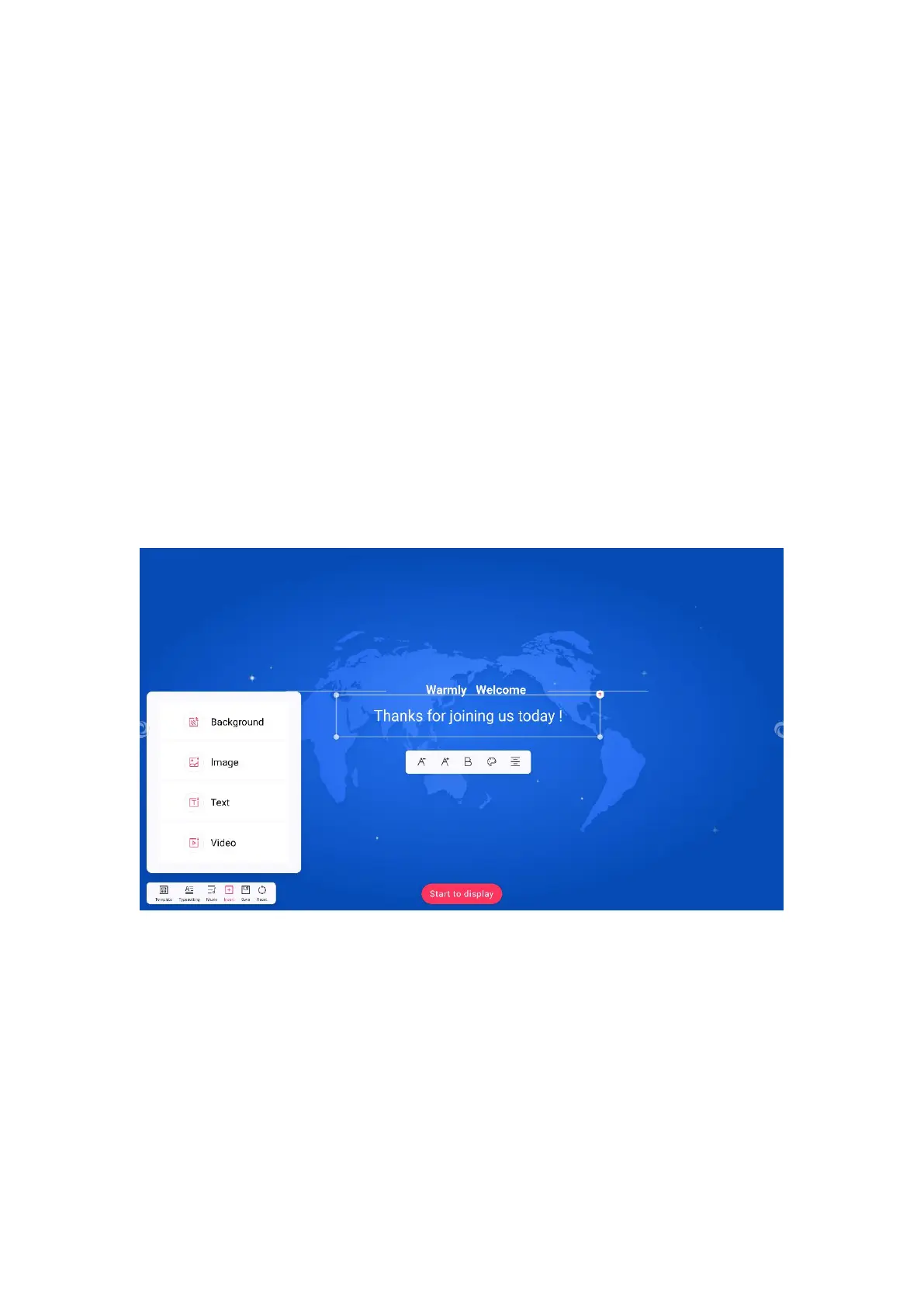
7. Click the button on the right of the toolbar to switch between center, left and
right.
(1)Hold down the dot of the text box and drag it to change the size of the text
box.
(2)Click the delete button in the upper right corner of the text box to delete
the text box.
(3)Hold down any position of the text box, you can drag to move the text box
position.
8. Click the Insert button to insert elements of the current welcome interface.
9. Click the Template button to select the alternative welcome interface
template.
10. Click the music button to insert alternative or local audio files into the
welcome interface.



 To Next Page