EasyManua.ls Logo

Maytag LAT8014 - Microprocessor Board Fault Codes; Display Diagnostic

Maytag LAT8014
184 pages
Print Icon
To Next Page IconTo Next Page
To Previous Page IconTo Previous Page
Loading...
water
valves
on
during
the
Warm
temp,
50%
more
hot
water
for
Energy
Hot
and
50%
more
cold
water
if
Energy
Warm.
To
implement
the
lid
switch
test
for
welding,
the
lid
must
be
opened
between
programs.
If
this
does
not
occur,
"lid"
will
appear
in
the
display
when
the
next
program
is
selected.
This
must
be
cleared
by
lifting
the
lid
before
a
program
can be
selected.
If
opening
the
lid
does
not
clear
the
"lid"
from
the
display
the
assumption
is
that
the
lid
switch
is
welded.
The
test
does
not
occur
if
the
cycle
is
ended
by
the
pressing
of
the
OFF-KEY,
only
if
the
cycle
ends
naturally.
Microprocessor
Board
Fault
Codes
F1
in
display
indicates
Board
Failure
(lid
circuit).
Inoperable.
Replace
microprocessor
board.
F2
in
display
indicates
Water
valve
thermistor
sense
failure
(too
low).
Operative.
F2
in
display
indicates
Water
valve
thermistor
sense
failure
(too
high).
Operative.
F4
in
display
indicates
Board
Failure
(level
circuit).
Inoperable.
Replace
microprocessor
board.
F9
in
display
indicates
low
voltage.
Operative.
Fault
codes
F1
&
F4
will
be
displayed
when
the
failures
occur,
while
F2, F3,
and
F9,
if
present,
can
only
be
viewed
after
a key
sequence
of
OFF
and
while
holding
OFF
actuate
SLOW SPIN
for
2
seconds.
After
the
entire
display
turns
on
then
off,
the
code
will
be
displayed.
To
re-test
the
water
valve
failure,
water
must
be
run
in
the
machine.
If
F2
or
F3
occur,
the
machine
will
default
to
both
DISPLAY DIAGNOSTIC:
The
display
can be
viewed
with
all
seg-
ments
on
for
4
seconds
after
a key
sequence
of OFF
and
while
holding
OFF
actuate
Pause
for
2
seconds
to
activate.
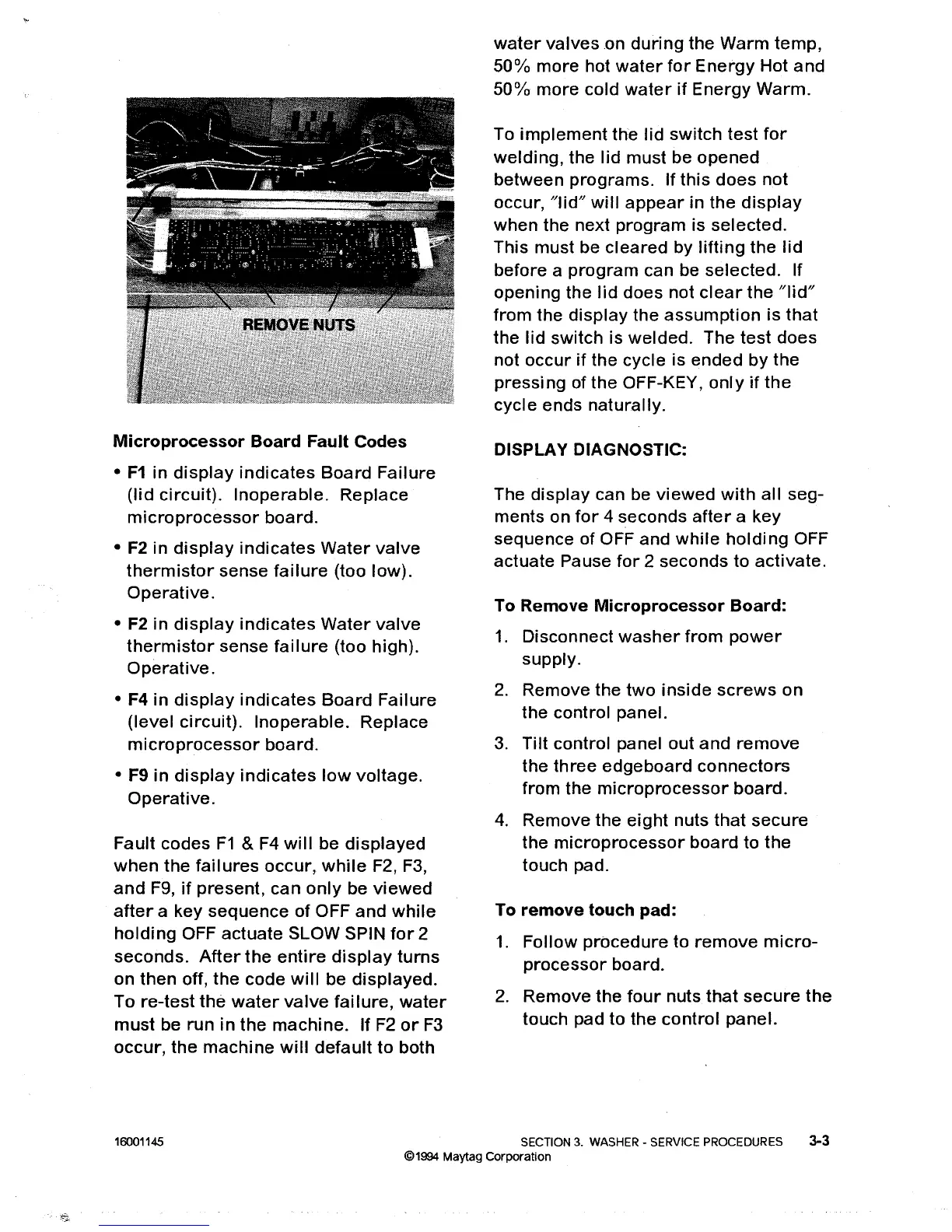
To
Remove
Microprocessor
Board:
1.
Disconnect
washer
from
power
supply.
2.
Remove
the
two
inside
screws
on
the
control
panel.
3.
Tilt
control
panel
out
and
remove
the
three
edgeboard
connectors
from
the
microprocessor
board.
4.
Remove
the
eight
nuts
that
secure
the
microprocessor
board
to
the
touch
pad.
To
remove
touch
pad:
1.
Follow
procedure
to
remove
micro-
processor
board.
2.
Remove
the
four
nuts
that
secure
the
touch
pad
to
the
control
panel.
16001145
SECTION 3. WASHER - SERVICE PROCEDURES 3-3
©1994 Maytag Corporation

Table of Contents

Related product manuals