EasyManua.ls Logo

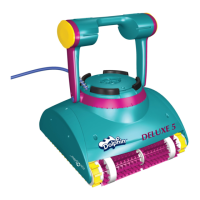
Maytronics Dolphin Deluxe 5 - User Manual

Maytronics Dolphin Deluxe 5
40 pages
Print Icon
To Next Page IconTo Next Page
Loading...
by
8151251
User Instructions ............ p. 1-12
Instrucciones de uso ...... p. 13-24
Mode d’emploi .............. p. 25-36
EN
ES
FR
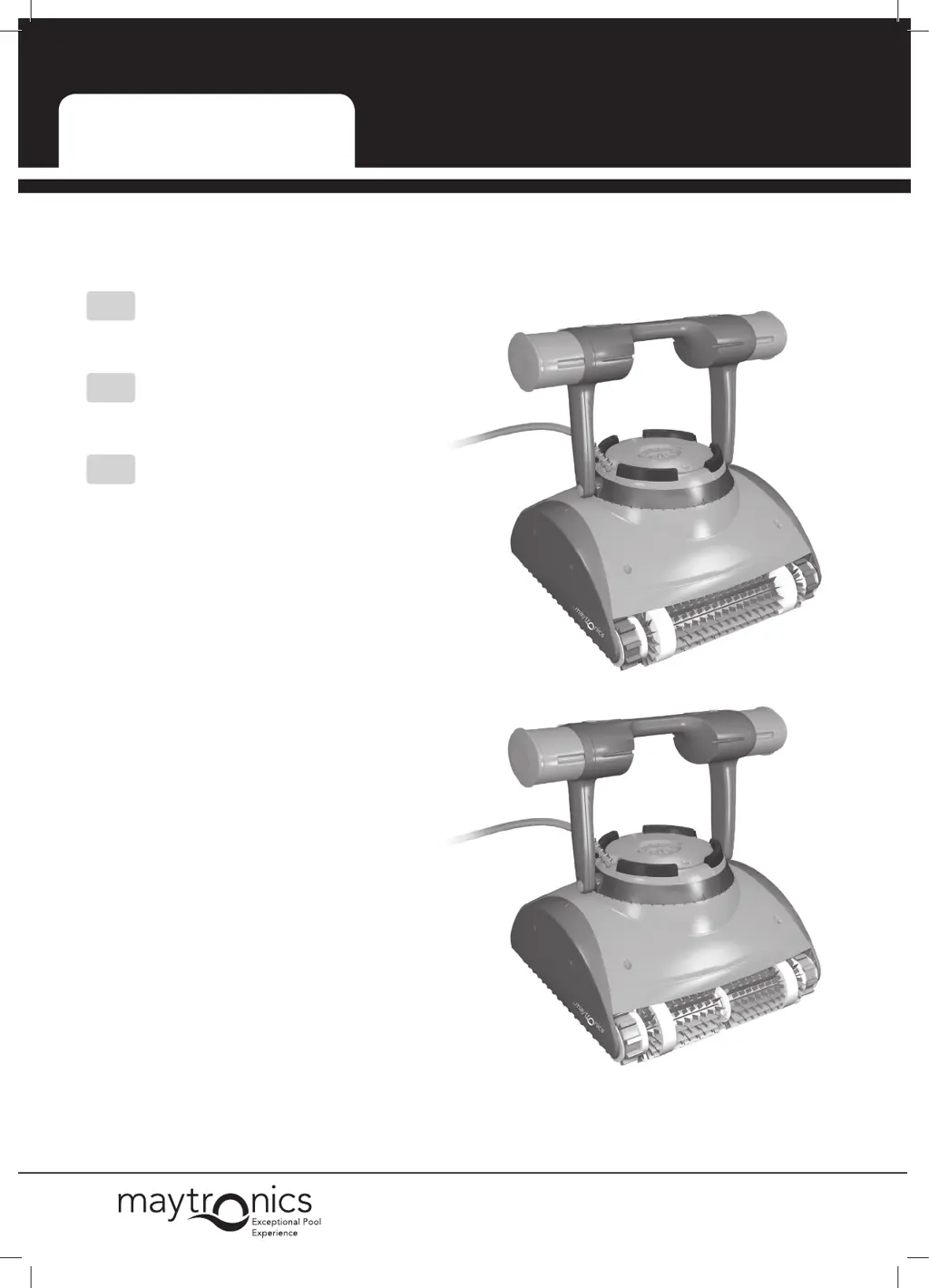
Dolphin Deluxe 4/5
Deluxe 4
Deluxe 5

Table of Contents

Questions and Answers

  • K
    Karen HeathAug 8, 2025
    Why Maytronics Dolphin Deluxe 5 Swimming Pool Cleaners doesn't climb the walls?
    • L
      lbutlerAug 8, 2025
      Your Maytronics Swimming Pool Cleaner might not be climbing walls due to several reasons. First, try cleaning the filter bag or cartridge. Also, check the chemical levels in your pool water, as improper levels can lead to algae growth, making the walls slippery; adjust the levels and scrub the walls if needed. Inspect the brushes to ensure they are not worn out. If you have a Deluxe 5 model, verify that the wall climbing mode is enabled on the remote control.
  • D
    Dana WilsonAug 12, 2025
    What to do if Maytronics Swimming Pool Cleaner only cleans part of the pool?
    • W
      William WashingtonAug 12, 2025
      If your Maytronics Swimming Pool Cleaner is only cleaning part of your pool, first ensure there is enough slack in the cable for it to reach all areas. Try cleaning the filter bag or cartridge. If you have a Deluxe 4 model, push in the float on the cable side. Also, check the brushes to see if they are obstructed or worn out.
  • W
    wendy22Aug 18, 2025
    What to do if Maytronics Swimming Pool Cleaner moves but does not clean the pool?
    • M
      Michelle MurrayAug 18, 2025
      If your Maytronics Swimming Pool Cleaner moves but doesn't clean, start by cleaning the filter bag or cartridge. After starting the cleaner, watch it for a few minutes to ensure it keeps moving. If it stops, inspect the impeller and drive system for any stuck debris.
  • K
    Kathy HarrisAug 23, 2025
    How to fix a Maytronics Dolphin Deluxe 5 Swimming Pool Cleaners that does not move?
    • L
      Laura SnyderAug 23, 2025
      If your Maytronics Swimming Pool Cleaner isn't moving, first check that the power supply is plugged in, turned on, and the cable is securely connected to the power supply. Ensure the power outlet is working correctly and hasn't tripped the breaker. Turn the power supply off, wait 30 seconds, and then turn it back on. Unplug the power supply, open the impeller cover, and check for any obstructions in the impeller.
  • R
    Roger RoseAug 27, 2025
    Why Maytronics Swimming Pool Cleaner floats instead of sitting on the floor of the pool?
    • G
      George WashingtonAug 27, 2025
      If your Maytronics Swimming Pool Cleaner is floating instead of staying on the pool floor, try removing the trapped air again. Also, while the cleaner is in the water, squeeze the combined brush/Wonder brush to ensure they are fully water absorbent.
  • U
    uhillSep 1, 2025
    How to remove kinks from Maytronics Dolphin Deluxe 5 Swimming Pool Cleaners cable?
    • E
      erintuckerSep 2, 2025
      If your Maytronics Swimming Pool Cleaner cable has kinks, for Deluxe 4 models, push in the float on the non-cable side. To remove the kinks, stretch the cable out completely and let it sit in the sun for at least a day.

Summary

Introduction

Specifications

Warnings and Cautions

Warnings

Critical safety instructions for operating the pool cleaner and power supply.

Cautions

Guidelines for water conditions and storage to prevent damage.

Pool Cleaner Parts

Using the Pool Cleaner

Setup

Steps to prepare the pool cleaner and power supply for operation.

Putting the Pool Cleaner into the pool

Procedure to safely immerse and start the pool cleaner in the water.

Removing the Pool Cleaner from the pool

Instructions on how to safely retrieve the pool cleaner from the water.

Cleaning the Filter Bag or Cartridges

Removing and cleaning the filter bag

Steps for removing and cleaning the filter bag for optimal performance.

Replacing the filter bag

Guide on how to correctly position and replace the filter bag.

Cleaning the filter cartridges

Instructions for cleaning the filter cartridges, including a note on drying.

Cleaning the impeller

Procedure for clearing debris from the impeller for proper function.

Off Season Storage

Troubleshooting

Maytronics Dolphin Deluxe 5 Specifications

General IconGeneral
TypeRobotic
Pool TypeIn-Ground
Pool SizeUp to 50 feet
Cleaning Cycle Time2.5 hours
Cable Length60 feet
Programmable TimerYes
Swivel CableYes
Active BrushesYes
Cleaning CoverageFloor, walls, and waterline
Pool SurfaceAll surface types
Filtration SystemTop-access fine and ultra-fine filter cartridges
BrushingActive scrubbing brushes

Related product manuals