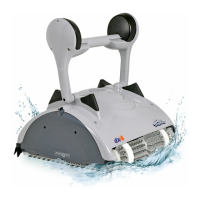
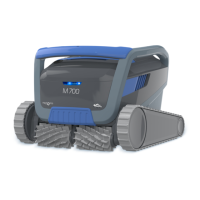
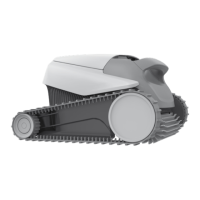
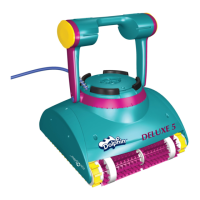
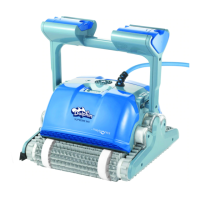
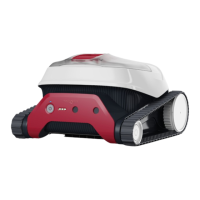
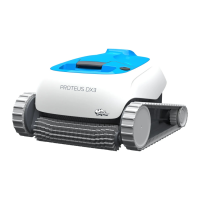
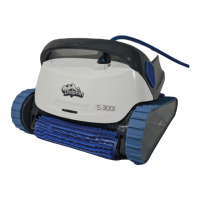
The Maytronics Dolphin S 300i is a robotic pool cleaner designed to provide reliable, convenient, and cost-effective pool cleaning. It features reliable filtration, active brushing, and all-surface climbing capabilities to enhance maximum pool hygiene. The cleaner is designed for long-lasting performance and easy maintenance, allowing users to enjoy a clean pool with confidence.
Function Description
The Dolphin S 300i operates by moving across the pool floor and walls, brushing surfaces, and filtering water to remove debris. It is designed for simple setup and operation, with the ability to be controlled via a mobile smart device using the MyDolphin™ Plus IoT mobile app. The app enables cloud-connected control from anywhere, providing real-time connectivity and additional cleaning options. The cleaner performs a cleaning cycle and then automatically stops.
Important Technical Specifications
Robot:
- Motor protection: IP 68
- Minimum depth: 0.4m / 1.33ft
- Maximum depth: 5m / 16.4ft
Digital switch-mode power supply:
- IP: 54
- Input: 100-125 AC Volt, 200-230 AC Volt, 50-60Hertz, 120 Watt
- Output: <30 VDC
- Bluetooth®/Wifi® Max transmit power: 10mW EIRR
- Frequency: 2.4 GHz
Water Conditions for Use:
- Chlorine: Max 4 PPM
- pH: 7.0-7.8 PPM
- Temperature: 6-35°C / 43-95°F (below 15°C / 59°F climbing performance may be affected)
- NaCl: Maximum = 5000 PPM
The product complies with EU Regulation & Directive 2014/531EU.
Usage Features
Setup and Operation:
- Positioning: Place the power supply approximately in the middle of the long side of the pool, at a distance of 3.5m/12ft from the edge.
- Cable Management: Unwind the blue cable completely to ensure it has no kinks.
- Power Connection: Attach the blue cable to the power supply by aligning the notch on the connector with the groove in the socket and turning clockwise. Plug in the power supply but leave it in the OFF position initially.
- Placement in Pool: Gently place the cleaner into the pool, allowing it to sink to the floor. Ensure the blue cable is free of obstructions.
- Start Cleaning: Turn the power supply ON. The cleaner will operate until its cleaning cycle is complete.
Robot Indicator Lights (for eligible models):
- Blue blinking: Normal operation (additional options available in the app).
- Green blinking: Smartphone communication with Pool Cleaner – manual driving navigation.
Removing from Pool:
- Turn OFF the power supply.
- Use the blue cable to bring the cleaner to the pool edge.
- Use the handle to lift the cleaner out of the pool, allowing water to drain. Avoid pulling the robot by the cable to the surface; use the handle once it's at the edge.
MyDolphin™ Plus IoT Mobile App:
- Download: Available on Google Play (Android) or Appstore (iOS).
- Compatibility: Apple (iOS 10+) and Android (version 5+).
- Connectivity: Cloud-connected for control from anywhere.
- Requirements: Mobile device connected to home/pool Wi-Fi® (2.4Ghz only), Wi-Fi® network name and password, Bluetooth® enabled on smart device, GPS and Location Services ON for Android users, Bluetooth® & location enabled for iOS 13+.
- Connection Steps:
- Connect cleaner to power supply; connectivity LED will flash blue.
- Place cleaner in water.
- Press ON button on IoT power supply.
- Activate MyDolphin™ Plus app, agree to permissions, sign up/log in.
- Scan QR code on power supply or press "Search for your robot manually" to pair.
- Wait for steady blue connectivity LED and success message.
- Connect to home/pool Wi-Fi® network, enter password.
- Power supply will flash green and blue, then steady green connectivity LED and success message.
- Connectivity LEDs on Power Supply:
- Flashing blue: Waiting for Bluetooth® connection.
- Steady blue: Connected via Bluetooth®.
- Flashing green: Trying to connect to home/pool Wi-Fi® network and cloud, or weak internet signal.
- Steady green: Connected to Wi-Fi® network and cloud.
- Alternating blue and green: Connected via Bluetooth® and trying to connect to home/pool Wi-Fi® network & cloud.
- On/Off LEDs:
- Flashing green: Waiting for next operation (delay mode or weekly timer).
- Alternate blue/green/red: Program updating remotely.
- Steady red: Fault (refer to troubleshooting).
Maintenance Features
Cleaning the Dual Filter Basket:
- Unplug: Always unplug the power supply before servicing.
- Open Cover: Open the filter cover.
- Remove Basket: The handle will lift independently; lift up the basket.
- Open Latch: Open the latch to release the bottom lid of the basket.
- Remove Debris: Remove accumulated debris.
- Hose Cleaning: Clean the filter basket thoroughly with a hose.
- Periodic Filter Cleaning (at least once a month):
- Hold down the handle and remove the inner net basket.
- Dismantle the 4 ultra-fine filter panels of the outer basket by pressing on panel 1 with thumbs, then panels 2, 3, 4.
- Clean the filter panels with a hose.
- Reassemble the filter panels in the order 4 → 3 → 2 → 1. Do not force the filters into place.
- Insert the clean filter basket and close the filter cover.
Cleaning the Impeller:
- Unplug: Unplug the power supply before servicing.
- Dismantle Cover: Dismantle the impeller cover (refer to images 7.3.1, 7.3.2, 7.3.3 in the manual).
- Clean Housing: Clean around the impeller housing (refer to image 7.3.4).
- Reassemble: Reassemble the components.
- Warning: Use a Phillips screwdriver only, not an electric screwdriver.
Off-Season Storage:
- Ensure no water is left in the cleaner.
- Thoroughly clean the filter basket and insert it back in place.
- Roll up the cable without kinks and place it on the Caddy.
- Store the cleaner upright on the Caddy in a protected area, away from direct sun/rain/frost, at a temperature between 5°-45°C / 41°-113°F.
Troubleshooting:
The manual provides a comprehensive troubleshooting guide for common issues such as power supply problems, cleaner not moving, moving in circles, not turning, not cleaning the pool effectively, kinks in the floating cable, and inability to climb walls. It also includes specific troubleshooting steps for MyDolphin™ Plus app connectivity issues, including weak internet signals, losing router connection, initial Bluetooth®/Wi-Fi® setup, changing Wi-Fi® networks, and power supply/motor unit replacement. For unresolved problems, users are advised to contact Maytronics Customer Care.


 To Next Page
 General