
 Need help?
Do you have a question about the Maytronics M600 and is the answer not in the manual?
Technical details of the robotic pool cleaner including protection, depth, and dimensions.
Technical details of the digital switch-mode power supply, including input and output.
Crucial safety guidelines to be read and followed before operation.
Specifies acceptable water parameters for optimal pool cleaner performance.
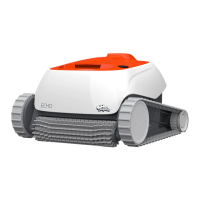
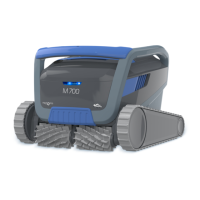
Visual representation of the robotic pool cleaner unit.
Visual representation of the power supply unit.
Visual representation of the filter components and assembly.
Visual representation of the caddy kit for storing and transporting the robot.
Step-by-step guide for the initial setup of the robotic pool cleaner.
Instructions on how to safely put the robotic pool cleaner into the water.
Steps to connect the power supply unit to the main electrical outlet.
How to turn on and operate the cleaner manually without a smart device.
Explanation of the power supply's LED indicator lights and their meanings.
Details the meaning of the robot's indicator lights for status and errors.
Methods for safely removing the robotic pool cleaner from the water.
Step-by-step instructions for removing and cleaning the dual filter basket.
Instructions for dismantling and cleaning the ultra-fine filter panels.
Procedure for cleaning debris trapped in the impeller opening.
Recommended weekly tasks for maintaining the cleaner and its cable.
Steps for preparing and storing the pool cleaner during extended periods of non-use.
Requirements and initial setup for using the MyDolphin™ Plus mobile app.
Steps to prepare the pool cleaner for connection to the mobile app.
Instructions for pairing and activating the pool cleaner using a smart device.
 General
| Weight | 11.5 kg |
|---|---|
| App Control | Yes |
| Caddy Included | Yes |
| Pool Type | In-ground |
| Type | Robotic |
| Warranty | 2 years |
| Cleaning Coverage | Floor, Walls |
| Cleaning Cycle Time | 1.5 / 2 / 2.5 hours |
| Cable Length | 18 meters |
| Pool Size | Up to 15m |
| Remote Control | Yes |
| Filter Type | Multi-layer filtration with fine and ultra-fine filters |



 To Next Page
