EasyManua.ls Logo

Maytronics Dolphin M700 - User Manual

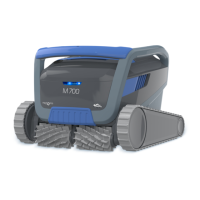
Maytronics Dolphin M700
22 pages
Print Icon
To Next Page IconTo Next Page
Loading...
8181000
User Instructions
EN
M700
Maytronics Dolphin robotic pool cleaner

Questions and Answers

Summary

Introduction to Maytronics M700 Pool Cleaner

M700 Pool Cleaner Specifications

Safety Warnings and Precautions

Critical Safety Warnings

Mandatory warnings to ensure safe operation and prevent electrical hazards.

Water Condition Guidelines

Recommended water parameters (chlorine, pH, temp, NaCl) for optimal pool cleaner performance.

Robotic Pool Cleaner Components Overview

Using the Robotic Pool Cleaner

Setup Guide for First Use

Step-by-step instructions for the initial setup, cable connection, and power supply.

Placing Cleaner in Pool

Instructions on how to safely place the robotic pool cleaner into the swimming pool.

Power Supply Connection

Steps for connecting the robotic pool cleaner's power supply to the AC outlet.

Manual Operation Without Smart Device

How to operate the robotic pool cleaner using the power button without a smart device.

Power Supply Features and LEDs

Details on the power supply's features, including its single on/off button and LED indicators.

Robotic Pool Cleaner Indicator Lights

Explanation of the different indicator lights on the robotic pool cleaner and their meanings.

Removing Cleaner from Pool

Methods for safely removing the robotic pool cleaner from the pool water using app or cable.

Care and Maintenance Guide

Cleaning After Use: Filter Basket

Procedure for removing and cleaning the dual filter basket after each cleaning cycle.

Periodic Filter Cleaning

Recommended monthly procedure for dismantling and cleaning the ultra-fine filter panels.

Cleaning the Impeller

Instructions for clearing debris trapped in the robotic pool cleaner's impeller opening.

Weekly General Maintenance

Regular weekly tasks for maintaining the robotic pool cleaner and its cable.

Off-Season Storage Instructions

Remote Control Operation Guide

Getting Started with the Remote Control

Initial steps to turn on, connect, and start using the remote control unit.

Programmable Mode Features

Details on setting cleaning schedules and delayed operations using the remote control.

Manual Drive Mode Operation

Instructions for manually navigating the robotic pool cleaner using the remote control's directional arrows.

MyDolphin Plus Mobile App Usage

Getting Started with the MyDolphin Plus App

Prerequisites, compatibility, and initial setup for using the MyDolphin Plus mobile application.

Prepare Pool Cleaner for App Connection

Steps to prepare the pool cleaner and mobile device for connection to the MyDolphin Plus app.

Activate Pool Cleaner with Smart Device

Procedure for activating and pairing the pool cleaner with your smart device via QR code or manual search.

Power Supply LED Indicators Explained

Explanation of the different LED lights on the power supply and their meanings for connectivity and status.

Advanced Features Overview

Temperature Sensor Details

Details on the sensor that measures water temperature in Celsius and Fahrenheit.

Filter Gauge Functionality

Information on the feature that indicates filter clogging levels based on dirt load.

In;Out of Water Sensor

Explanation of the sensor that detects if the cleaner is in or out of the water, requiring calibration.

Troubleshooting Common Issues

General Troubleshooting Table

Table listing symptoms, possible reasons, and corrective actions for pool cleaner operational issues.

MyDolphin App Troubleshooting

App Connectivity Troubleshooting

Steps to resolve issues with the pool cleaner connecting to Wi-Fi and Bluetooth via the MyDolphin Plus app.

Summary

Introduction to Maytronics M700 Pool Cleaner

M700 Pool Cleaner Specifications

Safety Warnings and Precautions

Critical Safety Warnings

Mandatory warnings to ensure safe operation and prevent electrical hazards.

Water Condition Guidelines

Recommended water parameters (chlorine, pH, temp, NaCl) for optimal pool cleaner performance.

Robotic Pool Cleaner Components Overview

Using the Robotic Pool Cleaner

Setup Guide for First Use

Step-by-step instructions for the initial setup, cable connection, and power supply.

Placing Cleaner in Pool

Instructions on how to safely place the robotic pool cleaner into the swimming pool.

Power Supply Connection

Steps for connecting the robotic pool cleaner's power supply to the AC outlet.

Manual Operation Without Smart Device

How to operate the robotic pool cleaner using the power button without a smart device.

Power Supply Features and LEDs

Details on the power supply's features, including its single on/off button and LED indicators.

Robotic Pool Cleaner Indicator Lights

Explanation of the different indicator lights on the robotic pool cleaner and their meanings.

Removing Cleaner from Pool

Methods for safely removing the robotic pool cleaner from the pool water using app or cable.

Care and Maintenance Guide

Cleaning After Use: Filter Basket

Procedure for removing and cleaning the dual filter basket after each cleaning cycle.

Periodic Filter Cleaning

Recommended monthly procedure for dismantling and cleaning the ultra-fine filter panels.

Cleaning the Impeller

Instructions for clearing debris trapped in the robotic pool cleaner's impeller opening.

Weekly General Maintenance

Regular weekly tasks for maintaining the robotic pool cleaner and its cable.

Off-Season Storage Instructions

Remote Control Operation Guide

Getting Started with the Remote Control

Initial steps to turn on, connect, and start using the remote control unit.

Programmable Mode Features

Details on setting cleaning schedules and delayed operations using the remote control.

Manual Drive Mode Operation

Instructions for manually navigating the robotic pool cleaner using the remote control's directional arrows.

MyDolphin Plus Mobile App Usage

Getting Started with the MyDolphin Plus App

Prerequisites, compatibility, and initial setup for using the MyDolphin Plus mobile application.

Prepare Pool Cleaner for App Connection

Steps to prepare the pool cleaner and mobile device for connection to the MyDolphin Plus app.

Activate Pool Cleaner with Smart Device

Procedure for activating and pairing the pool cleaner with your smart device via QR code or manual search.

Power Supply LED Indicators Explained

Explanation of the different LED lights on the power supply and their meanings for connectivity and status.

Advanced Features Overview

Temperature Sensor Details

Details on the sensor that measures water temperature in Celsius and Fahrenheit.

Filter Gauge Functionality

Information on the feature that indicates filter clogging levels based on dirt load.

In;Out of Water Sensor

Explanation of the sensor that detects if the cleaner is in or out of the water, requiring calibration.

Troubleshooting Common Issues

General Troubleshooting Table

Table listing symptoms, possible reasons, and corrective actions for pool cleaner operational issues.

MyDolphin App Troubleshooting

App Connectivity Troubleshooting

Steps to resolve issues with the pool cleaner connecting to Wi-Fi and Bluetooth via the MyDolphin Plus app.

Overview

The Maytronics Dolphin M700 is a robotic pool cleaner designed to provide reliable, convenient, and cost-effective pool cleaning, enhancing pool hygiene. It utilizes advanced cleaning technologies, offers exceptional ease of use, long-lasting performance, and simple maintenance.

Function Description

The M700 is a robotic pool cleaner that operates autonomously to clean pools. It can be controlled manually via a remote control unit or through the MyDolphin™ Plus IoT mobile app, which offers cloud-connected control from anywhere at any time with real-time connectivity. The cleaner is designed to operate until its cleaning cycle is complete.

Important Technical Specifications

  • Robot:
    • Motor protection: IP 68
    • Minimum depth: 0.8m / 2.6ft
    • Maximum depth: 5m / 16.4ft
  • Digital switch-mode power supply:
    • IP 54
    • Input: 100-250 AC Volts, 50-60Hertz, 180 Watt
    • Output: <30VDC
    • Bluetooth®/Wi-Fi® Max tras power 10mW EIRR, 2.4 GHz frequency
  • Water Conditions:
    • Chlorine: Max 4 PPM
    • pH: 7.0-7.8 PPM
    • Temperature: 6-35°C / 43-95°F (below 15°C / 59°F climbing performance may be affected)
    • NaCl: Maximum = 5000 PPM
  • Mobile App Compatibility:
    • Apple (iOS): version 10 and up (iPhone, iPad, iPod)
    • Android: version 5 and up operating system

Usage Features

Setup and Operation:

  1. Placement of Power Supply: Position the power supply approximately in the middle of the long side of the pool, at least 3.5m/12ft from the pool's edge, and at least 11cm/4in above ground.
  2. Cable Management: Unwind the floating cable completely to avoid kinks and attach it securely to the power supply by aligning the notch and groove, then turning clockwise.
  3. Into the Pool: Place the robotic pool cleaner into the pool, allowing it to sink to the floor. Ensure the floating cable is free of obstacles.
  4. Power Connection: Connect the power supply to an AC outlet.
  5. Start Cleaning: Press the power button on the power supply to turn the robot ON. It will operate until the cleaning cycle ends.

Power Supply LED Indications:

  • Both On/Off button and connectivity LED blink 4 times: Occurs after connecting to the power outlet.
  • Blue connectivity light consistent: Bluetooth® connected.
  • Green and Blue connectivity lights blink alternately: Pairing process ongoing (also appears with remote control).
  • Green connectivity light blinking: Wi-Fi® connected to home network.
  • Solid green light on: Power supply connected to the Cloud.

Robotic Pool Cleaner Indicator Lights:

  • Blue blinking: Default operation.
  • Green blinking: Remote-Control or Smartphone communication.
  • Red constant: Robot error (refer to troubleshooting).

Removing from Pool:

  • Option A (MyDolphin™ Plus app): Use "Pick-up mode" in the app. The robot will reach a wall, rise above the water, and wait for 3 minutes. Grab it by the handle.
  • Option B (Manual): Turn OFF the power supply. Use the floating cable to pull the cleaner to the side of the pool, then use the handle to remove it. Ensure water drains out.

Remote Control Unit (Optional):

  • Getting Started: Turn on the remote, wait 2 seconds for display, select settings. Power supply turns on (blue LED). Pool cleaner starts.
  • Programmable Mode:
    • Delayed Operation: Press START LATER to set the cleaner to start after one hour. Power supply blinks green. Press again to cancel.
    • Weekly Scheduling: Set to clean every 2 or 3 days. Valid for one week.
  • Manual Drive Mode: Control robot movement using direction arrows. If robot is OFF, turn on remote, wait 60 seconds for self-test, then use direction controls.

MyDolphin™ Plus IoT Mobile App:

  • Getting Started: Ensure mobile device is connected to 2.4Ghz home Wi-Fi®, Bluetooth® is enabled, and for Android, GPS and Location Services are ON. For iOS 13+, enable Bluetooth® & location while the app is working.
  • Connection Process:
    1. Connect cleaner to power supply (connectivity LED flashes blue).
    2. Place cleaner in water.
    3. Press ON button on power supply.
    4. Activate MyDolphin™ Plus app, agree to permissions, sign up.
    5. Scan QR code on power supply or "Search for your robot manually."
    6. Wait for steady blue connectivity LED and success message.
    7. Connect to home Wi-Fi®, enter password. Power supply flashes green and blue.
    8. Wait for steady green connectivity LED and success message.
  • App LED Lights:
    • Connectivity LEDs: Flashing blue (waiting for Bluetooth®), steady blue (Bluetooth® connected), flashing green (connecting to Wi-Fi®/cloud), steady green (Wi-Fi®/cloud connected), alternating blue and green (Bluetooth® and cloud connected, also with remote).
    • On/Off LEDs: Steady blue (ON, working), flashing green (waiting for next operation), alternate blue/green/red (program updating), steady red (error), orange (filter clogged).
  • Power Supply On/Off Button Features:
    • Operating: Press for up to 5 sec.
    • Quick Start: Press and hold for 5 sec (blue LED blinks 3 times) to activate a specific feature (changeable via app).
    • Automation Mode: Press and hold for 15 sec (blue LED blinks 3 times) to connect to smart-home.

Advanced Features:

  • Temperature Sensor: Displays water temperature in Celsius (6°-38°C) and Fahrenheit (42.8°-100.4°F).
  • Filter Gauge: Shows 5 levels of filter clogging, activated via MyDolphin™ Plus app.
  • In / Out of Water Sensor: Indicates if the cleaner is in or out of the pool. Requires calibration via the app.

Maintenance Features

Cleaning After Use (Dual Filter Basket):

  1. Open the filter cover (handle lifts independently).
  2. Lift out the basket.
  3. Open the latch to release the bottom lid.
  4. Clean the filter basket with a hose.
    • Recommendation: Clean after each cleaning cycle. Do not let filter panels dry out.

Periodic Filter Cleaning (Recommended at least once a month):

  1. Hold down the handle to remove the inner net basket.
  2. Dismantle the 4 ultra-fine filter panels of the outer basket, pressing on panel 1 first, then 2, 3, and 4.
  3. Clean the filter panels with a hose.
  4. Assemble the filter panels in reverse order: 4, 3, 2, 1.
  5. Insert the clean filter basket and close the filter cover.

Cleaning the Impeller:

  • If debris is trapped in the impeller, ensure the power supply is switched off and unplugged. Follow the illustrated steps to open the impeller compartment and remove debris.

Periodic General Maintenance (Recommended at least once a week):

  • Cable Drying: When wet, spread the cable flat and straight in the yard for at least five hours to prevent twisting.
  • Fresh Water Rinse: Wash the robotic pool cleaner with fresh water to reduce damage from pool chemicals.

Off-Season Storage:

  • Thoroughly clean the filter basket and panels, and reinsert them.
  • Ensure no water is left in the cleaner.
  • Roll up the cable without kinks.
  • Store in a protected area, out of direct sun/rain/frost, at 5°-45°C / 41°-113°F.

Maytronics Dolphin M700 Specifications

General IconGeneral
BrandMaytronics
ModelDolphin M700
CategorySwimming Pool Cleaners
LanguageEnglish

Related product manuals