EasyManua.ls Logo

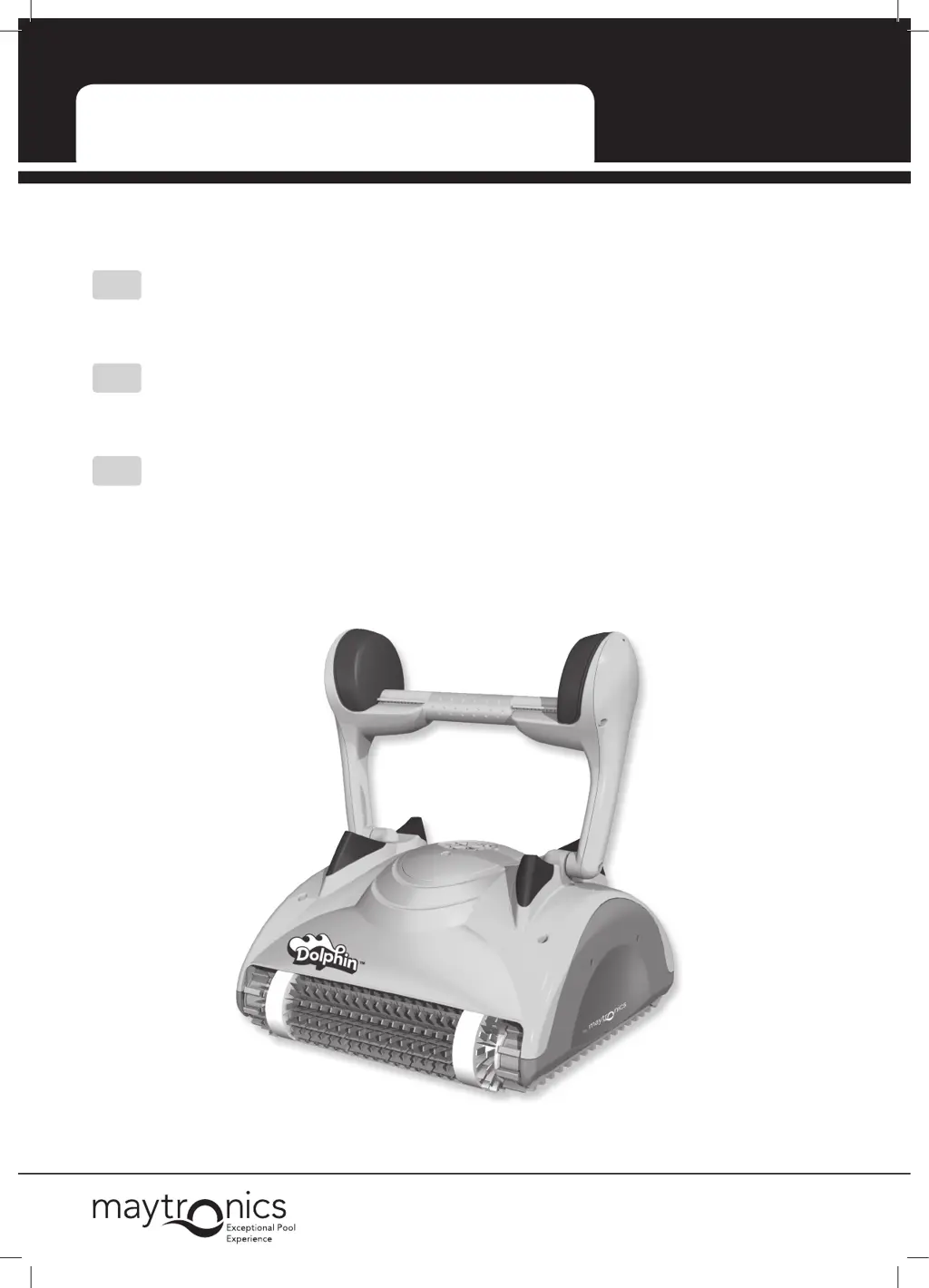
Maytronics Dolphin DX - User Manual

Maytronics Dolphin DX
37 pages
Print Icon
To Next Page IconTo Next Page
Loading...
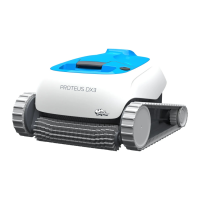
Robotic Pool Cleaner Dolphin DX4
8151618
by
EN
User Instructions ........................... p. 1-11
FR
Mode D’emploi ............................p. 12-22
ES
Instrucciones de Uso ....................p. 23-33

Table of Contents

Questions and Answers

  • D
    dwilsonAug 1, 2025
    How to stop my Maytronics Dolphin DX Swimming Pool Cleaners cable from twisting?
    • M
      Michael WattsAug 1, 2025
      If your Maytronics Swimming Pool Cleaner's cable is twisting or coiling, it might be due to an obstruction in the pool. Remove any obstructions you find. Also, too much cable in the pool can cause this issue, so remove any excess cable. A dirty filter bag or cartridge can also be the culprit; clean it thoroughly. In any of these cases, straighten the cable and lay it in the sun periodically to help prevent further twisting.
  • A
    Arthur RamseyAug 5, 2025
    Why is my Maytronics Swimming Pool Cleaners not covering the entire pool?
    • F
      fsweeneyAug 5, 2025
      If your Maytronics Swimming Pool Cleaner isn't covering the entire pool, make sure the power supply is positioned correctly so that the cleaner can reach all walls. Also, adjust the handle float to enhance pool coverage. For optimal coverage, the cleaner should turn on the floor at a 90° angle. If it doesn't complete a 90° turn, shift the float opposite the cable’s entry-side towards the handle center. If it turns at an angle wider than 90°, shift the float on the cable’s entry-side towards the handle center.
  • A
    Alexander HaleAug 10, 2025
    Why is my Maytronics Dolphin DX Swimming Pool Cleaners moving in circles?
    • J
      janetschmidtAug 10, 2025
      If your Maytronics Swimming Pool Cleaner is moving in circles, it could be due to dirt stuck in its moving parts; remove any dirt you find. A clogged filter bag or cartridge can also cause this, so clean it thoroughly. Ensure the power supply is positioned so the cleaner can reach all walls. Also, check that the bottom lid is locked in the correct position. Finally, incorrect algae levels or pool water conditions can cause this issue; correct the pool and water conditions.
  • S
    Steven OwensAug 14, 2025
    What to do if my Maytronics Dolphin DX does not climb walls?
    • M
      Monica JohnsonAug 15, 2025
      If your Maytronics Swimming Pool Cleaner isn't climbing walls, start by emptying and washing the filter bag or cartridge. Algae on the walls can also prevent climbing, so brush the walls thoroughly. Ensure the water temperature is between 43°-93°F / 6°-34°C. If the brushes are worn, they will need to be replaced. If you have slippery ceramic wall tiles, consult your dealer about special brushes. Also, check for debris around the impeller and clean it if necessary. Finally, if the cleaner is too light due to trapped air, turn it upside down underwater to remove the air, and ensure the pH level is between 7 and 7.8.
  • I
    ijosephAug 18, 2025
    Why will my Maytronics Dolphin DX Swimming Pool Cleaners not sink?
    • M
      Mary WyattAug 19, 2025
      If your Maytronics Swimming Pool Cleaner won't sink, it might be due to air caught in the filter bag or cartridge. Turn the cleaner upside down underwater to remove trapped air, and wash the filter bag or cartridge. Also, if you have special combined climbing brushes, ensure they are soaked in water.
  • M
    Mr. Roger JonesAug 23, 2025
    Why are the motors not working on my Maytronics Dolphin DX?
    • J
      jchavezAug 23, 2025
      If the motors in your Maytronics Swimming Pool Cleaner aren't working, start by checking if the impeller is blocked. If it is, remove the impeller tube and clean the impeller. Also, check for blockages in the drive system and clean the tracks and wheels.
  • V
    Victoria JordanAug 27, 2025
    What to do if my Maytronics Swimming Pool Cleaners power supply light is not working?
    • K
      Kevin PhillipsAug 27, 2025
      If the power supply or its switch light isn't working on your Maytronics Swimming Pool Cleaner, check the power to the socket and reconnect the cleaner properly. The issue may be that it is not plugged in properly or the socket is not functioning.

Summary

Introduction

Specifications

Warnings and Cautions

Warnings

Safety precautions for operation and maintenance.

Cautions

Specifies safe operating water conditions.

Pool Cleaner Parts

Using the Pool Cleaner

Setup

Steps for initial setup and preparation of the pool cleaner.

Putting the Pool Cleaner into the pool

Procedure for safely placing the cleaner into the pool.

Removing the Pool Cleaner from the pool

Instructions for safely retrieving the cleaner from the pool.

Cleaning the Filter Bag or Cartridges

Removing and cleaning the filter bag

Steps to remove and clean the filter bag.

Replacing the filter bag

Guide on how to properly replace the filter bag on its frame.

Cleaning the filter cartridges

Instructions for cleaning the reusable filter cartridges.

Cleaning the impeller

Procedure for removing debris from the pool cleaner's impeller.

Offseason Storage

Troubleshooting

Maytronics Dolphin DX Specifications

General IconGeneral
TypeRobotic
Pool TypeIn-ground
Pool SizeUp to 50 feet
Weight16.5 lbs
FiltrationFine
Cable Length60 feet
BrushingYes

Related product manuals