8
Robotic Pool Cleaner DX4 | User Instructions
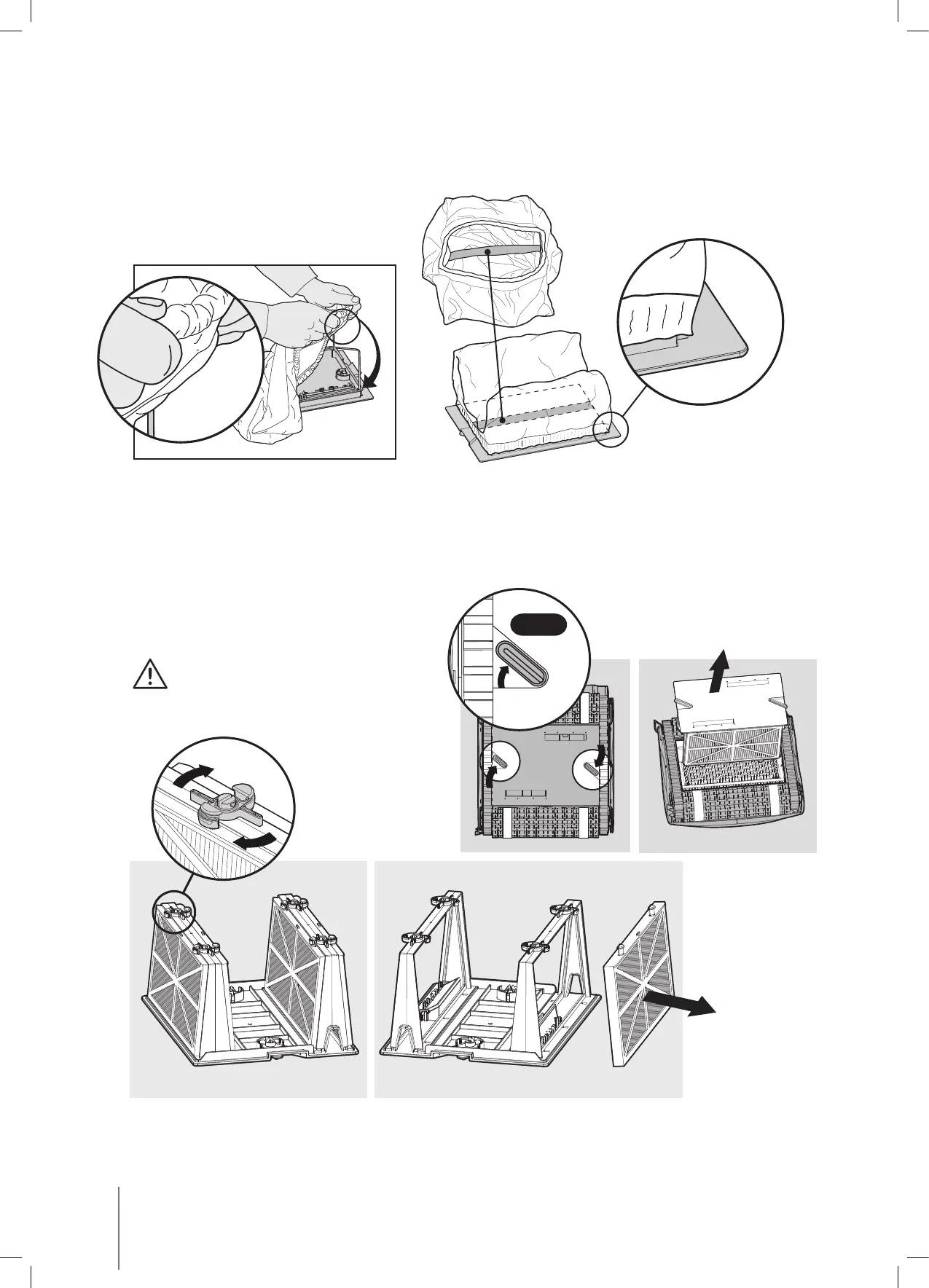
6.2. Replacing the filter bag
Put the filter bag over the frame so that the strap is in the middle of the shortest side.
Make sure that filter bag is positioned properly on the frame.
6.3. Cleaning the filter cartridges
Note: Don’t let the filter cartridges dry out before cleaning.
Unplug the power supply.
With the pool cleaner upside down
open the bottom lid and pull it out.
Open the clips and remove the filter.
Click



 To Next Page