10
Robotic Pool Cleaner DX4 | User Instructions
6.4. Cleaning the impeller
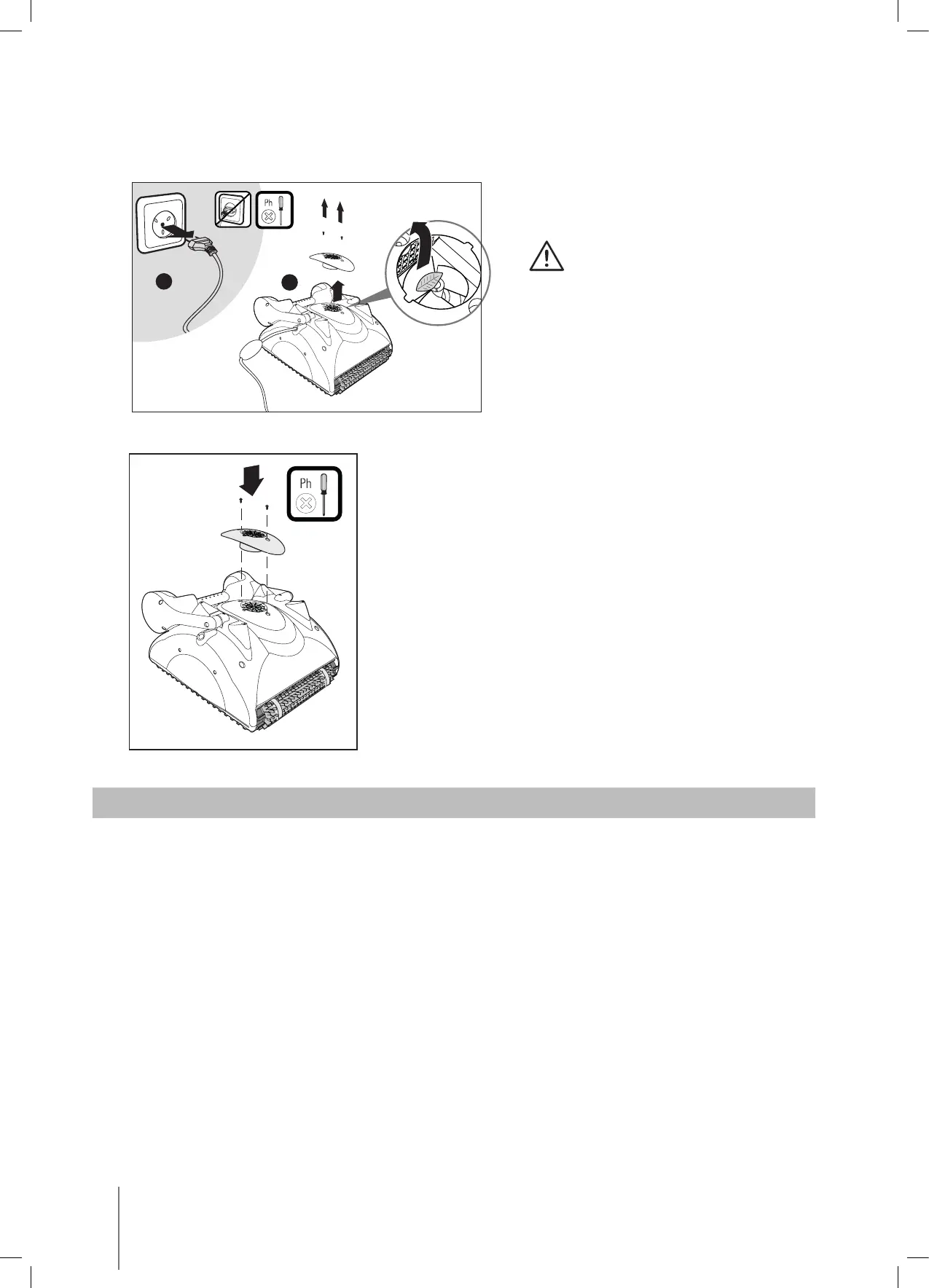
If you notice debris trapped in the impeller open the impeller and remove the debris.
Unplug the power supply.
Using a screwdriver, remove
the two screws on the impeller
cover and remove it.
Clear any debris that may
be in the impeller.
Replace the screws.
7. OFFSEASON STORAGE
If the Pool Cleaner will not be in use for an extended period, perform the following storage steps:
• Disconnect the Pool Cleaner from mains
• Make sure that no water is left in the Pool Cleaner
• Thoroughly clean the filter bag or cartridges and insert in place
• Roll up the cable so that it has no kinks
• Store the Pool Cleaner up side down, in a protected area out of direct sun / rain / frost at
a temperature of between 41°-113°F / 5°-45°C
A
B



 To Next Page