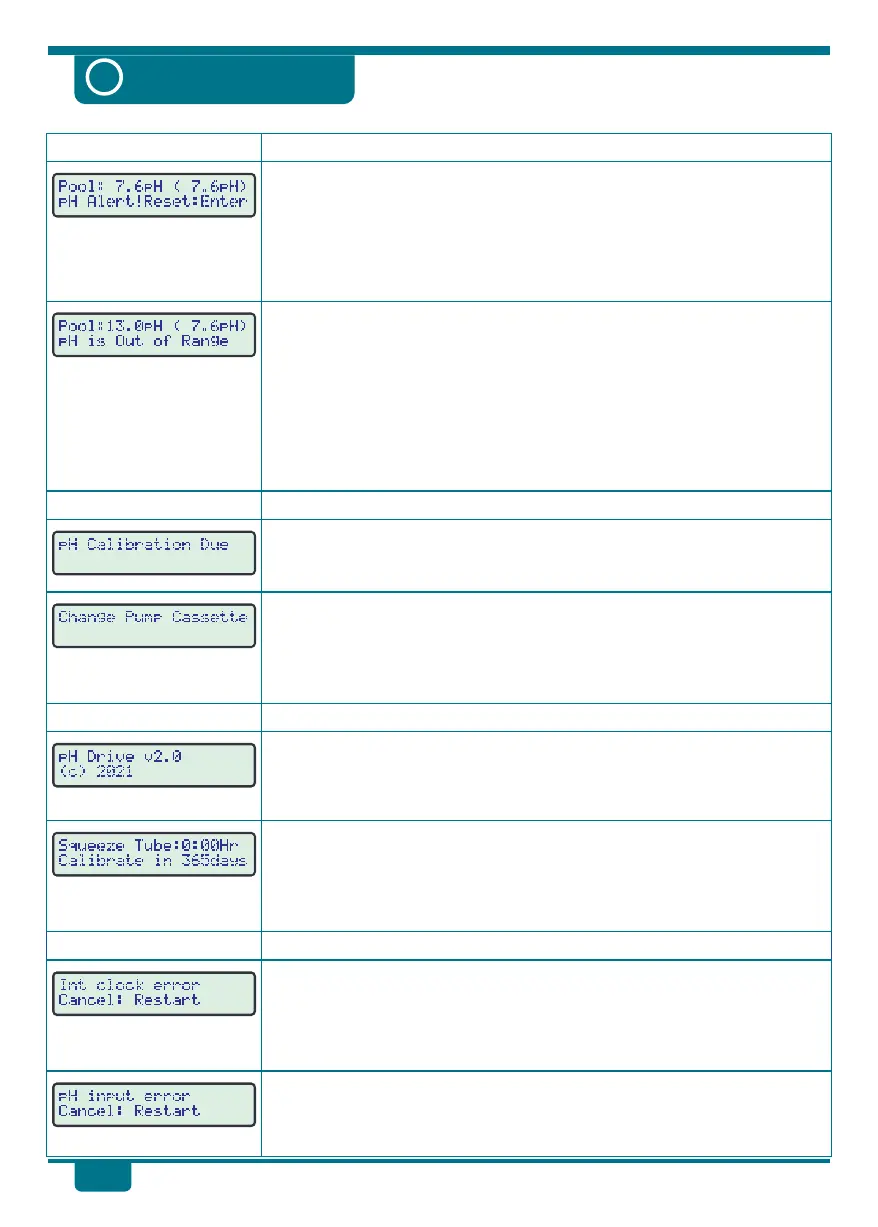
Alert Messages
Reminder Messages
General Messages
Hardware Fail Messages
Possible Causes and Remedies
Action Required
Explanation of Message
Explanation of Message
pH has been outside of Set Point for more than 4 hours of operation.
!
Please refer to page 13 for a complete list of possible causes and
remedies when the pH Alert message is flashing.
!
The pH Drive will not attempt any further acid addition until the
alarm is cleared. Press Enter to clear the alarm after rectifying the
issue.
pH reading is above pH12 or below pH2.
!
This alert is displayed immediately if the pH reading goes outside
the range of pH2 to pH12. A beeper also sounds. This alert can only
be cleared when the pH returns to normal range.
!
Check the actual pH of the pool with an independent test.
!
Attempt to calibrate the pH Drive (see pages 14 and 15).
!
If calibration fails and the issue persists, the pH sensor may require
replacement.
!
This reminder is displayed 12 months after the last successful pH
Calibration. Calibrate the pH Sensor as per pages 14 and 15.
!
This reminder is displayed when the peristaltic dosing pump has
exceeded 50 hours of operation since the last time the peristaltic
pump cassette was changed.
!
Change the Pump Cassette as per page 16.
!
This message is displayed each time the pH Drive is switched on.
!
If you need to contact us for technical support, we may ask you the
software version number (“v2.0” in this example).
!
This message is displayed each time the pH Drive is switched on,
after the version screen above.
!
On this screen, the pH Drive displays the accumulated dosing pump
operating time, and number of days since the last pH calibration.
!
The pH Drive has not been able to obtain data from the internal
clock chip.
!
Press Cancel to restart, or switch the pH Drive off for 5 seconds,
then back on again. If problem persists, return the unit for repair.
!
The pH Drive has not been able to obtain data from the pH input.
!
Press Cancel to restart or switch the pH Drive off for 5 seconds, then
back on again. If the problem persists, return the unit for repair.
18
Troubleshooting
?


 To Next Page