If the mode is switched to DVD mode once the DVD playback has stopped, the
playback restarts without displaying the DVD menu screen.
If you switch to another type of audio while a DVD is playing, the DVD playback
stops temporarily.
Rotate the
to display the Chapter.
When the
is displayed, you can display the menu by pressing the .
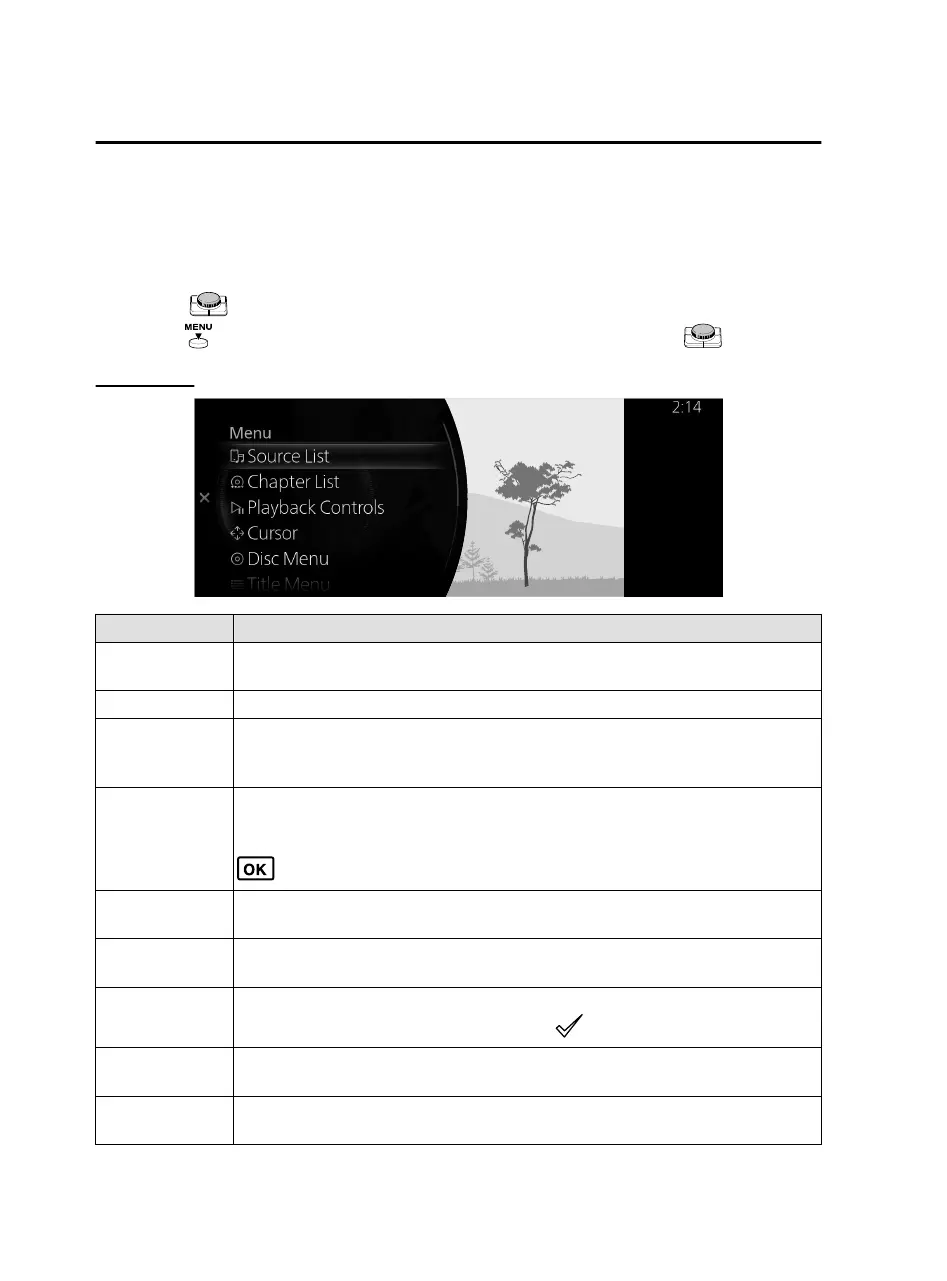
DVD menu
Menu Explanation
Source List
Displays the Source List screen.
The audio source can be switched.
Chapter List Displays the chapter list. Select the video you want to play from the chapter list.
Playback Controls
Displays the control screen (icon) on the playback screen.
For the operation method of each icon, refer to How to Use the Tuner Controls
(icon).
Cursor
*
(DVD Video)
Moves on the DVD menu screen for item selection.
Move to the desired position using the up/down, left/right arrows and select
.
Disc Menu
*
(DVD Video)
Displays the top menu of the DVD.
Title Menu
*
(DVD Video)
Displays the title menu of the DVD.
Title Number
Specifies the title number of the DVD you want to play and plays it.
Input the title number of the DVD and select
.
DVD Settings
Makes settings for the DVD.
For details, refer to DVD Settings.
Audio Settings
Adjusts the sound quality.
Refer to Sound Settings on page 2-115.
Features
Entertainment
2-80
*Some models.
Mazda Connect_8JB9-EA19E_Edition1_new 2019-8-1 17:07:41



 To Next Page