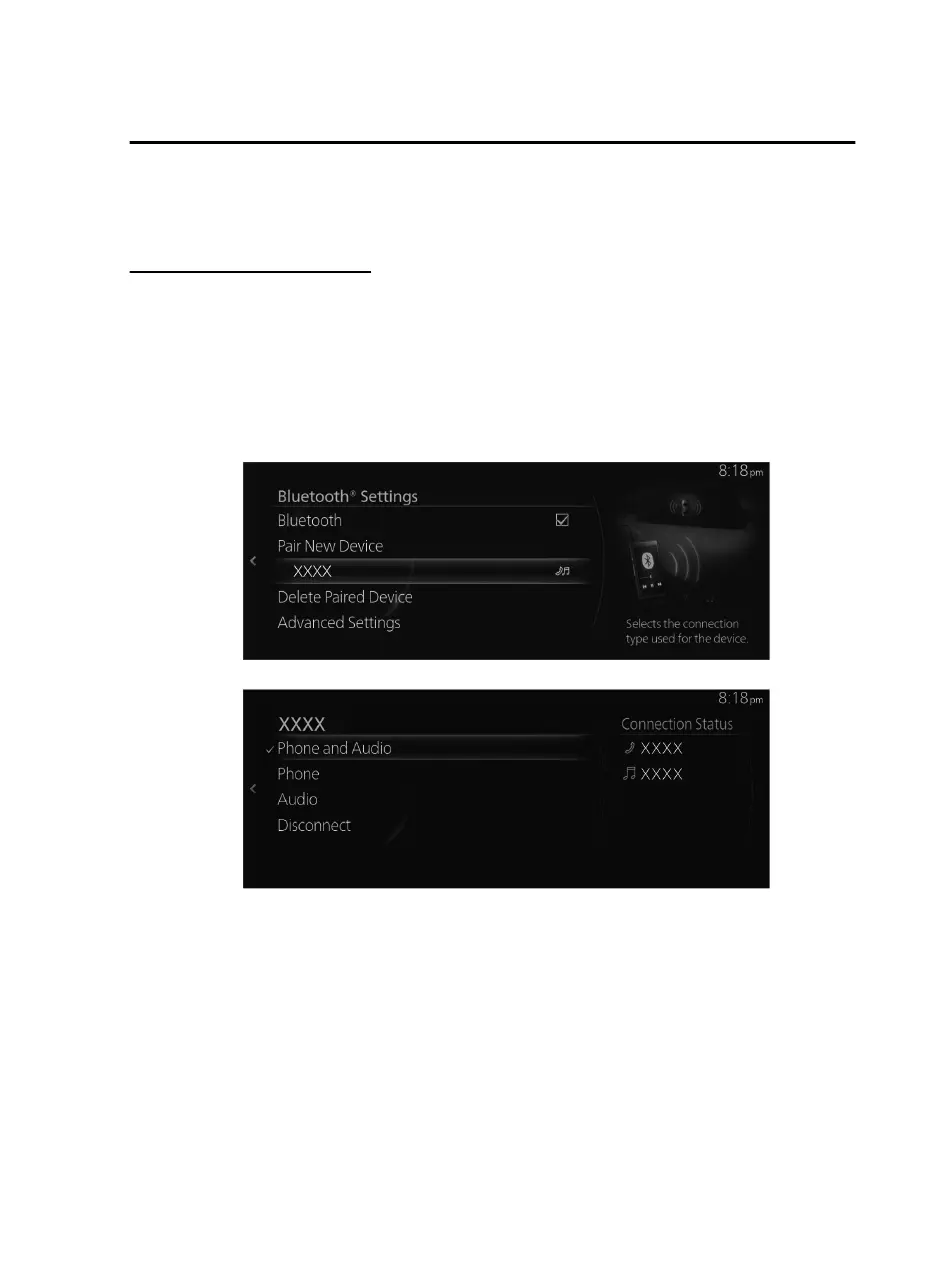
Before pairing, make sure that Bluetooth
®
is on, both on your device and on the
vehicle.
Bluetooth
®
device selection
When several Bluetooth
®
devices have been registered, you can select the
Bluetooth
®
device to be connected. When you want to connect a dierent
Bluetooth
®
device that has already been paired, change the Bluetooth
®
device
connection using the following procedure.
Connecting a dierent Bluetooth
®
device
1. Select the name of the device you want to connect from the Bluetooth
®
device
list displayed on the Bluetooth
®
Settings screen.
2. Select the connection method.
Phone and Audio: Connects as both a Hands-Free and Bluetooth
®
Audio
device.
Phone: Connects as a Hands-Free device.
Audio: Connects as Bluetooth
®
Audio.
NOTE
The following functions can be used for the Hands-free or audio.
Hands-Free: Telephone, SMS (Refer to Bluetooth
®
Hands-Free on page 2-89.)
Audio: Bluetooth
®
Audio (Refer to Bluetooth
®
on page 2-55.), Pandora
®
(Refer
to Pandora
®
on page 2-49.)
Features
Settings
2-129
Mazda Connect_8JB9-EA19E_Edition1_new 2019-8-1 17:07:41



 To Next Page