Some Bluetooth
®
devices cannot separate pairing for Bluetooth
®
Hands-Free and
Bluetooth
®
Audio, therefore, it may be connected as “Phone and Audio” even if
only “Phone” or “Audio” is selected.
Disconnecting a Bluetooth
®
device connection
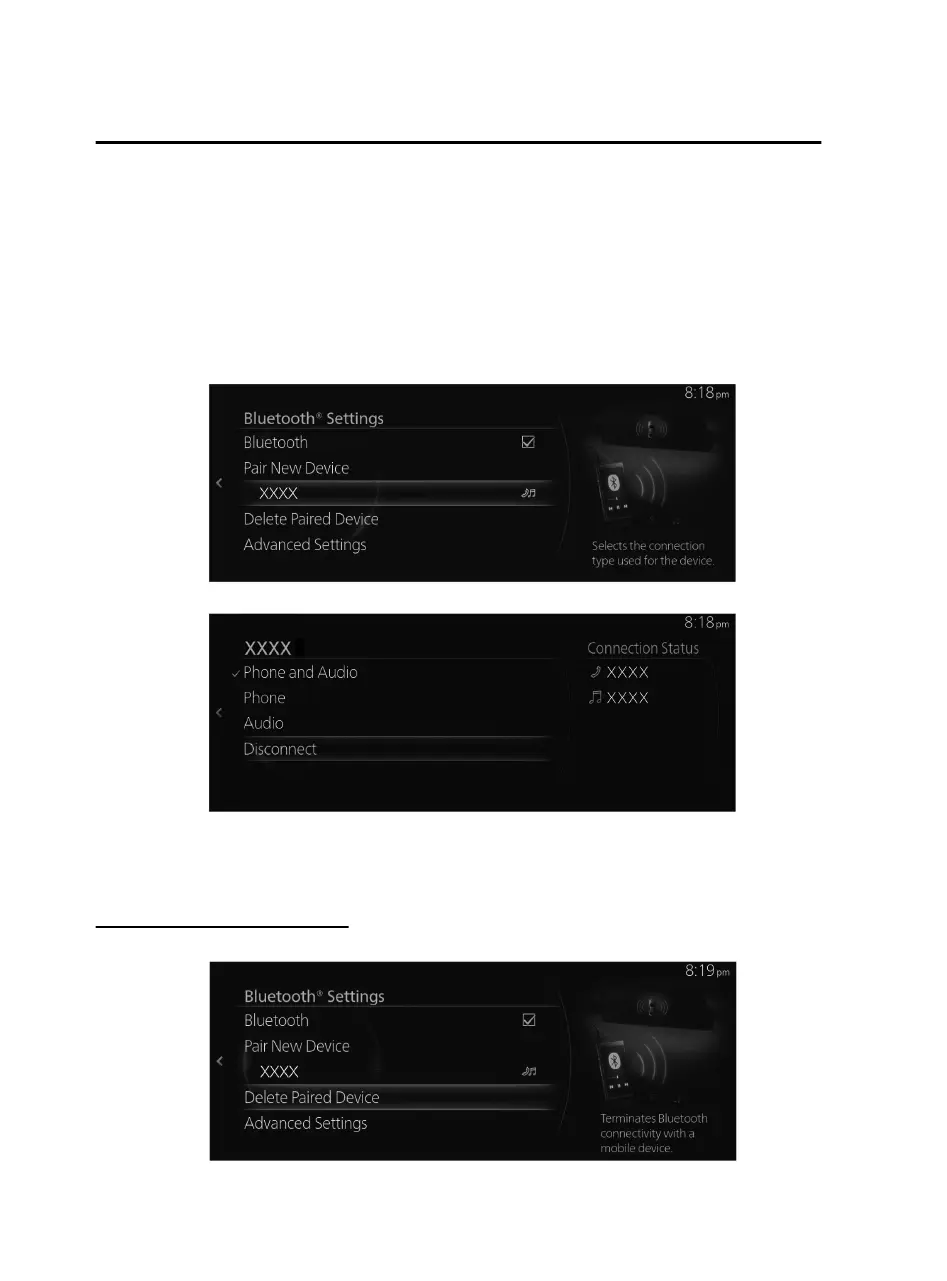
1. Select the name of the device currently connected from the Bluetooth
®
device list
displayed on the Bluetooth
®
Settings screen.
2. Select “Disconnect”.
NOTE
A connection can also be disconnected by setting the Bluetooth
®
connection setting
to OFF.
Deleting a Bluetooth
®
device
1. Select “Delete Paired Device”.
Features
Settings
2-130
Mazda Connect_8JB9-EA19E_Edition1_new 2019-8-1 17:07:41



 To Next Page