Trip Computer and INFO Switch ...................................................................... page 4-27
qSpeedometer
The speedometer indicates the speed of
the vehicle.
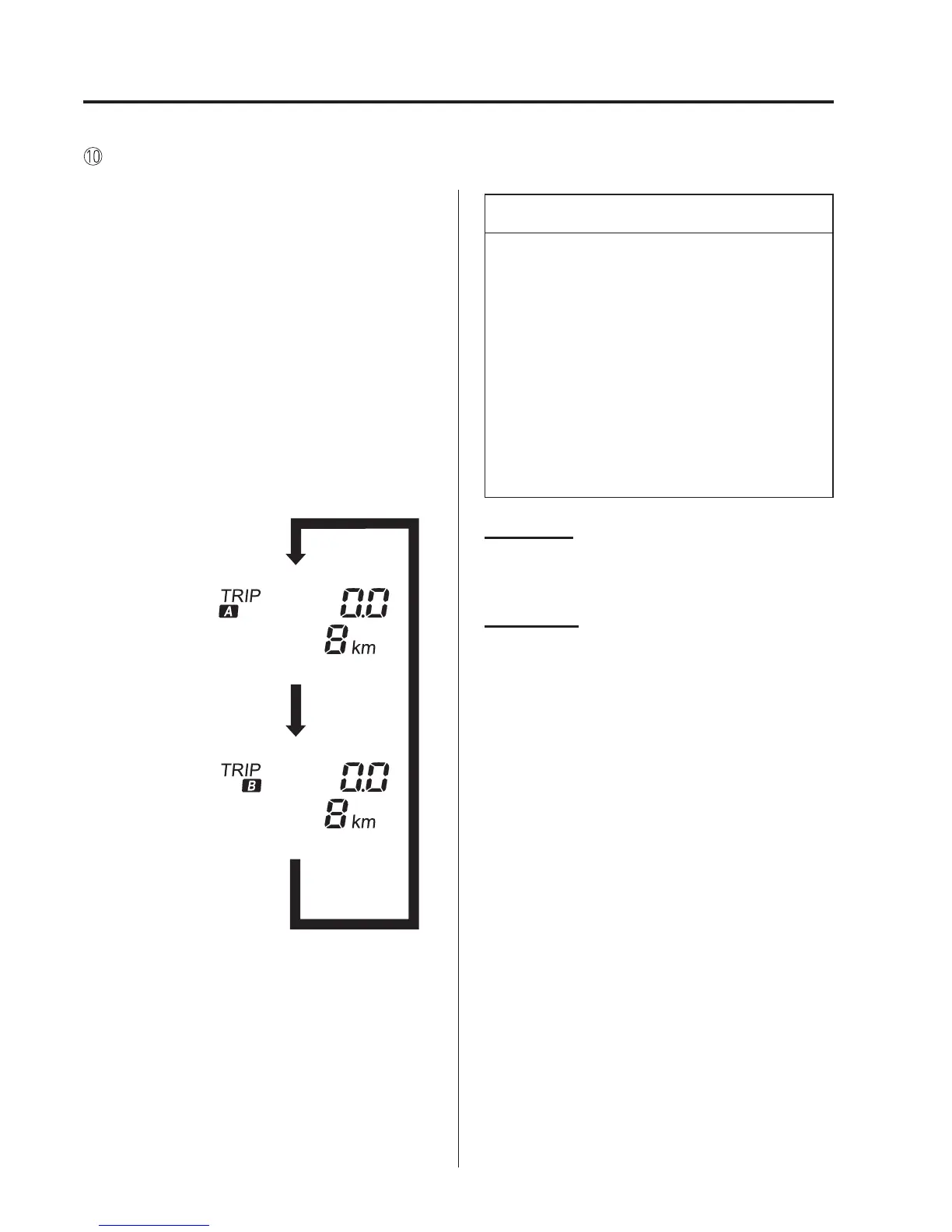
qOdometer, Trip Meter and Trip
Meter Selector
The display mode can be changed
between trip meter A and tri p met er B by
pressing the selector while one of them is
displayed. The selected mode will be
displayed.
Press the selector
Press the selector
Trip meter A
Odometer
Trip meter B
Odometer
NOTE
When the ignition is switched to ACC
or OFF, the odometer or trip meters
cannot be displayed, however, pressing
the selector can inadvertently switch the
trip meters or reset them during an
approximate ten-minute period in the
following cases:
l
After the ignition is switched to OFF
from ON.
l
After the driver's door is opened.
Odometer
The odometer records the total distance
the vehicle has been driven.
Trip meter
The trip meter can record the total
distance of two trips. One is recorded in
trip meter A, and the other is recorded in
trip meter B.
For instance, trip meter A can record the
distance from the point of origin, and trip
meter B can record the distance from
where the fuel tank is filled.
When trip meter A is selected, pressing
the selector again within one second will
change to trip meter B mode.
When trip meter A is selected, TRIP A
will be displayed. When trip meter B is
selected, TRIP B will be displayed.
4-22
When Driving
Instrument Cluster and Display



 To Next Page