NOTE
l
If water, snow, or mud is stuck on the camera lens, wipe it off using a soft cloth. If it
cannot be wiped off, use a mild detergent.
l
If the camera temperature changes rapidly (Hot to cold, cold to hot), the rear view
monitor may not operate correctly.
l
When replacing the tyres, consult an expert repairer, we recommend an Authorised
Mazda Repairer. Replacing the tyres could result in deviation of the guide lines which
appear on the display.
l
If the vehicle's front, side, or rear has been involved in a collision, the alignment of
the rear view parking camer a (location, installation angle) may have deviated. Always
consult an expert repairer, we recommend an Authorised Mazda Repairer to have the
vehicle inspected.
l
(Predicted vehicle path assist lines display type)
If force is applied to the steering wheel, the guide lines may not display. Loosen your
grip on the steering wheel to allow the guide lines to display.
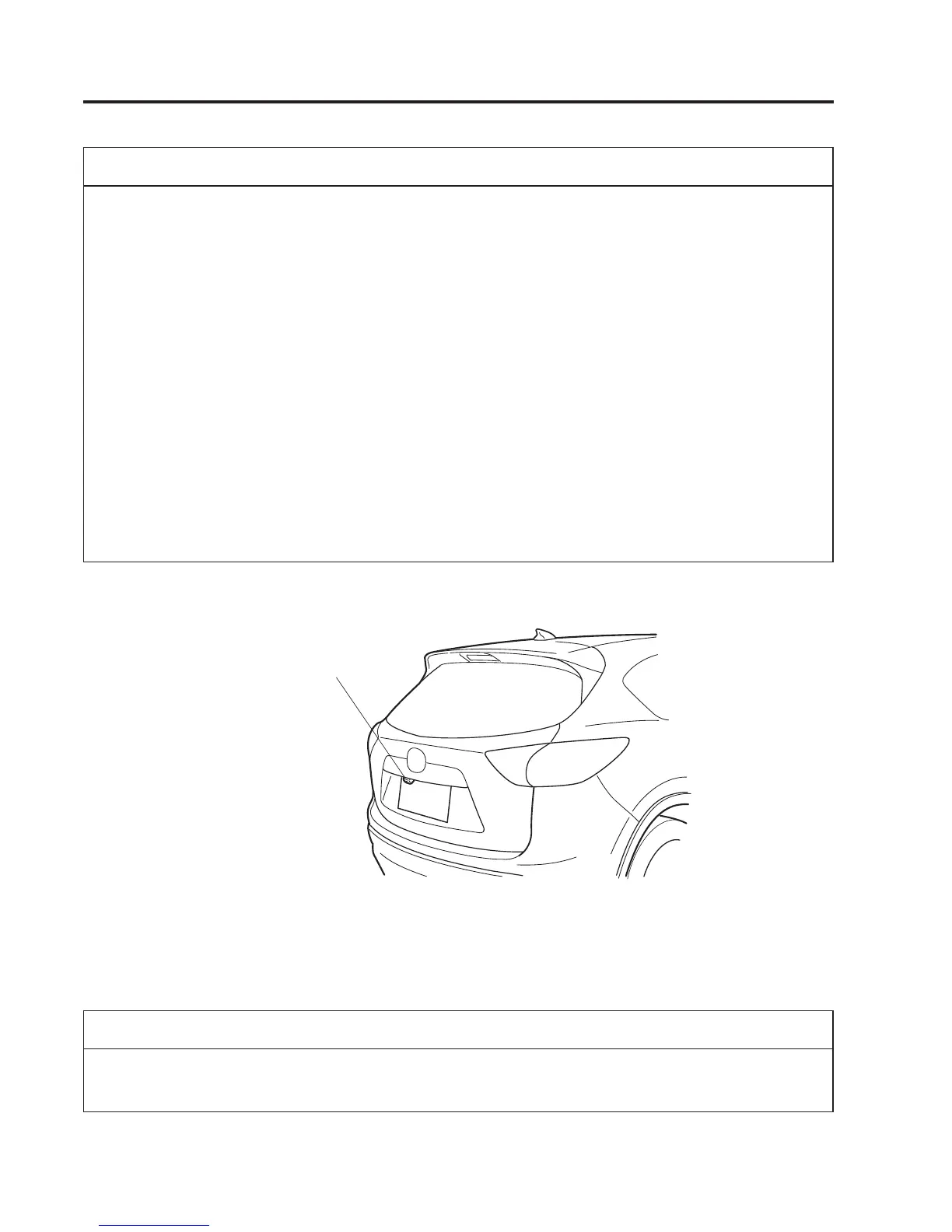
qRear View Parking Camera Location
Rear View Parking Camera
qSwitching to the Rear View Monitor Display
Shift the shift lever to R with the igni tion switched ON to switch the display to the rear
view monitor display.
NOTE
When the shift lever is shifted from R to another shift lever position, the screen returns to
the previous display.
4-218
When Driving
Rear View Monitor



 To Next Page