NOTE
l
The displayable range va ries depending on the vehicle and road conditions.
l
The displayable range is limited. Objects under the bumper or around the bumper
ends cannot be displayed.
l
The distance appearing in the displayed image is different from the actual distance
because the rear view parking camera is equipped with a specific lens.
l
Images displayed on the monitor from the rear view parking camera are reversed
images (mirror images).
l
Some optionally installed vehicle accessories may be picked up by the camera. Do not
install any optional parts that can interfere with the camera view, such as illuminating
parts or parts made of reflective material.
l
It may be difficult to see the display under the following conditions, however, it does
not indicate a malfunction.
l
In darkened areas.
l
When the temperature around the lens is high/low.
l
When the camera is wet such as on a rainy day or during periods of high humidity.
l
When foreign material such as mud is stuck around the camera.
l
When the camera lens reflects sunlight or headlight beams.
l
Image display may be delayed if the temperature around the camera is low.
qViewing the Display
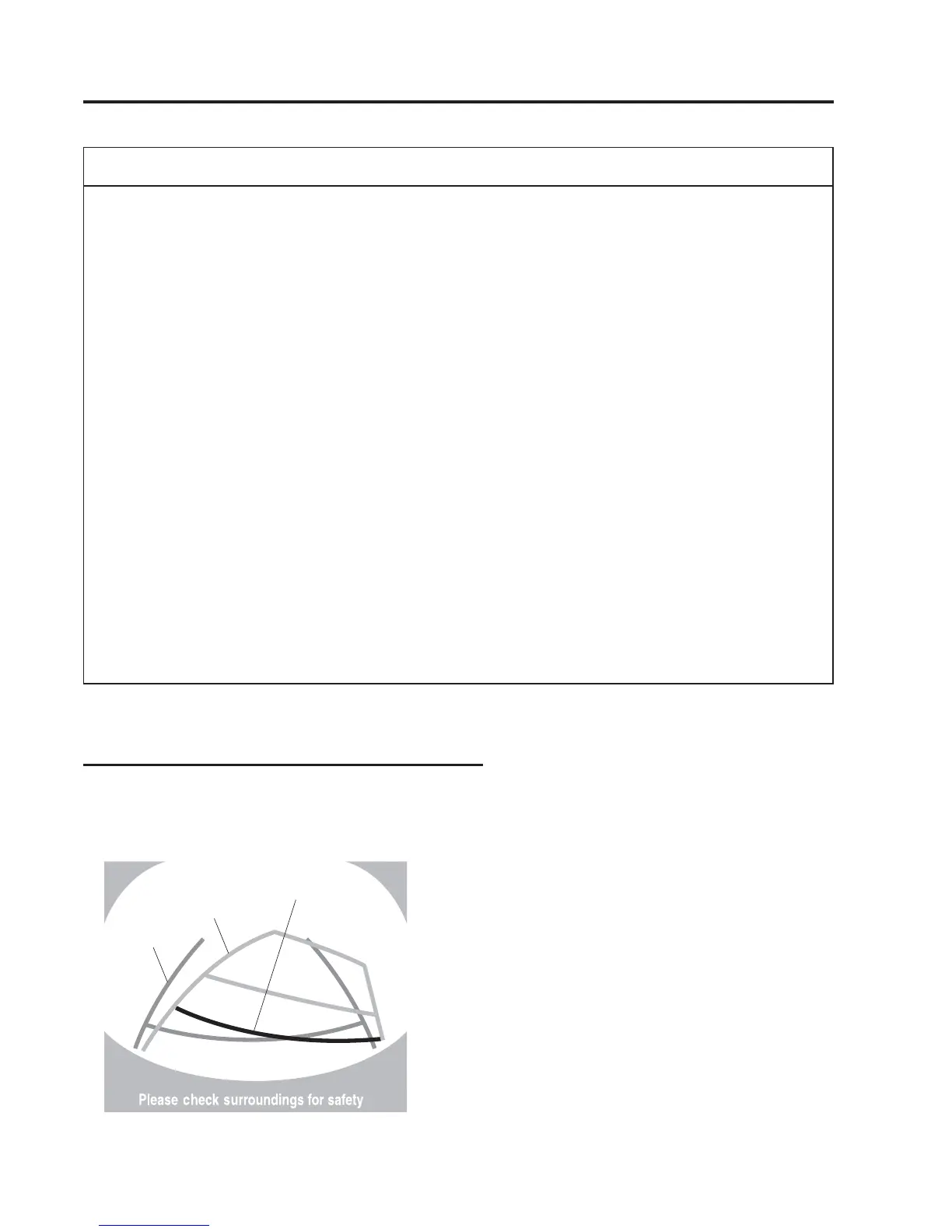
Predicted vehicle path assist lines display type
The projected path guidance mode displays the predicted path of the vehicle after you turn
the steering wheel.
Use this mode for parking your vehicle in a parking space or garage.
b
a
c
4-220
When Driving
Rear View Monitor



 To Next Page