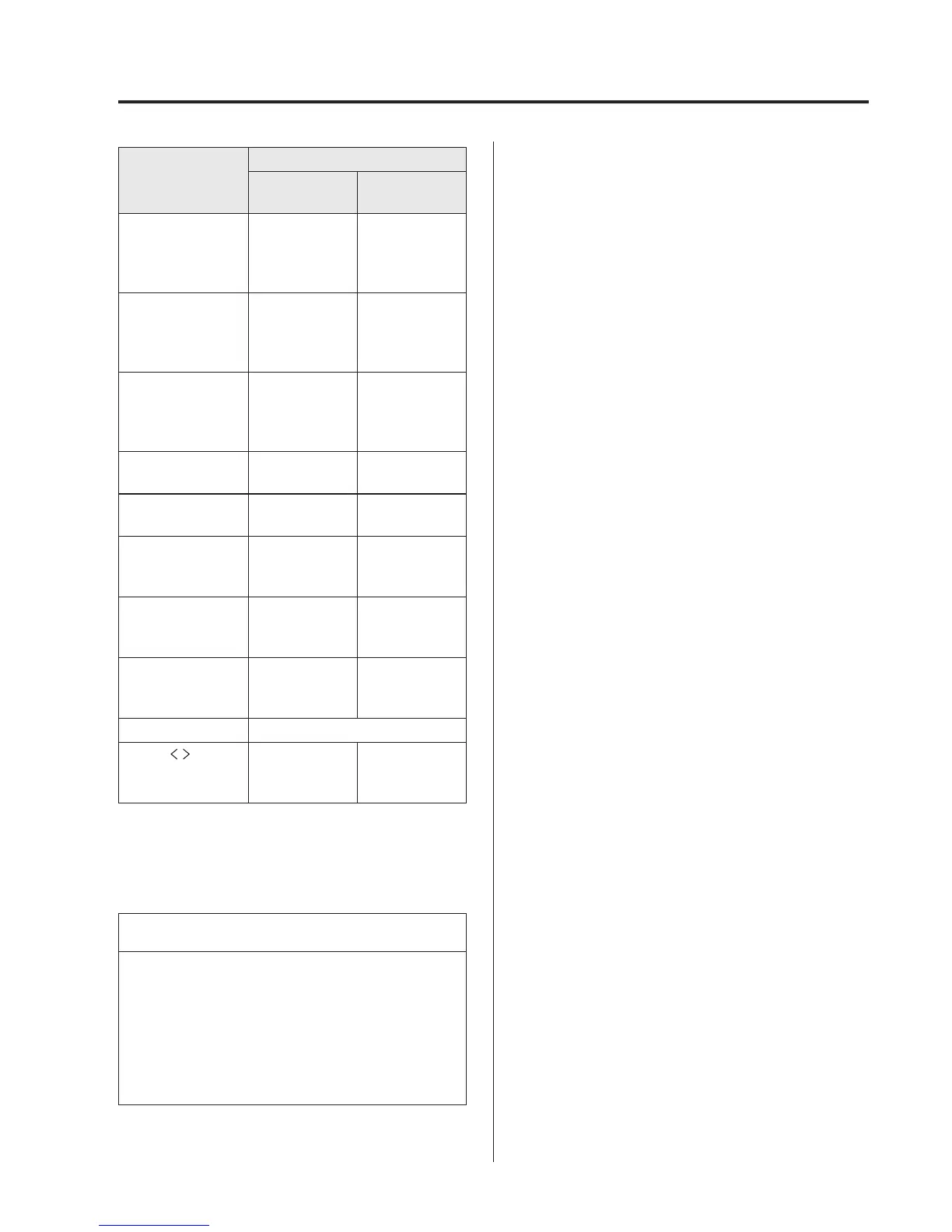
Indication
Setting value
Turn
Anticlockwise
Turn
Clockwise
AF
*1
(Setting
Alternative
Frequency (AF))
Off On
REG
*1
(Setting Regional
Programme
(REG))
Off On
ALC
(Automatic
volume
adjustment)
Level decrease Level increase
BASS
(Low pitch sound)
Decrease bass Increase bass
TREB
(Treble sound)
Decrease treble Increase treble
FADE
(Front/back
volume balance)
Shift the sound
to the front
Shift the sound
to the rear
BAL
(Left/right volume
balance)
Shift the sound
to the left
Shift the sound
to the right
BEEP
(Audio operation
sound)
Off On
BT SETUP
*2
Select mode
12Hr
24Hr
(12 Hr/24 Hr time
adjustment)
12Hr
(Flashing)
24Hr
(Flashing)
*1 Type B
*2 Depending on the model, this function
may not be available.
NOTE
If not operated for several seconds, the
display returns to the previ ous display.
To reset bass, treble, fade, and balanc e,
press the audio control dial for 2
seconds. The unit will beep and
“CLEAR” will be displayed.
AF (Setting Alternative Frequency
(AF)) (Type B)
The AF function of the Radio Data
System (RDS) can be set on or off.
Refer to Operating the Rad io (Type B) on
page 5-38.
REG (Setting Regi onal Programme
(REG)) (Type B)
The REG function of the Radio Data
System (RDS) can be set on or off.
Refer to Operating the Rad io (Type B) on
page 5-38.
ALC (Automatic volume adjustment)
The automatic level control (ALC)
changes the audio volume automatically
according to the vehicle speed. The faster
the vehicle speed, the higher the volume
increases. ALC has ALC OFF and ALC
LEVEL 1 to 7 modes. At ALC LEVEL 7,
the amount that the volume can increase is
at the maximum. Select the mode
according to the driving conditions.
BEEP (Audio operati on sound)
The setting for the operation sound when
pressing and holding a button can be
changed. The initial setting is ON. Set to
OFF to mute the operation sound.
BT SETUP mode
í
Music and other audio such as voice data
recorded on portable audio devices and
mobile phones available on the market
which are equipped with the Bluetooth
®
transmission funct ion can be listened to
via wireless transmission over the
vehicle's speakers. Using the BT SETUP
mode, these devices can be progra mmed
to the Bluetooth
®
unit or changed.
Refer to Bluetooth® Preparation (Type B
Audio) on page 5-92.
Interior Features
Audio System
5-31
í
Some models.



 To Next Page