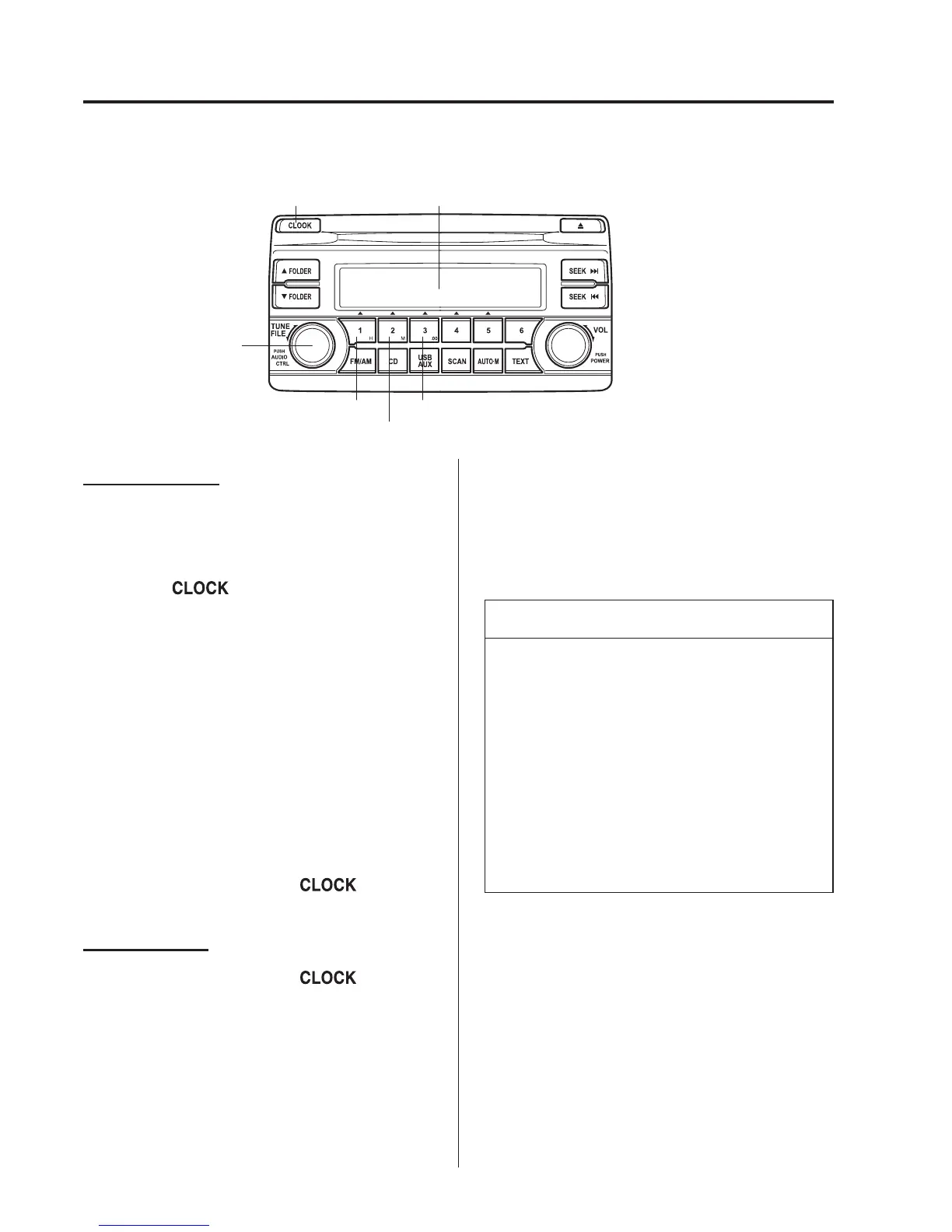
qClock
Hour set button :00 button
Minute set button
Audio control dial
Audio displayClock button
The figure is an example
showing the type A unit.
Setting the time
The clock can be set at any time when the
ignition is switched to ACC or ON.
1. To adjust the time, press the clock
button (
) for about 2 seconds
until a beep is heard.
2. The clock's current time will flash.
Time adjustment
l
To adjust the time, press the hour/
minute set button (H, M) while the
clock's current time is flashing.
l
The hours advance while the hour
set button (H) is pressed. The
minutes advance while the minute
set button (M) is pressed.
3. Press the clock button (
) again
to start the clock.
Time resetting
1. Press the clock button (
) for
about 2 seconds until a beep is heard.
2. Press the :00 button.
3. When the button is pressed, the time
will be reset as follows:
(Example)
12:01―12:29→12:00
12:30―12:59→1:00
NOTE
l
When the :00 button is pressed, the
seconds will start at “00”.
l
Switching between 12 and 24-hour
clock time:
Press the audio control dial several
times until 12 and 24-hour clock
time are displayed. Turn the audio
control dial in either direction, select
the desired clock setting while the
preferred clock time is flashing.
5-34
Interior Features
Audio System



 To Next Page