CAUTION
l
Always close the auxil iary jack/USB
port lid when it is not in use. If
foreign matter or liquid penetrates
the auxiliary jack/USB port, it may
cause a malfunction.
l
Depending on the portable audio
device, noise may occur when the
device is connected to the vehicle
accessory socket . (If noise occurs, do
not use the accessory socket .)
NOTE
l
This mode may not be usable
depending on the portable audio
device to be connected.
l
Before using the auxiliary jack/USB
port, refer to the instruction manual
for the portable audio device.
l
Use a commercially-available, non-
impedance (3.5
) stereo mini plug
for connecting the portable audio
unit to the auxiliary jack. Before
using the auxiliary jack, read the
manufacturer's instructions for
connecting a portable audio unit to
the auxiliary jack.
l
To prevent discharging of the battery,
do not use the auxiliary input for
long periods with the engine off or
idling.
l
When connecting a device to the
auxiliary jack or USB port, noise
may occur depending on the
connected device. If the device is
connected to the vehicle's accessory
socket, the noise can be reduced by
unplugging it from the accessory
socket.
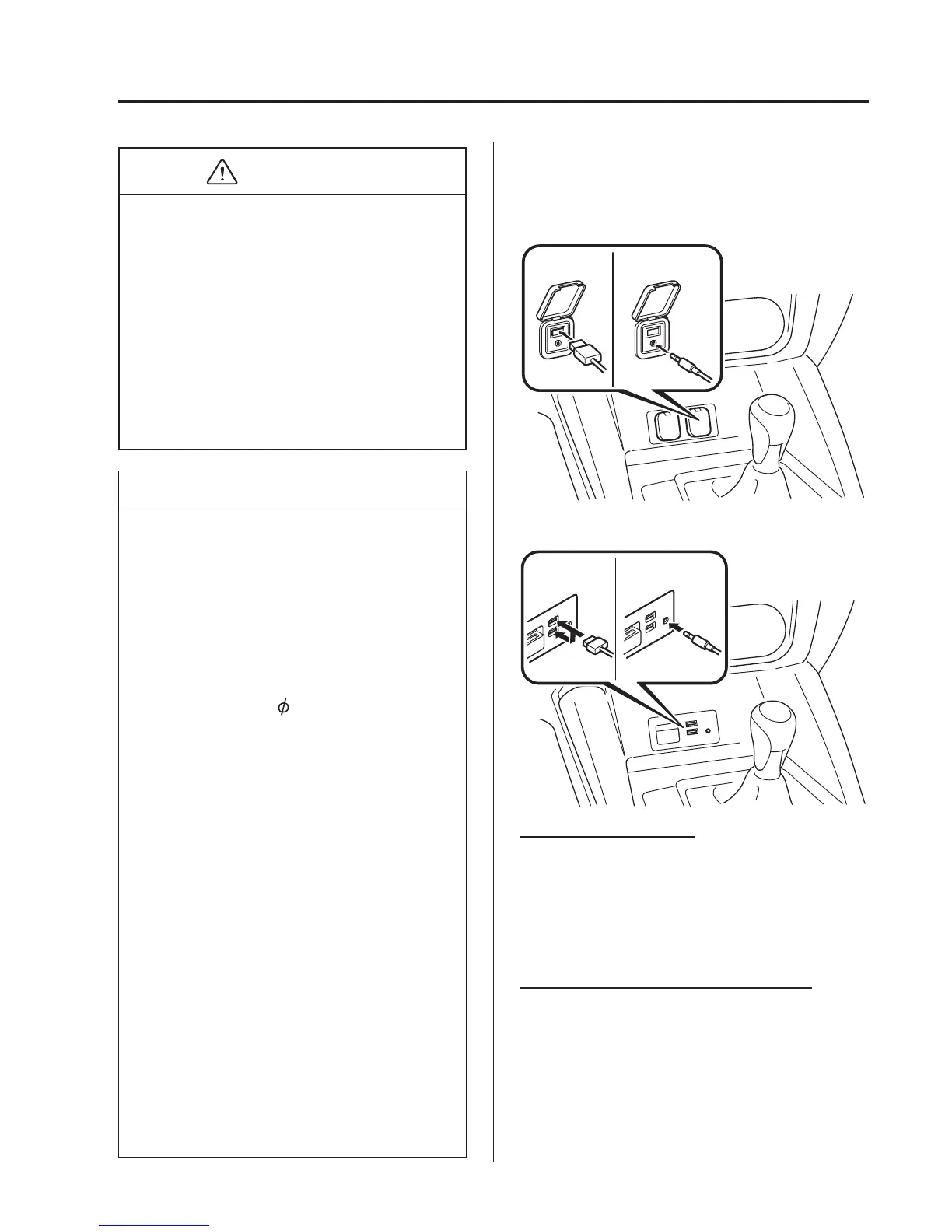
qHow to connect USB port/
Auxiliary jack
Type A/Type B
USB port Auxiliary jack
Type C/Type D
USB port Auxiliary jack
Connecting a device
1. If there is a cover on the AUX jack or
USB port, remove the cover.
2. Connect the connector on the device to
the USB port.
Connecting with a connector lead
1. If there is a cover on the AUX jack or
USB port, remove the cover.
2. Connect the device plug/connector lead
to the auxiliary jack/USB port.
Interior Features
Audio System
5-73



 To Next Page