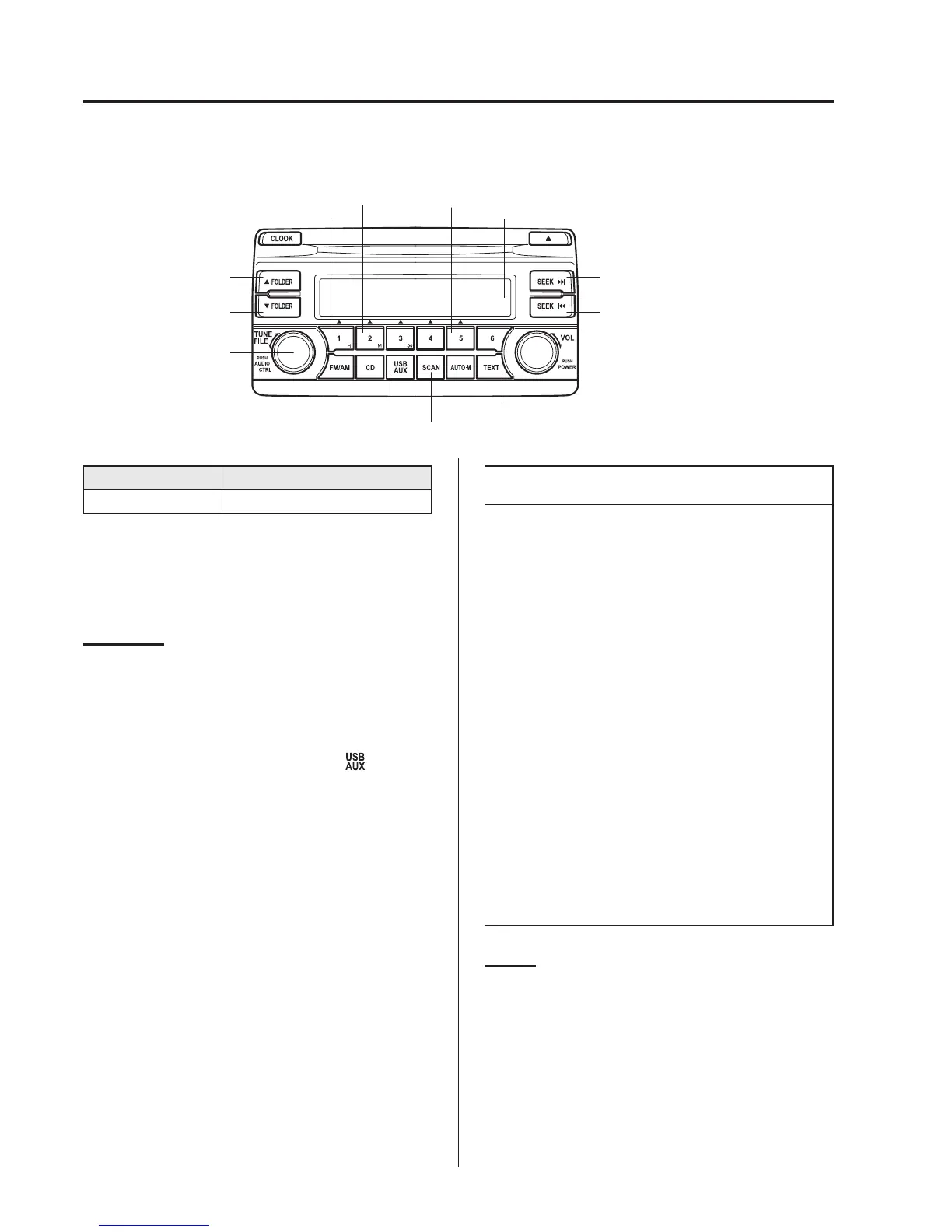
qHow to use USB mode (Type A/Type B)
USB/AUX button
Scan button
Text button
The figure is an example
showing the type A unit.
Track down/Reverse button
Track up/Fast-forward button
Audio display
Random button Play/Pause button
Repeat button
File dial
Folder up button
Folder down button
Type Playable data
USB mode MP3/WMA/AAC file
This unit does not support a USB 3.0
device. In addition, other devices may not
be supported depending on the model or
OS version.
Playback
1. Switch the ignition to ACC or ON.
2. Press the power/volume dial to turn the
audio system on.
3. Press the USB/AUX button (
)to
switch to the USB mode and start
playback.
NOTE
l
Some devices such as smart pho nes
may require a setting change to allow
operation using a USB connect ion.
l
When the USB device is not
connected, the mode does not switch
to USB mode.
l
When there is no playable data in the
USB device, “NO CONTENTS” is
flashed.
l
Playback of the USB device is in the
order of the folder numbers. Folders
which have no MP3/WMA/AAC
files are skipped.
l
Do not remove the USB device
while in the USB mode. The data
may be damaged.
Pause
To stop playback, press the play/pause
button (5).
Press the button again to resume
playback.
5-76
Interior Features
Audio System



 To Next Page