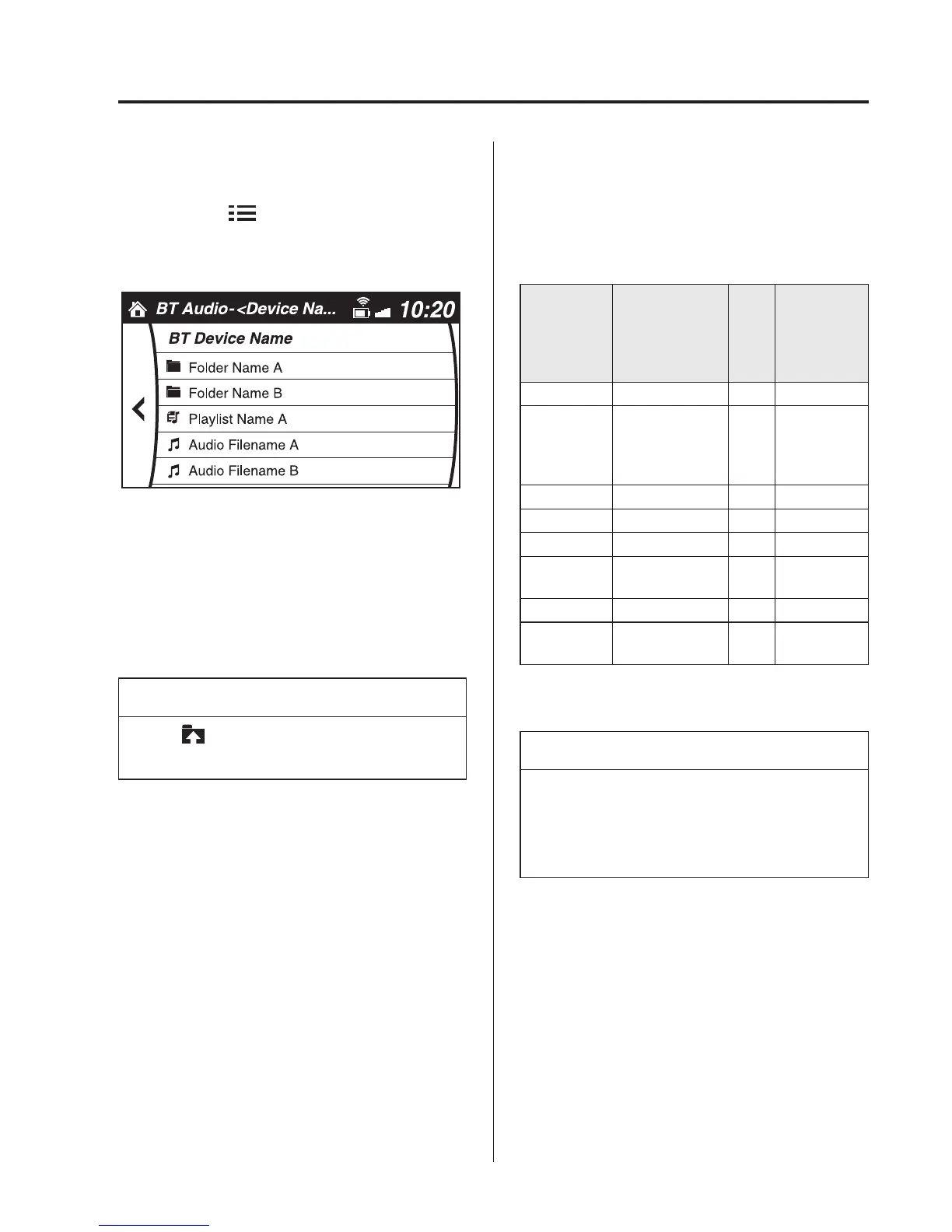
Example of use (When searching for a
song from the top level of a device)
1. Select the
icon and display the
folder/file list at the top level.
2. When the folder is selected, folders/file
lists in the folder are displayed. When
the playlist is selected, the file list is
displayed.
3. Select the desired song.
NOTE
Select to move to a folder one level
higher.
qBluetooth® Audio Device
Information Display
If a Bluetooth
®
audio device is connected,
the following information is displayed in
the centre display.
AVRCP Ver.
lower than 1.3
AVR-
CP
Ver.
1.3
AVRCP Ver.
1.4 or
higher
Device name X X X
Remaining
battery
charge of
device
XXX
Song name ― XX
Artist name ― XX
Album name ― XX
Playback
time
― XX
Genre name ― XX
Album art
image
―――
X: Available
―: Not available
NOTE
Some information may not display
depending on the device, and if the
information cannot be displayed,
“Unknown - - -” is indicated.
Interior Features
Bluetooth®
5-137



 To Next Page