SMARTING User Manual – Release 11/03/2019 27
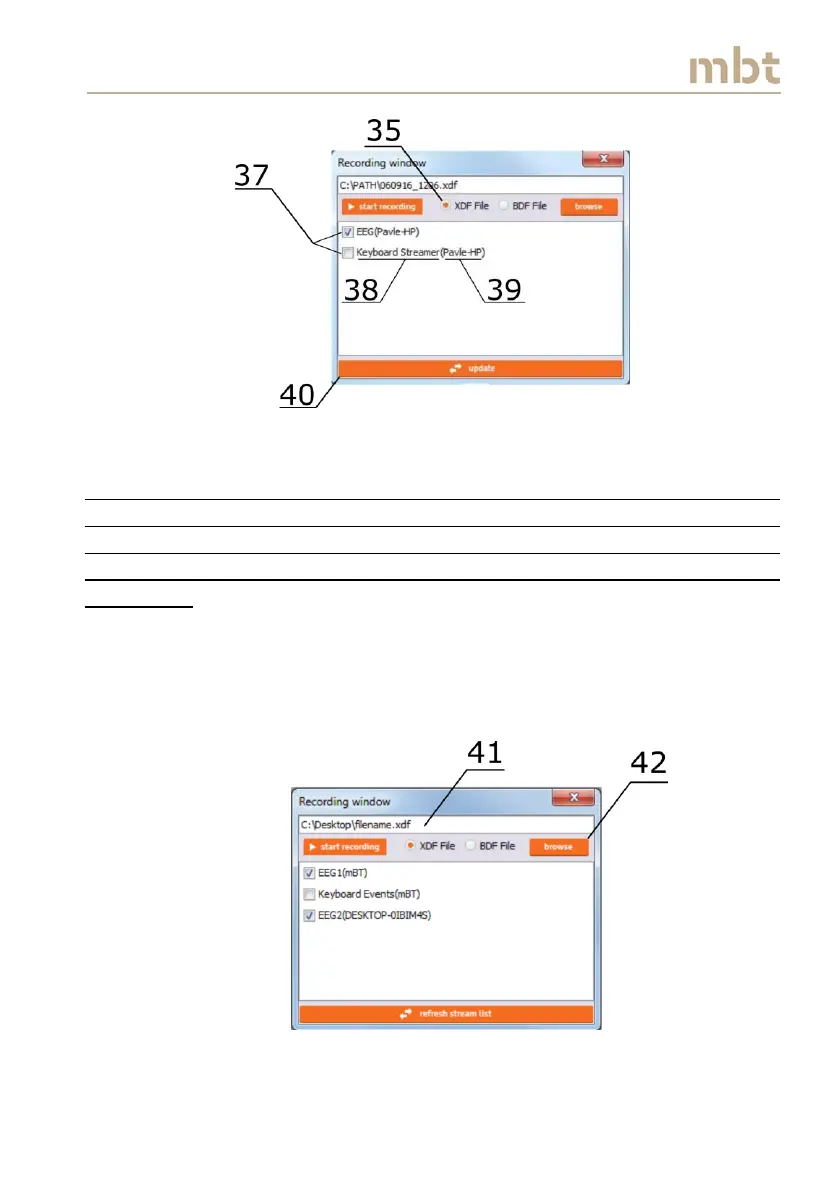
Figure 6.13 The Recording window overview, when the user selects the XDF file
option
Note: In case of recording two SMARTING EEG streams, it is important to
provide different names to the EEG streams when connecting the
SMARTING device to Smarting Streamer (as described in Figure 6.3). As an
example, the EEG streams can be named EEG1, EEG2, etc., as shown in
Figure 6.14.
In order to choose the location and the file name of the .XDF file to be
recorded, choose either to manually enter the path and the filename in the
white box (41), to click the browse button (42), or keep the automatically
generated path and name (as in Figure 6.14).
Figure 6.14 The Recording window overview with multiple streams from multiple PCs



 To Next Page