28 SMARTING User Manual – Release 11/03/2019
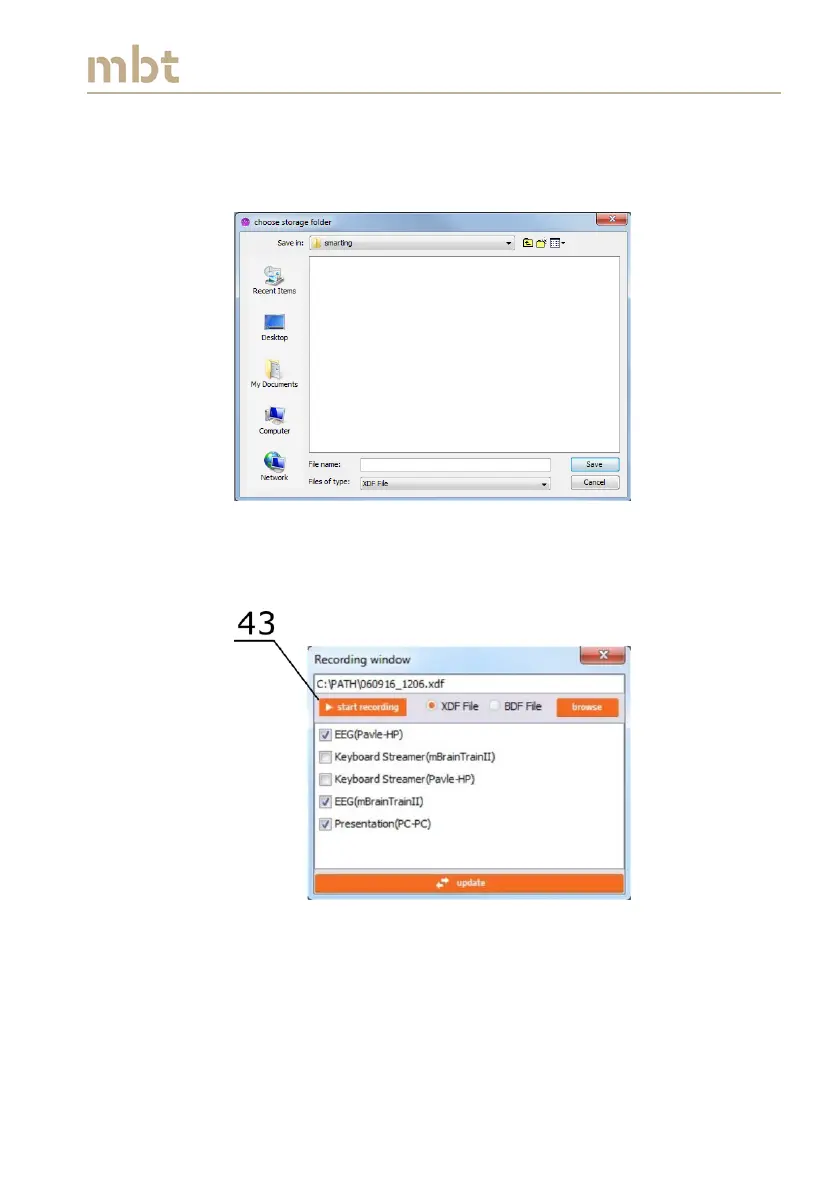
If the browse button (42) is clicked, a new window choose storage folder will
pop-up in which the location of the file should be defined (the default
location is C:/Smarting Streamer recordings), as depicted in Figure 6.15.
Figure 6.15 The choose storage folder window overview
Once the recording folder is set, provide the filename and save the path by
clicking the Save button (Figure 6.15).
Figure 6.16 The Recording window – Start recording signals
In order to start recording a file, press the start recording button (43 in Figure
6.16). At this moment, the pop-up window withdraws and the Signal display
window appears.



 To Next Page